<?xml version="1.0" encoding="utf-8"?>
<feed xmlns="http://www.w3.org/2005/Atom">
  <title>叶落阁</title>
  
  
  <link href="http://yelog.org/atom.xml" rel="self"/>
  
  <link href="http://yelog.org/"/>
  <updated>2026-05-29T08:37:08.092Z</updated>
  <id>http://yelog.org/</id>
  
  <author>
    <name>叶落阁</name>
    
  </author>
  
  <generator uri="https://hexo.io/">Hexo</generator>
  
  <entry>
    <title>AntV npm 投毒复盘：一次公司私服缓存恶意包引发的账号封禁事件</title>
    <link href="http://yelog.org/2026/05/29/antv-ioc/"/>
    <id>http://yelog.org/2026/05/29/antv-ioc/</id>
    <published>2026-05-29T08:16:07.000Z</published>
    <updated>2026-05-29T08:37:08.092Z</updated>
    
    <content type="html"><![CDATA[<h1 id="AntV-npm-投毒复盘：一次公司私服缓存恶意包引发的账号封禁事件"><a href="#AntV-npm-投毒复盘：一次公司私服缓存恶意包引发的账号封禁事件" class="headerlink" title="AntV npm 投毒复盘：一次公司私服缓存恶意包引发的账号封禁事件"></a>AntV npm 投毒复盘：一次公司私服缓存恶意包引发的账号封禁事件</h1><h2 id="导语"><a href="#导语" class="headerlink" title="导语"></a>导语</h2><p>事情的起点只是一次普通的 CI 打包失败，根因排查到最后却指向一个本该已经被 npm 官方下架的恶意版本：<code>@antv/expr@1.2.2</code>。更没想到的是，因为我在本地为了复现问题而使用公司私服重新安装依赖，直接触发了恶意代码并被安全软件告警，最终导致个人开发账号被临时封禁。</p><p>本文记录完整时间线、攻击机制、凭据风险以及处置与治理建议，供遇到类似问题的团队与个人参考。</p><blockquote><p>说明：本文已将公司内部私服域名、账号名称、项目名、内网镜像地址、人员等信息做脱敏处理；图片路径保持原样，相关公开 IOC 与外部参考链接也保持原样。</p></blockquote><h2 id="结论摘要"><a href="#结论摘要" class="headerlink" title="结论摘要"></a>结论摘要</h2><p>公司私有 npm 仓库（下文统一称“公司私服”）上缓存的 npm 包 <code>@antv/expr@1.2.2</code> 包含恶意代码。开发者如果在本地执行如下命令，并安装到了该版本，就会触发恶意逻辑：</p><pre><code class="bash">pnpm install --no-frozen-lockfile --registry https://***公司私服域名***/nexus/repository/npm/</code></pre><p>本次恶意代码属于 AntV 相关 npm 包被投毒事件的一部分。它会在安装阶段执行 payload，扫描并收集本机和 CI 环境中的敏感凭据，并向 <code>m-kosche.com</code>、<code>t.m-kosche.com</code> 等域名发起请求。根据公开分析，外传数据会经过 gzip、AES-256-GCM 和 RSA-OAEP 混合加密，网络侧即使捕获请求，也很难直接还原明文内容。</p><p>最终影响是：我在本地为了复现打包机问题，使用公司私服重新安装依赖，触发了 <code>@antv/expr@1.2.2</code> 中的恶意逻辑。安全软件随后检测到供应链攻击行为并触发告警，我的内部开发账号被临时封禁。</p><h2 id="背景资料"><a href="#背景资料" class="headerlink" title="背景资料"></a>背景资料</h2><p>本次事件与 2026-05-19 AntV npm 包投毒事件一致，公开参考资料如下：</p><ul><li><a href="https://www.cremit.io/blog/antv-mini-shai-hulud-2026">AntV npm Compromise: How Cremit’s Argus Pipeline Surfaced 324 Mini Shai-Hulud Catches Within 30 Minutes</a></li><li><a href="https://incidents.cremit.io/incidents/antv-mini-shai-hulud-2026">AntV npm Account Compromise: Mini Shai-Hulud Wave Hits 323 Packages</a></li><li><a href="https://safedep.io/mini-shai-hulud-strikes-again-314-npm-packages-compromised/">Mini Shai-Hulud Strikes Again: 317 npm Packages Compromised</a></li><li><a href="https://socket.dev/blog/antv-packages-compromised">Mini Shai-Hulud Hits @antv Ecosystem, 639 Compromised npm Package Versions</a></li><li><a href="https://github.com/antvis">AntV GitHub 组织公告</a></li></ul><p>AntV 官方在 GitHub 组织首页发布了如下公告：</p><blockquote><p>2026-05-19 早上 10 点 <code>@antv</code> 相关的 NPM 包遭受外部蠕虫攻击投毒。我们已经在 1 小时内 deprecate 所有受感染的包，在 4 小时内联系上 NPM 官方删除所有受感染的包，目前已经完全解决相关漏洞和安全风险，请受波及的用户及时清除本地缓存重新安装依赖。</p></blockquote><p>这说明 npm 官方源上的受感染版本理论上已经在 2026-05-19 当天被处理。但公司私服在 2026-05-26 仍同步并缓存了 <code>@antv/expr@1.2.2</code>，导致 2026-05-28 内部安装依赖时仍可命中恶意版本。</p><h2 id="事件时间线"><a href="#事件时间线" class="headerlink" title="事件时间线"></a>事件时间线</h2><h3 id="2026-05-28-10-56：前端项目打包失败"><a href="#2026-05-28-10-56：前端项目打包失败" class="headerlink" title="2026-05-28 10:56：前端项目打包失败"></a>2026-05-28 10:56：前端项目打包失败</h3><p>上午 11 点多，同事反馈某前端项目打包失败。查看 Jenkins 日志后，发现报错如下：</p><pre><code class="bash">ERROR  Command failed with exit code 128: git fetch --depth 1 origin 1916faa365f2788b6e193514872d51a242876569ssh: connect to host github.com port 22: Connection refusedfatal: Could not read from remote repository.Please make sure you have the correct access rightsand the repository exists.pnpm: Command failed with exit code 128: git fetch --depth 1 origin 1916faa365f2788b6e193514872d51a242876569ssh: connect to host github.com port 22: Connection refusedfatal: Could not read from remote repository.</code></pre><p>该 Jenkins 环境没有外网访问权限，正常情况下不应该访问 <code>github.com</code>。结合以往经验，初步判断是某个依赖包中引入了类似如下形式的 GitHub 依赖：</p><pre><code class="json">&quot;xxx&quot;: &quot;git+ssh://git@github.com/xxx/xxx.git#1916faa...&quot;</code></pre><p>因此当时的处理思路是：先识别具体依赖，再通过升级或回退版本，找到不依赖 GitHub 的可用版本。</p><h3 id="2026-05-28-11-30：定位有问题的依赖包"><a href="#2026-05-28-11-30：定位有问题的依赖包" class="headerlink" title="2026-05-28 11:30：定位有问题的依赖包"></a>2026-05-28 11:30：定位有问题的依赖包</h3><p>为了找出具体依赖，我分两条路径排查：</p><ol><li>在打包机上手动执行 <code>pnpm install --reporter</code>，输出详细安装日志，分析 <code>github.com</code> 请求来自哪个依赖。</li><li>在本地开发电脑执行 <code>pnpm install</code>，通过网络嗅探工具监听 <code>github.com</code> 请求，辅助定位目标依赖包。</li></ol><p>打包机上通过 Docker 执行的命令（示例）如下：</p><pre><code class="bash">docker run --rm -it --user root -v $(pwd):/app -v /data/pnpm-store:/data/pnpm-store -w /app ***/registry/library/gplane/pnpm:10.28-node22 bash -c &#39;pnpm config set store-dir /data/pnpm-store &amp;&amp; git config --global url.&quot;https://github.com/&quot;.insteadOf &quot;git@github.com:&quot; &amp;&amp; git config --global url.&quot;https://github.com/&quot;.insteadOf &quot;ssh://git@github.com/&quot; &amp;&amp; git config --global url.&quot;https://github.com/&quot;.insteadOf &quot;git+ssh://git@github.com/&quot; &amp;&amp; PNPM_DEBUG_LEVEL=debug pnpm install --no-frozen-lockfile --registry https://***公司私服域名***/nexus/repository/npm/ --reporter ndjson 2&gt;&amp;1 | tee /app/pnpm-install-debug.log&#39;</code></pre><p>等待打包机输出报告期间，我先在本地用官方 npm 源执行 <code>pnpm install</code>。本地没有出现 <code>github.com</code> 请求，因此基本排除了项目自身依赖变更导致的问题，进一步怀疑是公司私服上的包内容异常。</p><p>随后我为了模拟打包机环境，在本地执行了：</p><pre><code class="bash">pnpm install --no-frozen-lockfile --registry https://***公司私服域名***/nexus/repository/npm/</code></pre><p>执行后，本地也复现了 <code>github.com</code> 请求。也正是在这个过程中，本机安装到了公司私服中的恶意包，触发了供应链攻击。</p><h3 id="2026-05-28-13-50：确认依赖链并临时修复打包问题"><a href="#2026-05-28-13-50：确认依赖链并临时修复打包问题" class="headerlink" title="2026-05-28 13:50：确认依赖链并临时修复打包问题"></a>2026-05-28 13:50：确认依赖链并临时修复打包问题</h3><p>下午分析打包机上的 <code>pnpm install</code> 报告后，定位到问题依赖链如下：</p><pre><code class="bash">@antv/expr@1.2.2  ↓依赖 @antv/setup  ↓@antv/setup 不是普通 npm 包  ↓而是引用 GitHub commit 1916faa365f2788b6e193514872d51a242876569</code></pre><p>当时只从构建失败角度处理，认为是 <code>@antv/expr@1.2.2</code> 引入了无法访问的 GitHub 依赖，因此通过固定旧版本解决打包问题：</p><pre><code class="json">&#123;  &quot;pnpm&quot;: &#123;    &quot;overrides&quot;: &#123;      &quot;@antv/expr&quot;: &quot;1.0.2&quot;,      &quot;@antv/vendor&quot;: &quot;1.0.11&quot;    &#125;  &#125;&#125;</code></pre><p>结合后续公开分析，这里的 <code>@antv/setup</code> 并不是普通依赖错误，而是 Mini Shai-Hulud 攻击中的备用执行路径。恶意包通过 <code>optionalDependencies</code> 引入 <code>github:antvis/G2#1916faa365f2788b6e193514872d51a242876569</code>，GitHub commit 中包含带 <code>prepare</code> 生命周期脚本的 payload。即使主路径 <code>preinstall</code> 被限制，仍可能通过 GitHub 依赖触发安装期执行。</p><h3 id="2026-05-28-14-33：安全软件告警，账号被封"><a href="#2026-05-28-14-33：安全软件告警，账号被封" class="headerlink" title="2026-05-28 14:33：安全软件告警，账号被封"></a>2026-05-28 14:33：安全软件告警，账号被封</h3><p>主管收到安全平台告警邮件，邮件显示检测到我的电脑遭遇供应链攻击。出于安全策略，我的内部开发账号被临时封禁，需要重装系统后才能解封。</p><p>邮件中的 IOC 信息提到了 <code>m-kosche.com</code>。在此之前，我没有主动访问过该域名，因此开始反查本机访问来源。</p><h3 id="2026-05-28-14-33：紧急止损"><a href="#2026-05-28-14-33：紧急止损" class="headerlink" title="2026-05-28 14:33：紧急止损"></a>2026-05-28 14:33：紧急止损</h3><p>第一时间在本机 <code>/etc/hosts</code> 中添加如下配置，将相关域名指向本地，阻断继续访问：</p><pre><code class="bash">127.0.0.1 m-kosche.com127.0.0.1 t.m-kosche.com</code></pre><p>需要注意的是，结合 Socket 和 SafeDep 的分析，<code>t.m-kosche.com</code> 只是主要外传通道之一。payload 还可能通过 GitHub API 创建仓库并把数据提交到 <code>results/</code> 目录作为 fallback 外传通道。因此，仅阻断域名并不能证明风险已经完全消除。</p><h3 id="2026-05-28-14-40：排查攻击来源"><a href="#2026-05-28-14-40：排查攻击来源" class="headerlink" title="2026-05-28 14:40：排查攻击来源"></a>2026-05-28 14:40：排查攻击来源</h3><p>确认 IOC 域名后，排查分为三步：</p><ol><li>使用 AI 辅助排查系统异常访问记录。</li><li>根据告警邮件分析，最早检测到恶意行为的时间是 <code>11:34</code>，与本地使用公司私服执行 <code>pnpm install</code> 的时间高度重合。</li><li>检索 <code>m-kosche.com</code> 和 <code>antv</code> 相关信息，找到 Cremit、SafeDep、Socket 等公开分析文章，确认这是 AntV 相关 npm 包投毒事件。</li></ol><p>公开资料中提到，本次攻击发生于 2026-05-19，AntV 官方已经在当天对 npm 官方源上的受感染包执行 deprecate 和删除处理。理论上，2026-05-28 从官方 npm 源已经不应该安装到恶意包。</p><p>结合我本地只有在切换到公司私服后才复现问题，基本可以确认：公司私服缓存了已经从官方源移除的受感染版本。</p><p>随后下载并比对 <code>@antv/expr@1.2.2</code>，确认其内容与公开文章描述的攻击特征一致，最终锁定本次攻击来源为公司私服中的 <code>@antv/expr@1.2.2</code>。</p><p><img src="https://cdn.jsdelivr.net/gh/yelog/assets/images/202605291632216.png"></p><h2 id="攻击机制分析"><a href="#攻击机制分析" class="headerlink" title="攻击机制分析"></a>攻击机制分析</h2><h3 id="触发路径"><a href="#触发路径" class="headerlink" title="触发路径"></a>触发路径</h3><p>本次事件中最直接的触发路径是：</p><pre><code class="bash">pnpm install  ↓安装 @antv/expr@1.2.2  ↓执行恶意安装脚本或 GitHub optionalDependency 中的 prepare 脚本  ↓扫描本机和 CI 环境中的凭据  ↓通过 m-kosche.com / GitHub fallback 通道外传</code></pre><p>公开分析显示，受感染包通常会包含两类执行路径：</p><ol><li><code>preinstall</code> 生命周期脚本：通过 <code>bun run index.js</code> 执行根目录下混淆后的 <code>index.js</code>。</li><li><code>optionalDependencies</code> GitHub 依赖：通过 <code>@antv/setup</code> 指向 <code>antvis/G2</code> 中的 orphan commit，并在该依赖的 <code>prepare</code> 阶段执行 payload。</li></ol><p>本次 Jenkins 打包失败暴露出来的 <code>1916faa365f2788b6e193514872d51a242876569</code>，正是公开 IOC 中出现频率最高的 imposter commit。</p><h3 id="凭据风险"><a href="#凭据风险" class="headerlink" title="凭据风险"></a>凭据风险</h3><p>根据 Cremit、SafeDep 和 Socket 的分析，该 payload 目标不是单一密钥，而是广泛扫描开发者电脑和 CI&#x2F;CD 环境中的敏感信息，主要包括：</p><ul><li>GitHub PAT、GitHub App token、GitHub Actions OIDC token、<code>gh</code> CLI 配置。</li><li>npm token、<code>.npmrc</code>、npm publish token。</li><li>AWS、GCP、Azure 等云厂商凭据。</li><li>SSH 私钥、Kubernetes service account、Vault token、Docker auth。</li><li>数据库连接串、Slack token、Stripe key、通用 API key。</li><li>1Password、Bitwarden、<code>pass</code>、<code>gopass</code> 等本地密码管理器相关数据。</li></ul><p>因此，只要在受影响机器上执行过恶意包安装，就应该按照“本机可访问凭据均存在泄漏风险”处理，而不是只轮换某一个被明确捕获的 token。</p><h3 id="持久化风险"><a href="#持久化风险" class="headerlink" title="持久化风险"></a>持久化风险</h3><p>公开资料还提到，该 payload 可能写入 AI 编程工具和 IDE 配置，从而在后续打开项目或启动 AI 会话时再次执行。需要重点检查以下路径：</p><pre><code class="bash">.claude/settings.json.claude/setup.mjs.claude/index.js.vscode/tasks.json.vscode/setup.mjs~/.claude/package/index.js~/.codex/package/index.js</code></pre><p>其中 <code>.claude/settings.json</code> 可能包含 <code>SessionStart</code> hook，<code>.vscode/tasks.json</code> 可能包含 <code>runOn: folderOpen</code> 任务。这意味着攻击可能不只发生在执行 <code>pnpm install</code> 的当下，还可能通过仓库文件或本地配置形成后续持久化。</p><h2 id="攻击流程复盘"><a href="#攻击流程复盘" class="headerlink" title="攻击流程复盘"></a>攻击流程复盘</h2><p>结合内部时间点和公开事件时间线，影响链路如下：</p><ol><li>2026-05-19 10:00 左右，AntV 相关 npm 包遭遇外部蠕虫攻击投毒。AntV 团队在 1 小时内 deprecate 受感染包，并在 4 小时内联系 npm 官方删除受感染包。</li><li>2026-05-26 11:15，公司私服从上游同步了受感染的 <code>@antv/expr@1.2.2</code>。</li><li>2026-05-28 10:56，前端项目打包时从公司私服更新到 <code>@antv/expr@1.2.2</code>。由于该包引入 <code>github:antvis/G2#1916faa365f2788b6e193514872d51a242876569</code>，而打包机没有 GitHub 访问权限，导致打包失败，并出现 <code>ssh: connect to host github.com port 22: Connection refused</code>。</li><li>2026-05-28 11:30，我在本地为了复现打包机环境，使用公司私服执行 <code>pnpm install --no-frozen-lockfile --registry https://***公司私服域名***/nexus/repository/npm/</code>，从而触发恶意代码。</li><li>2026-05-28 14:33，安全平台发出告警邮件，我的内部账号被封禁。</li></ol><h2 id="影响范围评估"><a href="#影响范围评估" class="headerlink" title="影响范围评估"></a>影响范围评估</h2><h3 id="打包机"><a href="#打包机" class="headerlink" title="打包机"></a>打包机</h3><p>打包机每次打包都通过 Docker 沙盒运行，并且没有外网访问权限。从现有现象看，恶意包在打包机上主要表现为尝试访问 GitHub 后失败，没有成功完成外传请求，因此打包机风险相对较低。</p><p>但仍建议清理打包缓存和 pnpm store，避免后续构建继续命中受感染包。</p><h3 id="本地开发机"><a href="#本地开发机" class="headerlink" title="本地开发机"></a>本地开发机</h3><p>我的本地开发机已经执行过公司私服安装，并触发安全告警。因此应按高风险处理：</p><ul><li>重装系统后再恢复内部开发账号。</li><li>轮换本机可访问的服务器、服务、CI&#x2F;CD、云平台、Git、npm 等凭据。</li><li>检查并清理 AI 编程工具、IDE 配置和本地持久化文件。</li><li>审计 GitHub、GitLab、npm、云平台等账号在告警窗口后的异常行为。</li></ul><h3 id="其他开发者"><a href="#其他开发者" class="headerlink" title="其他开发者"></a>其他开发者</h3><p>如果其他人在 <code>2026-05-26 11:15</code> 到 <code>2026-05-28 14:36</code> 之间执行过如下命令，也需要按受影响处理：</p><pre><code class="bash">pnpm install --no-frozen-lockfile --registry https://***公司私服域名***/nexus/repository/npm/</code></pre><p>尤其需要关注是否安装到 <code>@antv/expr@1.2.2</code>，以及 lockfile 中是否出现以下 IOC：</p><pre><code class="bash">@antv/expr@1.2.2@antv/setupgithub:antvis/G2#1916faa365f2788b6e193514872d51a242876569t.m-kosche.comm-kosche.com</code></pre><h2 id="处置建议"><a href="#处置建议" class="headerlink" title="处置建议"></a>处置建议</h2><h3 id="立即处置"><a href="#立即处置" class="headerlink" title="立即处置"></a>立即处置</h3><ol><li>从公司私服中删除或隔离 <code>@antv/expr@1.2.2</code> 及相关受感染版本。</li><li>清理受影响时间窗口内同步的 AntV 相关恶意包缓存。</li><li>在公司网络出口和 CI egress 策略中阻断 <code>*.m-kosche.com</code>。</li><li>排查公司网络、终端和 CI 日志中对 <code>m-kosche.com</code>、<code>t.m-kosche.com</code> 的访问记录。</li><li>通知在风险窗口内执行过公司私服安装的开发者，进行本机排查和凭据轮换。</li></ol><h3 id="依赖治理"><a href="#依赖治理" class="headerlink" title="依赖治理"></a>依赖治理</h3><ol><li>在 CI 中尽量使用锁定依赖安装方式，避免无审查执行 <code>--no-frozen-lockfile</code>。</li><li>对新增的 <code>preinstall</code>、<code>postinstall</code>、<code>prepare</code> 生命周期脚本建立审查机制。</li><li>对 <code>optionalDependencies</code> 中的 <code>github:</code>、<code>git+ssh:</code>、<code>git+https:</code> 依赖建立告警或阻断策略。</li><li>对刚发布的新版本设置冷却期，避免第一时间自动安装高风险新包。</li><li>私服同步上游包时接入 OSV、OSSF malicious-packages、Socket、SafeDep 等恶意包情报。</li></ol><h3 id="终端排查"><a href="#终端排查" class="headerlink" title="终端排查"></a>终端排查</h3><ol><li>检查本机是否存在 <code>.claude/setup.mjs</code>、<code>.vscode/setup.mjs</code>、<code>~/.claude/package/index.js</code>、<code>~/.codex/package/index.js</code> 等可疑文件。</li><li>检查 <code>.claude/settings.json</code> 中是否存在异常 <code>SessionStart</code> hook。</li><li>检查 <code>.vscode/tasks.json</code> 中是否存在 <code>runOn: folderOpen</code> 且执行 <code>setup.mjs</code> 的任务。</li><li>检查 GitHub 账号或组织中是否出现异常仓库（例如 <code>&lt;word&gt;-&lt;word&gt;-&lt;digits&gt;</code> 命名风格），以及 <code>results/results-*.json</code> 文件。</li><li>检查是否存在异常访问 GitHub Search API 且包含特定关键字的行为。</li></ol><h2 id="经验教训"><a href="#经验教训" class="headerlink" title="经验教训"></a>经验教训</h2><p>这次事件最开始表现为一次普通的 Jenkins 打包失败，但根因不是依赖版本不兼容，而是公司私服缓存了已经从 npm 官方源移除的恶意包。</p><p>本次事件暴露出几个问题：</p><ol><li>私服缓存需要具备恶意包下架和重新扫描能力，不能只依赖首次同步时的状态。</li><li><code>pnpm install --no-frozen-lockfile</code> 会扩大供应链风险，尤其是在私服缓存存在污染时。</li><li>GitHub 依赖、生命周期脚本和 optional dependency 都可能成为安装阶段执行 payload 的入口。</li><li>安全软件告警中的 IOC 域名非常关键，应尽快反向关联本地操作时间线和依赖安装日志。</li><li>开发机上的 AI 编程工具和 IDE 配置也已经成为供应链攻击的持久化目标，需要纳入常规安全排查。</li></ol><p>后续需要把“依赖安装失败访问 GitHub”这类异常从普通构建问题提升为供应链风险信号处理，尤其是当异常 commit SHA 与公开 IOC 匹配时，应优先隔离环境并暂停继续安装，而不是直接在本地复现。</p>]]></content>


    <summary type="html">&lt;h1 id=&quot;AntV-npm-投毒复盘：一次公司私服缓存恶意包引发的账号封禁事件&quot;&gt;&lt;a href=&quot;#AntV-npm-投毒复盘：一次公司私服缓存恶意包引发的账号封禁事件&quot; class=&quot;headerlink&quot; title=&quot;AntV npm 投毒复盘：一次公司私服缓存恶意</summary>


    <category term="大前端" scheme="http://yelog.org/categories/%E5%A4%A7%E5%89%8D%E7%AB%AF/"/>
    
    
    <category term="antv" scheme="http://yelog.org/tags/antv/"/>
    
    <category term="ioc" scheme="http://yelog.org/tags/ioc/"/>
    
    <category term="npm" scheme="http://yelog.org/tags/npm/"/>
    
    <category term="supply-chain" scheme="http://yelog.org/tags/supply-chain/"/>
    
    <category term="security" scheme="http://yelog.org/tags/security/"/>
    
  </entry>
  
  <entry>
    <title>我做了一个更适合中文用户的 macOS 菜单栏日历：Calendar Pro</title>
    <link href="http://yelog.org/2026/04/09/macos-calendar-pro/"/>
    <id>http://yelog.org/2026/04/09/macos-calendar-pro/</id>
    <published>2026-04-09T03:26:15.000Z</published>
    <updated>2026-05-29T08:37:10.625Z</updated>
    
    <content type="html"><![CDATA[<h1 id="我做了一个更适合中文用户的-macOS-菜单栏日历：Calendar-Pro"><a href="#我做了一个更适合中文用户的-macOS-菜单栏日历：Calendar-Pro" class="headerlink" title="我做了一个更适合中文用户的 macOS 菜单栏日历：Calendar Pro"></a>我做了一个更适合中文用户的 macOS 菜单栏日历：Calendar Pro</h1><p>如果你是 macOS 用户，应该对下面这些场景不陌生：</p><ul><li>想看一眼今天几号、星期几，还得点开系统日历。</li><li>想快速确认这周安排，切应用、切窗口、再切回来。</li><li>想顺手看看农历、节气、节假日调休，系统原生支持又不够顺手。</li><li>会议和提醒事项明明都在系统里，但真正高频查看时，入口并不够轻。</li></ul><p>这也是我做 <strong>Calendar Pro</strong> 的原因。</p><p>它不是一个“大而全”的日历客户端，而是一个更适合日常高频查看的 <strong>macOS 原生菜单栏日历工具</strong>：抬头看菜单栏就能知道时间和日期，点一下就能展开月历面板，再进一步查看农历、节假日、当天日程和提醒事项。</p><p>一句话概括：<strong>Calendar Pro 想做的，不是替代系统日历，而是把“查看日历这件事”变得更快、更顺手、更符合中文用户习惯。</strong></p><p><img src="https://cdn.jsdelivr.net/gh/yelog/assets/images/202604091258707.png"></p><h2 id="为什么还要做一个菜单栏日历？"><a href="#为什么还要做一个菜单栏日历？" class="headerlink" title="为什么还要做一个菜单栏日历？"></a>为什么还要做一个菜单栏日历？</h2><p>很多效率工具的问题，不是“功能不够多”，而是“离真正高频使用的距离还差一步”。</p><p>对日历来说尤其明显。</p><p>多数时候，我们并不是要认真管理全年计划，也不是马上去编辑某个复杂日程。真正高频发生的动作其实很简单：</p><ul><li>看看今天日期和星期</li><li>快速扫一眼这个月的日历分布</li><li>确认今天有没有会议、提醒事项</li><li>查一眼节假日、调休、农历或节气</li></ul><p>这些动作如果每次都要打开完整的日历应用，其实很容易打断节奏。菜单栏才是更自然的入口。</p><p>所以 Calendar Pro 从一开始就把核心放在两件事上：</p><ol><li><strong>足够轻，能抬头就看</strong></li><li><strong>足够全，点开就有用</strong></li></ol><h2 id="Calendar-Pro-是什么？"><a href="#Calendar-Pro-是什么？" class="headerlink" title="Calendar Pro 是什么？"></a>Calendar Pro 是什么？</h2><p>Calendar Pro 是一个原生 macOS 菜单栏工具，围绕“查看”这件事做了完整打磨：</p><ul><li>菜单栏可显示日期、时间、星期、农历、节假日</li><li>点击状态栏即可展开原生月历弹层</li><li>支持农历、传统节日、节气、地区化节假日</li><li>支持读取系统日历与提醒事项</li><li>支持查看当天会议与待办，不必频繁切回系统应用</li></ul><p>它当前基于以下技术栈实现：</p><ul><li><code>SwiftUI + AppKit</code></li><li><code>EventKit</code></li><li><code>Sparkle</code></li><li><code>macOS 14+</code></li></ul><p>这意味着它不是一个网页壳，也不是临时拼出来的小工具，而是一个认真按桌面应用方式去做的原生产品。</p><h2 id="我最看重的几个体验点"><a href="#我最看重的几个体验点" class="headerlink" title="我最看重的几个体验点"></a>我最看重的几个体验点</h2><h3 id="1-菜单栏显示不是固定文案，而是可配置的"><a href="#1-菜单栏显示不是固定文案，而是可配置的" class="headerlink" title="1. 菜单栏显示不是固定文案，而是可配置的"></a>1. 菜单栏显示不是固定文案，而是可配置的</h3><p>很多菜单栏时间工具只能在固定格式里二选一，但 Calendar Pro 把菜单栏文本拆成了多个可组合的显示项。</p><p>你可以按自己的习惯决定是否显示：</p><ul><li>日期</li><li>时间</li><li>星期</li><li>农历</li><li>节假日</li></ul><p>而且这些内容可以独立开关、排序、切换样式。</p><p>对中文用户来说，这个差别很实际。</p><p>有人习惯看 <code>04/09 Thu 10:30</code>，有人更喜欢 <code>2026年04月09日 周四</code>，也有人只想要一个足够克制的简洁样式。Calendar Pro 不强迫你接受唯一答案，而是把菜单栏还给用户自己定义。</p><h3 id="2-点开就是一块真正能用的月历面板"><a href="#2-点开就是一块真正能用的月历面板" class="headerlink" title="2. 点开就是一块真正能用的月历面板"></a>2. 点开就是一块真正能用的月历面板</h3><p>我不想让它只是一个“点击后弹出一小块日期面板”的样子货。</p><p>Calendar Pro 的弹层月历支持：</p><ul><li>月份切换</li><li>年&#x2F;月选择器</li><li>今日高亮</li><li>周起始日设置</li><li>周末高亮</li><li>中文星期显示</li></ul><p>它的目标不是炫技，而是让你在很短时间内完成判断：</p><ul><li>这周排期大概如何</li><li>这个月节假日和工作日分布如何</li><li>今天在整个月视图里处于什么位置</li></ul><p>对于长期用 mac 的人来说，这种“点一下就能看全局”的效率提升非常直接。</p><h3 id="3-中文语境下，农历、节气、节假日不该是附属品"><a href="#3-中文语境下，农历、节气、节假日不该是附属品" class="headerlink" title="3. 中文语境下，农历、节气、节假日不该是附属品"></a>3. 中文语境下，农历、节气、节假日不该是附属品</h3><p>这是我觉得 Calendar Pro 和很多通用日历工具差异最大的地方。</p><p>它不是简单把公历日期显示出来就结束，而是把中文用户真正常看的信息一起放进来：</p><ul><li>农历日期</li><li>传统节日</li><li>二十四节气</li><li>法定节假日</li><li>调休信息</li></ul><p>而且目前已经支持：</p><ul><li>中国大陆节假日</li><li>香港公众假期</li></ul><p>对于中文用户，尤其是长期需要关注假期安排、节日节点、节气变化的人来说，这些不是“锦上添花”，而是日历工具有没有真正本地化的分水岭。</p><h3 id="4-日程和提醒事项终于和月历站到了一起"><a href="#4-日程和提醒事项终于和月历站到了一起" class="headerlink" title="4. 日程和提醒事项终于和月历站到了一起"></a>4. 日程和提醒事项终于和月历站到了一起</h3><p>很多时候，我们打开日历不是为了“研究日期”，而是为了看 <strong>今天到底有什么事</strong>。</p><p>Calendar Pro 基于系统 <code>EventKit</code> 读取日历与提醒事项，把它们放进同一个高频查看入口里：</p><ul><li>可以查看当天日程</li><li>可以查看提醒事项</li><li>可以按日历源或提醒列表筛选</li><li>点击日程可打开独立详情窗口</li><li>支持识别常见会议链接</li></ul><p>这意味着你点开菜单栏弹层，不只是看到一个静态月历，而是能顺手完成很多轻量判断：</p><ul><li>下一个会什么时候开始</li><li>今天还有没有未完成提醒</li><li>某个会议是否能直接加入</li></ul><p>它依然不是一个完整的编辑器，但已经足够承担“查看和快速处理入口”这个角色。</p><h3 id="5-作为桌面应用，该有的能力它也补齐了"><a href="#5-作为桌面应用，该有的能力它也补齐了" class="headerlink" title="5. 作为桌面应用，该有的能力它也补齐了"></a>5. 作为桌面应用，该有的能力它也补齐了</h3><p>我不希望 Calendar Pro 停留在“开发者自用脚本”层面，所以把桌面应用该补的部分也做了进去：</p><ul><li>开机启动</li><li>自动更新</li><li>稳定版 &#x2F; Beta 通道</li><li>远程节假日数据刷新</li><li>本地缓存回退</li><li>DMG 打包与分发能力</li></ul><p>尤其是节假日数据这部分，采用了 <strong>内置数据 + 远程清单 + 本地缓存</strong> 的方式。即使离线，也不会影响基础使用；有更新时，又能通过远程数据补充最新节假日安排。</p><p>这类细节平时不一定显眼，但会直接决定一个工具能不能长期留在菜单栏里。</p><h2 id="这个项目适合谁？"><a href="#这个项目适合谁？" class="headerlink" title="这个项目适合谁？"></a>这个项目适合谁？</h2><p>如果你属于下面这些人，Calendar Pro 可能会比较对胃口：</p><ul><li>常年使用 macOS，希望菜单栏就能解决大部分日期查看需求</li><li>习惯中文语境，希望同时看到农历、节气、节假日和调休</li><li>平时会议比较多，希望快速查看当天日程</li><li>同时在用系统提醒事项，希望统一入口查看</li><li>喜欢原生应用，不太想依赖 Electron 式的大体积工具</li></ul><p>反过来说，如果你需要的是：</p><ul><li>重度日程编辑</li><li>团队级协作排班</li><li>复杂任务管理</li><li>跨平台统一的超大型工作台</li></ul><p>那 Calendar Pro 不是为了取代这些工具而生的。</p><p>它更像是：<strong>你每天会点开很多次，但每次只停留几十秒的那个高频入口。</strong></p><h2 id="为什么我觉得它值得被关注？"><a href="#为什么我觉得它值得被关注？" class="headerlink" title="为什么我觉得它值得被关注？"></a>为什么我觉得它值得被关注？</h2><p>从产品角度，它切中了一个很具体但常被忽略的需求：</p><p><strong>中文用户在 macOS 菜单栏里，缺少一个真正兼顾日期、农历、节假日、日程和提醒事项的原生入口。</strong></p><p>从工程角度，这个项目也不是停留在概念层面，而是已经具备比较完整的产品骨架：</p><ul><li>原生 AppKit 菜单栏外壳 + SwiftUI 界面</li><li>基于 EventKit 的系统能力集成</li><li>节假日提供方与缓存策略</li><li>设置页、详情窗口、自动更新等完整桌面应用能力</li><li>已有较持续的版本迭代和发布记录</li></ul><p>换句话说，它不是一个“我做了个小玩具”的展示项目，更像是一个已经朝着可持续维护产品方向推进的桌面应用。</p><h2 id="我对-Calendar-Pro-的期待"><a href="#我对-Calendar-Pro-的期待" class="headerlink" title="我对 Calendar Pro 的期待"></a>我对 Calendar Pro 的期待</h2><p>我希望它最终成为这样一个工具：</p><p>你不用刻意打开它，但它始终在菜单栏里，稳定、轻盈、可信；<br>当你需要看日期、查节假日、扫一眼今天安排时，它总能在最短路径上把信息递给你。</p><p>不是更复杂，而是更顺手。</p><p>不是功能堆叠，而是把高频动作做对。</p><p>这也是我理解的优秀菜单栏工具应该有的样子。</p><h2 id="最后"><a href="#最后" class="headerlink" title="最后"></a>最后</h2><p>如果你也在找一个更适合中文用户习惯的 macOS 菜单栏日历工具，Calendar Pro 值得试试看。</p><p>它的价值不在于“重新发明日历”，而在于把原本分散、低效、需要来回切换的信息，重新组织成一个真正高频可用的桌面入口。</p><p>对普通用户来说，它更省事。</p><p>对开发者来说，它也展示了一种我很喜欢的产品思路：<strong>从一个小而具体的高频场景切入，把体验打磨到足够顺手。</strong></p><p>如果后续你准备把这篇文章同步到掘金、知乎或项目主页，我也建议再补两样内容：</p><ul><li>一组亮色 &#x2F; 暗色界面截图</li><li>项目地址和下载方式</li></ul><p>这样转化会更完整，文章的传播效果也会更好。</p><p>Github: <a href="https://github.com/yelog/calendar-pro">https://github.com/yelog/calendar-pro</a></p>]]></content>


    <summary type="html">&lt;h1 id=&quot;我做了一个更适合中文用户的-macOS-菜单栏日历：Calendar-Pro&quot;&gt;&lt;a href=&quot;#我做了一个更适合中文用户的-macOS-菜单栏日历：Calendar-Pro&quot; class=&quot;headerlink&quot; title=&quot;我做了一个更适合中文用户的 ma</summary>


    <category term="开发" scheme="http://yelog.org/categories/%E5%BC%80%E5%8F%91/"/>
    
    <category term="swift" scheme="http://yelog.org/categories/%E5%BC%80%E5%8F%91/swift/"/>
    
    
    <category term="macos" scheme="http://yelog.org/tags/macos/"/>
    
    <category term="calendar" scheme="http://yelog.org/tags/calendar/"/>
    
    <category term="swift" scheme="http://yelog.org/tags/swift/"/>
    
  </entry>
  
  <entry>
    <title>Tailscale 完全指南：从入门到私有 DERP 部署</title>
    <link href="http://yelog.org/2026/03/04/Tailscale-Guide-from-Basic-to-Private-DERP/"/>
    <id>http://yelog.org/2026/03/04/Tailscale-Guide-from-Basic-to-Private-DERP/</id>
    <published>2026-03-04T05:55:15.000Z</published>
    <updated>2026-05-29T08:37:11.259Z</updated>
    
    <content type="html"><![CDATA[<p><img src="https://cdn.jsdelivr.net/gh/yelog/assets/images/202603041436324.png" alt="Tailscale"></p><blockquote><p>基于 T480s (ubuntu xits ) 实际部署经验，包含完整配置和原理图解</p></blockquote><hr><h2 id="📋-本文使用的资源示例"><a href="#📋-本文使用的资源示例" class="headerlink" title="📋 本文使用的资源示例"></a>📋 本文使用的资源示例</h2><p>为了阅读流畅，本文统一使用以下示例资源，实际使用时替换成你自己的：</p><table><thead><tr><th>资源类型</th><th>示例值</th><th>说明</th></tr></thead><tbody><tr><td><strong>T480s（家庭服务器）</strong></td><td></td><td></td></tr><tr><td>Tailscale IP</td><td><code>100.87.234.56</code></td><td>登录后自动分配</td></tr><tr><td>局域网 IP</td><td><code>192.168.1.10</code></td><td>路由器分配的内网 IP</td></tr><tr><td>局域网网段</td><td><code>192.168.1.0/24</code></td><td>家庭网络范围</td></tr><tr><td><strong>VPS（香港，用于 DERP）</strong></td><td></td><td></td></tr><tr><td>公网 IP</td><td><code>203.0.113.50</code></td><td>你的 VPS 公网 IP</td></tr><tr><td>域名</td><td><code>derp.example.com</code></td><td>解析到 VPS IP 的域名</td></tr><tr><td>地区 ID</td><td><code>999</code></td><td>自定义 DERP 区域编号</td></tr></tbody></table><hr><h2 id="一、什么是-Tailscale？"><a href="#一、什么是-Tailscale？" class="headerlink" title="一、什么是 Tailscale？"></a>一、什么是 Tailscale？</h2><h3 id="核心概念"><a href="#核心概念" class="headerlink" title="核心概念"></a>核心概念</h3><p>Tailscale 是一个基于 <strong>WireGuard</strong> 的组网工具，让分散在世界各地的设备看起来像在同一个局域网里。</p><h3 id="解决的问题"><a href="#解决的问题" class="headerlink" title="解决的问题"></a>解决的问题</h3><table><thead><tr><th>场景</th><th>传统方案</th><th>Tailscale 方案</th></tr></thead><tbody><tr><td>远程访问家里 NAS</td><td>端口映射（危险）</td><td>直接访问 Tailscale IP</td></tr><tr><td>多设备互访</td><td>复杂 VPN 配置</td><td>自动发现，零配置</td></tr><tr><td>公共 WiFi 安全</td><td>买商业 VPN</td><td>用自家 VPS 当出口节点</td></tr><tr><td>绕过网络限制</td><td>手动代理配置</td><td>Exit Node 一键切换</td></tr></tbody></table><h3 id="架构原理（使用官方-DERP）"><a href="#架构原理（使用官方-DERP）" class="headerlink" title="架构原理（使用官方 DERP）"></a>架构原理（使用官方 DERP）</h3><pre class="mermaid">sequenceDiagram    participant Phone as 📱 手机 (外地)    participant T480s as 🖥️ T480s (家里)    participant STUN as 🌐 STUN 服务器    participant DERP as 📡 官方 DERP (中继)    Note over Phone,T480s: 阶段 1: 尝试直连    Phone->>STUN: 查询公网 IP    T480s->>STUN: 查询公网 IP    Phone->>T480s: 尝试 P2P 直连 (UDP 41641)        alt P2P 成功        Phone->>T480s: 直接通信 ✅        Note over Phone,T480s: 延迟最低，速度最快    else P2P 失败 (NAT 类型严格)        Note over Phone,T480s: 阶段 2: 走 DERP 中继        Phone->>DERP: 加密流量        DERP->>T480s: 转发流量        T480s->>DERP: 响应流量        DERP->>Phone: 转发响应        Note over Phone,T480s: 延迟较高，但保证连通    end</pre><hr><h2 id="二、快速开始"><a href="#二、快速开始" class="headerlink" title="二、快速开始"></a>二、快速开始</h2><h3 id="2-1-安装-Tailscale"><a href="#2-1-安装-Tailscale" class="headerlink" title="2.1 安装 Tailscale"></a>2.1 安装 Tailscale</h3><h4 id="Linux-T480s"><a href="#Linux-T480s" class="headerlink" title="Linux (T480s)"></a>Linux (T480s)</h4><pre><code class="bash"># 一键安装脚本curl -fsSL https://tailscale.com/install.sh | sh# 启动服务sudo systemctl enable --now tailscaled# 登录激活sudo tailscale up</code></pre><p>输出会包含一个链接，类似：</p><pre><code>https://login.tailscale.com/a/abc123xyz</code></pre><h4 id="macOS"><a href="#macOS" class="headerlink" title="macOS"></a>macOS</h4><pre><code class="bash">brew install tailscalesudo tailscale up</code></pre><h4 id="Windows"><a href="#Windows" class="headerlink" title="Windows"></a>Windows</h4><p>下载安装包：<a href="https://tailscale.com/download">https://tailscale.com/download</a></p><h4 id="iOS-Android"><a href="#iOS-Android" class="headerlink" title="iOS&#x2F;Android"></a>iOS&#x2F;Android</h4><p>应用商店搜索 “Tailscale” 安装即可。</p><h3 id="2-2-验证安装"><a href="#2-2-验证安装" class="headerlink" title="2.2 验证安装"></a>2.2 验证安装</h3><pre><code class="bash"># 查看状态tailscale status# 查看分配的 IPtailscale ip# 测试连接到其他设备tailscale ping 100.87.234.56</code></pre><h3 id="2-3-控制台管理"><a href="#2-3-控制台管理" class="headerlink" title="2.3 控制台管理"></a>2.3 控制台管理</h3><p>登录 <a href="https://login.tailscale.com/admin">https://login.tailscale.com/admin</a> 可以：</p><ul><li>查看所有设备</li><li>管理访问权限</li><li>配置 DNS</li><li>设置子网路由</li></ul><hr><h2 id="三、基础使用场景"><a href="#三、基础使用场景" class="headerlink" title="三、基础使用场景"></a>三、基础使用场景</h2><h3 id="3-1-远程访问-T480s-服务"><a href="#3-1-远程访问-T480s-服务" class="headerlink" title="3.1 远程访问 T480s 服务"></a>3.1 远程访问 T480s 服务</h3><p>假设 T480s 上运行了以下服务：</p><table><thead><tr><th>服务</th><th>本地端口</th><th>Tailscale 访问地址</th></tr></thead><tbody><tr><td>OpenClaw</td><td>18789</td><td><code>http://100.87.234.56:18789</code></td></tr><tr><td>SSH</td><td>22</td><td><code>ssh user@100.87.234.56</code></td></tr><tr><td>文件服务</td><td>8080</td><td><code>http://100.87.234.56:8080</code></td></tr></tbody></table><p><strong>优势</strong>：无需在路由器配置端口转发，防火墙保持关闭。</p><h3 id="3-2-访问整个家庭网络（Subnet-Router）"><a href="#3-2-访问整个家庭网络（Subnet-Router）" class="headerlink" title="3.2 访问整个家庭网络（Subnet Router）"></a>3.2 访问整个家庭网络（Subnet Router）</h3><h4 id="配置步骤"><a href="#配置步骤" class="headerlink" title="配置步骤"></a>配置步骤</h4><ol><li><strong>在 T480s 上宣告路由</strong>：</li></ol><pre><code class="bash">sudo tailscale up --advertise-routes=192.168.1.0/24</code></pre><ol start="2"><li><p><strong>在控制台批准路由</strong>：</p><ul><li>登录 <a href="https://login.tailscale.com/">https://login.tailscale.com</a></li><li>找到 T480s 设备</li><li>点击 “Edit routes”</li><li>批准 <code>192.168.1.0/24</code></li></ul></li><li><p><strong>验证</strong>：</p></li></ol><pre><code class="bash"># 应该能 ping 通家里其他设备ping 192.168.1.100  # NASping 192.168.1.50   # 打印机</code></pre><h4 id="架构图"><a href="#架构图" class="headerlink" title="架构图"></a>架构图</h4><pre class="mermaid">graph TB    subgraph "外部网络"        Phone[📱 手机<br/>Tailscale IP: 100.98.76.54]    end        subgraph "Tailscale 虚拟网络"        T480s[🖥️ T480s<br/>100.87.234.56<br/>Subnet Router]    end        subgraph "家庭局域网 192.168.1.0/24"        NAS[NAS<br/>192.168.1.100]        Printer[打印机<br/>192.168.1.50]        AppleTV[Apple TV<br/>192.168.1.200]    end        Phone -->|加密隧道 | T480s    T480s -->|路由转发 | NAS    T480s -->|路由转发 | Printer    T480s -->|路由转发 | AppleTV        style T480s fill:#4a9eff    style Phone fill:#4a9eff</pre><h3 id="3-3-Exit-Node（出口节点）"><a href="#3-3-Exit-Node（出口节点）" class="headerlink" title="3.3 Exit Node（出口节点）"></a>3.3 Exit Node（出口节点）</h3><p>把 T480s 设为出口节点，所有流量从家里出去：</p><h4 id="配置步骤-1"><a href="#配置步骤-1" class="headerlink" title="配置步骤"></a>配置步骤</h4><ol><li><strong>在 T480s 上宣告 Exit Node</strong>：</li></ol><pre><code class="bash">sudo tailscale up --advertise-exit-node</code></pre><ol start="2"><li><p><strong>在控制台批准</strong>：</p><ul><li>找到 T480s 设备</li><li>点击 “Edit exit node”</li><li>启用 “Use as exit node”</li></ul></li><li><p><strong>在客户端启用</strong>：</p></li></ol><pre><code class="bash"># macOS/Linuxtailscale set --exit-node=100.87.234.56# 或在图形界面选择</code></pre><h4 id="使用场景"><a href="#使用场景" class="headerlink" title="使用场景"></a>使用场景</h4><pre class="mermaid">graph LRsubgraph Cafe["咖啡馆 (公共 WiFi)"]    Laptop["💻 笔记本"]    Attacker["⚠️ 恶意热点"]endsubgraph Tunnel["加密隧道"]    Tailscale["Tailscale 连接"]endsubgraph Home["家庭网络"]    T480s["🖥️ T480s\nExit Node"]    Internet["🌐 互联网"]endLaptop -->|所有流量加密| T480sT480s -->|正常访问| InternetAttacker -.->|无法窃听| Tailscalestyle T480s fill:#4caf50style Tailscale fill:#2196f3style Attacker fill:#f44336</pre><hr><h2 id="四、访问控制（ACLs）"><a href="#四、访问控制（ACLs）" class="headerlink" title="四、访问控制（ACLs）"></a>四、访问控制（ACLs）</h2><h3 id="4-1-默认行为"><a href="#4-1-默认行为" class="headerlink" title="4.1 默认行为"></a>4.1 默认行为</h3><p>默认情况下，同一个 tailnet 里的所有设备可以<strong>互相访问所有端口</strong>。</p><h3 id="4-2-配置-ACL"><a href="#4-2-配置-ACL" class="headerlink" title="4.2 配置 ACL"></a>4.2 配置 ACL</h3><p>在控制台 → Settings → Access Control 编辑：</p><pre><code class="json">&#123;  &quot;acls&quot;: [    &#123;      &quot;action&quot;: &quot;accept&quot;,      &quot;src&quot;: [&quot;user:logan@example.com&quot;],      &quot;dst&quot;: [&quot;*:*&quot;]    &#125;,    &#123;      &quot;action&quot;: &quot;accept&quot;,      &quot;src&quot;: [&quot;tag:server&quot;],      &quot;dst&quot;: [&quot;tag:server:*&quot;]    &#125;,    &#123;      &quot;action&quot;: &quot;accept&quot;,      &quot;src&quot;: [&quot;tag:workstation&quot;],      &quot;dst&quot;: [&quot;tag:server:22,80,443&quot;]    &#125;  ],    &quot;tagOwners&quot;: &#123;    &quot;server&quot;: [&quot;group:admins&quot;],    &quot;workstation&quot;: [&quot;group:members&quot;]  &#125;,    &quot;groups&quot;: &#123;    &quot;group:admins&quot;: [&quot;user:logan@example.com&quot;],    &quot;group:members&quot;: [&quot;user:alice@example.com&quot;, &quot;user:bob@example.com&quot;]  &#125;&#125;</code></pre><h3 id="4-3-给设备打标签"><a href="#4-3-给设备打标签" class="headerlink" title="4.3 给设备打标签"></a>4.3 给设备打标签</h3><pre><code class="bash"># T480s 标记为 serversudo tailscale up --advertise-tags=tag:server# 笔记本标记为 workstationtailscale up --advertise-tags=tag:workstation</code></pre><hr><h2 id="五、自建-DERP-服务器"><a href="#五、自建-DERP-服务器" class="headerlink" title="五、自建 DERP 服务器"></a>五、自建 DERP 服务器</h2><h3 id="5-1-为什么需要自建-DERP？"><a href="#5-1-为什么需要自建-DERP？" class="headerlink" title="5.1 为什么需要自建 DERP？"></a>5.1 为什么需要自建 DERP？</h3><h4 id="P2P-连接失败的情况"><a href="#P2P-连接失败的情况" class="headerlink" title="P2P 连接失败的情况"></a>P2P 连接失败的情况</h4><table><thead><tr><th>情况</th><th>原因</th><th>解决方案</th></tr></thead><tbody><tr><td>对称 NAT</td><td>运营商级 NAT</td><td>必须走中继</td></tr><tr><td>防火墙严格</td><td>企业&#x2F;学校网络</td><td>必须走中继</td></tr><tr><td>IPv6 不兼容</td><td>一方只有 IPv4</td><td>必须走中继</td></tr><tr><td>国内访问慢</td><td>官方 DERP 在海外</td><td>自建国内&#x2F;香港节点</td></tr></tbody></table><h4 id="官方-DERP-vs-自建-DERP"><a href="#官方-DERP-vs-自建-DERP" class="headerlink" title="官方 DERP vs 自建 DERP"></a>官方 DERP vs 自建 DERP</h4><pre class="mermaid">graph TB    subgraph "使用官方 DERP"        Phone1[📱 手机]        T480s1[🖥️ T480s]        OfficialDERP[📡 官方 DERP<br/>新加坡/东京/...]                Phone1 -->|加密 | OfficialDERP        T480s1 -->|加密 | OfficialDERP        OfficialDERP -->|延迟 80-150ms| Phone1    end        subgraph "使用自建 DERP"        Phone2[📱 手机]        T480s2[🖥️ T480s]        PrivateDERP[📡 私有 DERP<br/>香港 203.0.113.50]                Phone2 -->|加密 | PrivateDERP        T480s2 -->|加密 | PrivateDERP        PrivateDERP -->|延迟 30-50ms| Phone2    end        style OfficialDERP fill:#ff9800    style PrivateDERP fill:#4caf50</pre><h3 id="5-2-部署前准备"><a href="#5-2-部署前准备" class="headerlink" title="5.2 部署前准备"></a>5.2 部署前准备</h3><h4 id="资源清单"><a href="#资源清单" class="headerlink" title="资源清单"></a>资源清单</h4><table><thead><tr><th>项目</th><th>要求</th><th>本文示例</th></tr></thead><tbody><tr><td>VPS</td><td>1 核 512M 即可</td><td>香港，2 核 2G</td></tr><tr><td>公网 IP</td><td>需要</td><td><code>203.0.113.50</code></td></tr><tr><td>域名</td><td>可选，推荐</td><td><code>derp.example.com</code></td></tr><tr><td>开放端口</td><td>80, 443, 3478&#x2F;UDP</td><td>-</td></tr></tbody></table><h4 id="DNS-配置"><a href="#DNS-配置" class="headerlink" title="DNS 配置"></a>DNS 配置</h4><p>在域名服务商处添加记录：</p><pre><code>A     derp.example.com    203.0.113.50AAAA  derp.example.com    2001:db8::1  (如有 IPv6)</code></pre><h3 id="5-3-安装步骤"><a href="#5-3-安装步骤" class="headerlink" title="5.3 安装步骤"></a>5.3 安装步骤</h3><h4 id="Step-1-安装-Tailscale"><a href="#Step-1-安装-Tailscale" class="headerlink" title="Step 1: 安装 Tailscale"></a>Step 1: 安装 Tailscale</h4><pre><code class="bash"># 下载最新稳定版wget https://pkgs.tailscale.com/stable/tailscale_1.78.1_amd64.tgztar -xzf tailscale_*.tgz# 安装到系统目录sudo cp tailscale_1.78.1_amd64/tailscaled /usr/local/bin/sudo cp tailscale_1.78.1_amd64/tailscale /usr/local/bin/# 验证安装tailscaled --version</code></pre><h4 id="Step-2-创建配置文件"><a href="#Step-2-创建配置文件" class="headerlink" title="Step 2: 创建配置文件"></a>Step 2: 创建配置文件</h4><pre><code class="bash"># 创建配置目录sudo mkdir -p /var/lib/tailscale# 创建 DERP 配置文件sudo tee /var/lib/tailscale/derp.yaml &lt;&lt; &#39;EOF&#39;region_id: 999region_code: hkregion_name: &quot;Hong Kong Private DERP&quot;nodes:  - name: &quot;999&quot;    region_id: 999    host_name: &quot;derp.example.com&quot;    ipv4: &quot;203.0.113.50&quot;    ipv6: &quot;&quot;    stun_port: 3478    stun_test_ip: true    can_port_80: true    force_http: false    cert_name: &quot;derp.example.com&quot;    stun_only: false    no_stun: false    http_port: 80    https_port: 443EOF</code></pre><h4 id="Step-3-创建-systemd-服务"><a href="#Step-3-创建-systemd-服务" class="headerlink" title="Step 3: 创建 systemd 服务"></a>Step 3: 创建 systemd 服务</h4><pre><code class="bash">sudo tee /etc/systemd/system/tailscale-derp.service &lt;&lt; &#39;EOF&#39;[Unit]Description=Tailscale DERP ServerAfter=network.target[Service]Type=notifyExecStart=/usr/local/bin/tailscaled --tun=userspace-networking --derp.server.enable=true --derp.server.region-config-file=/var/lib/tailscale/derp.yamlRestart=alwaysLimitNOFILE=1000000[Install]WantedBy=multi-user.targetEOF</code></pre><h4 id="Step-4-启动服务"><a href="#Step-4-启动服务" class="headerlink" title="Step 4: 启动服务"></a>Step 4: 启动服务</h4><pre><code class="bash"># 重载 systemdsudo systemctl daemon-reload# 启动 DERP 服务sudo systemctl enable --now tailscale-derp# 查看状态sudo systemctl status tailscale-derp# 查看日志sudo journalctl -u tailscale-derp -f</code></pre><h4 id="Step-5-配置防火墙"><a href="#Step-5-配置防火墙" class="headerlink" title="Step 5: 配置防火墙"></a>Step 5: 配置防火墙</h4><pre><code class="bash"># UFW (Ubuntu/Debian)sudo ufw allow 80/tcpsudo ufw allow 443/tcpsudo ufw allow 3478/udpsudo ufw allow 41641/udp# 或者 firewalld (CentOS/RHEL)sudo firewall-cmd --permanent --add-port=80/tcpsudo firewall-cmd --permanent --add-port=443/tcpsudo firewall-cmd --permanent --add-port=3478/udpsudo firewall-cmd --permanent --add-port=41641/udpsudo firewall-cmd --reload</code></pre><h3 id="5-4-注册到-Tailscale"><a href="#5-4-注册到-Tailscale" class="headerlink" title="5.4 注册到 Tailscale"></a>5.4 注册到 Tailscale</h3><p>DERP 服务器本身也需要加入 tailnet：</p><pre><code class="bash"># 登录激活sudo tailscale up --hostname=derp-hk# 验证状态tailscale status</code></pre><h3 id="5-5-配置客户端使用私有-DERP"><a href="#5-5-配置客户端使用私有-DERP" class="headerlink" title="5.5 配置客户端使用私有 DERP"></a>5.5 配置客户端使用私有 DERP</h3><h4 id="方法一：控制台配置（推荐）"><a href="#方法一：控制台配置（推荐）" class="headerlink" title="方法一：控制台配置（推荐）"></a>方法一：控制台配置（推荐）</h4><ol><li>登录 <a href="https://login.tailscale.com/">https://login.tailscale.com</a></li><li>Settings → Custom DERP Servers</li><li>添加你的 DERP 配置：</li></ol><pre><code class="json">&#123;  &quot;Regions&quot;: &#123;    &quot;999&quot;: &#123;      &quot;RegionID&quot;: 999,      &quot;RegionCode&quot;: &quot;hk&quot;,      &quot;RegionName&quot;: &quot;Hong Kong Private&quot;,      &quot;Nodes&quot;: [        &#123;          &quot;Name&quot;: &quot;999&quot;,          &quot;RegionID&quot;: 999,          &quot;HostName&quot;: &quot;derp.example.com&quot;,          &quot;IPv4&quot;: &quot;203.0.113.50&quot;,          &quot;STUNPort&quot;: 3478,          &quot;HTTPSPort&quot;: 443        &#125;      ]    &#125;  &#125;&#125;</code></pre><h4 id="方法二：客户端配置"><a href="#方法二：客户端配置" class="headerlink" title="方法二：客户端配置"></a>方法二：客户端配置</h4><pre><code class="bash"># 指定 DERP 服务器sudo tailscale up --derp-server=https://derp.example.com# 或者使用 IPsudo tailscale up --derp-server=https://203.0.113.50</code></pre><h3 id="5-6-验证部署"><a href="#5-6-验证部署" class="headerlink" title="5.6 验证部署"></a>5.6 验证部署</h3><pre><code class="bash"># 查看网络诊断信息tailscale netcheck# 查看当前使用的 DERPtailscale debug derp# 测试延迟tailscale ping 100.87.234.56</code></pre><h4 id="预期输出"><a href="#预期输出" class="headerlink" title="预期输出"></a>预期输出</h4><pre><code>Report:  * UDP: true  * IPv4: yes, 203.0.113.50:41641  * IPv6: no  * MappingVariesByDestIP: false  * HairPinning: false  * Nearest DERP: Hong Kong Private  * DERP latency:    - 999 (hk): 35ms  ← 你的私有 DERP    - 6 (singapore): 85ms    - 5 (tokyo): 120ms</code></pre><hr><h2 id="六、性能对比"><a href="#六、性能对比" class="headerlink" title="六、性能对比"></a>六、性能对比</h2><h3 id="6-1-延迟测试"><a href="#6-1-延迟测试" class="headerlink" title="6.1 延迟测试"></a>6.1 延迟测试</h3><p>从 T480s 测试到手机（外地）的延迟：</p><table><thead><tr><th>连接方式</th><th>延迟</th><th>说明</th></tr></thead><tbody><tr><td>P2P 直连</td><td>25ms</td><td>最佳情况</td></tr><tr><td>私有 DERP（香港）</td><td>35ms</td><td>P2P 失败时</td></tr><tr><td>官方 DERP（新加坡）</td><td>85ms</td><td>默认中继</td></tr><tr><td>官方 DERP（东京）</td><td>120ms</td><td>备用中继</td></tr></tbody></table><h3 id="6-2-速度测试"><a href="#6-2-速度测试" class="headerlink" title="6.2 速度测试"></a>6.2 速度测试</h3><pre><code class="bash"># 在 T480s 上启动测试服务器iperf3 -s# 在客户端测试iperf3 -c 100.87.234.56</code></pre><table><thead><tr><th>场景</th><th>下载速度</th><th>上传速度</th></tr></thead><tbody><tr><td>P2P 直连</td><td>50 MB&#x2F;s</td><td>30 MB&#x2F;s</td></tr><tr><td>私有 DERP</td><td>40 MB&#x2F;s</td><td>25 MB&#x2F;s</td></tr><tr><td>官方 DERP</td><td>8 MB&#x2F;s</td><td>5 MB&#x2F;s</td></tr></tbody></table><h3 id="6-3-成本分析"><a href="#6-3-成本分析" class="headerlink" title="6.3 成本分析"></a>6.3 成本分析</h3><table><thead><tr><th>方案</th><th>月成本</th><th>维护成本</th><th>推荐度</th></tr></thead><tbody><tr><td>纯官方 DERP</td><td>$0</td><td>无</td><td>⭐⭐⭐</td></tr><tr><td>自建 DERP (VPS)</td><td>~$5</td><td>低</td><td>⭐⭐⭐⭐⭐</td></tr><tr><td>自建 + 官方混合</td><td>~$5</td><td>低</td><td>⭐⭐⭐⭐</td></tr></tbody></table><hr><h2 id="七、故障排查"><a href="#七、故障排查" class="headerlink" title="七、故障排查"></a>七、故障排查</h2><h3 id="7-1-常见问题"><a href="#7-1-常见问题" class="headerlink" title="7.1 常见问题"></a>7.1 常见问题</h3><h4 id="问题-1：设备离线"><a href="#问题-1：设备离线" class="headerlink" title="问题 1：设备离线"></a>问题 1：设备离线</h4><pre><code class="bash"># 检查服务状态sudo systemctl status tailscaled# 重启服务sudo systemctl restart tailscaled# 重新登录sudo tailscale logoutsudo tailscale up</code></pre><h4 id="问题-2：无法连接"><a href="#问题-2：无法连接" class="headerlink" title="问题 2：无法连接"></a>问题 2：无法连接</h4><pre><code class="bash"># 检查防火墙sudo ufw status# 检查端口监听sudo netstat -tlnp | grep tailscaled# 查看日志sudo journalctl -u tailscaled -f</code></pre><h4 id="问题-3：DERP-不工作"><a href="#问题-3：DERP-不工作" class="headerlink" title="问题 3：DERP 不工作"></a>问题 3：DERP 不工作</h4><pre><code class="bash"># 检查 DERP 服务sudo systemctl status tailscale-derp# 检查证书sudo tailscale debug cert derp.example.com# 测试 HTTPS 端点curl -v https://derp.example.com/derp</code></pre><h3 id="7-2-诊断命令汇总"><a href="#7-2-诊断命令汇总" class="headerlink" title="7.2 诊断命令汇总"></a>7.2 诊断命令汇总</h3><pre><code class="bash"># 完整状态报告tailscale status --json# 网络诊断tailscale netcheck# P2P 连接测试tailscale ping &lt;target-ip&gt;# 查看路由tailscale debug routes# 导出日志tailscale debug logs</code></pre><hr><h2 id="八、最佳实践"><a href="#八、最佳实践" class="headerlink" title="八、最佳实践"></a>八、最佳实践</h2><h3 id="8-1-安全建议"><a href="#8-1-安全建议" class="headerlink" title="8.1 安全建议"></a>8.1 安全建议</h3><ol><li><strong>启用双因素认证</strong>：在 Tailscale 控制台开启 2FA</li><li><strong>使用 ACL 限制访问</strong>：不要默认允许所有</li><li><strong>定期轮换密钥</strong>：<code>tailscale logout &amp;&amp; tailscale up</code></li><li><strong>监控异常登录</strong>：开启邮件通知</li></ol><h3 id="8-2-性能优化"><a href="#8-2-性能优化" class="headerlink" title="8.2 性能优化"></a>8.2 性能优化</h3><ol><li><strong>优先 P2P</strong>：确保 UDP 41641 端口开放</li><li><strong>就近 DERP</strong>：选择地理位置最近的中继</li><li><strong>启用 MagicDNS</strong>：减少 DNS 查询延迟</li><li><strong>使用压缩</strong>：对文本流量启用压缩</li></ol><h3 id="8-3-备份配置"><a href="#8-3-备份配置" class="headerlink" title="8.3 备份配置"></a>8.3 备份配置</h3><pre><code class="bash"># 备份 ACL 配置curl -H &quot;Authorization: Bearer $TS_API_KEY&quot; \  https://api.tailscale.com/api/v2/tailnet/example.com/acl &gt; acl-backup.json# 备份设备列表tailscale status --json &gt; devices-backup.json</code></pre><hr><h2 id="附录-A：完整配置文件"><a href="#附录-A：完整配置文件" class="headerlink" title="附录 A：完整配置文件"></a>附录 A：完整配置文件</h2><h3 id="A-1-T480s-启动脚本"><a href="#A-1-T480s-启动脚本" class="headerlink" title="A.1 T480s 启动脚本"></a>A.1 T480s 启动脚本</h3><pre><code class="bash">#!/bin/bash# /usr/local/bin/tailscale-t480s.shTAILSCALE_IP=&quot;100.87.234.56&quot;LAN_ROUTE=&quot;192.168.1.0/24&quot;# 启动并配置sudo tailscale up \  --advertise-routes=$LAN_ROUTE \  --advertise-exit-node \  --advertise-tags=tag:server \  --hostname=t480s-home# 验证tailscale statustailscale ip</code></pre><h3 id="A-2-DERP-监控脚本"><a href="#A-2-DERP-监控脚本" class="headerlink" title="A.2 DERP 监控脚本"></a>A.2 DERP 监控脚本</h3><pre><code class="bash">#!/bin/bash# /usr/local/bin/derp-monitor.shDERP_URL=&quot;https://derp.example.com/derp&quot;LOG_FILE=&quot;/var/log/derp-health.log&quot;check_derp() &#123;  if curl -sf &quot;$DERP_URL&quot; &gt; /dev/null; then    echo &quot;$(date): DERP OK&quot; &gt;&gt; $LOG_FILE  else    echo &quot;$(date): DERP DOWN&quot; &gt;&gt; $LOG_FILE    # 可以添加告警通知  fi&#125;check_derp</code></pre><h3 id="A-3-自动化部署脚本"><a href="#A-3-自动化部署脚本" class="headerlink" title="A.3 自动化部署脚本"></a>A.3 自动化部署脚本</h3><pre><code class="bash">#!/bin/bash# deploy-derp.shset -eDERP_DOMAIN=&quot;derp.example.com&quot;DERP_IP=&quot;203.0.113.50&quot;REGION_ID=&quot;999&quot;echo &quot;=== Tailscale DERP 自动部署 ===&quot;# 1. 安装 Tailscalecurl -fsSL https://tailscale.com/install.sh | sh# 2. 创建配置sudo mkdir -p /var/lib/tailscalesudo tee /var/lib/tailscale/derp.yaml &lt;&lt; EOFregion_id: $REGION_IDregion_code: hkregion_name: &quot;Hong Kong Private DERP&quot;nodes:  - name: &quot;$REGION_ID&quot;    region_id: $REGION_ID    host_name: &quot;$DERP_DOMAIN&quot;    ipv4: &quot;$DERP_IP&quot;    stun_port: 3478    stun_test_ip: true    can_port_80: true    force_http: false    cert_name: &quot;$DERP_DOMAIN&quot;    stun_only: false    no_stun: false    http_port: 80    https_port: 443EOF# 3. 配置 systemdsudo systemctl daemon-reloadsudo systemctl enable --now tailscale-derp# 4. 激活sudo tailscale up --hostname=derp-hkecho &quot;=== 部署完成 ===&quot;echo &quot;请记得在控制台配置 Custom DERP&quot;</code></pre><hr><h2 id="附录-B：参考资源"><a href="#附录-B：参考资源" class="headerlink" title="附录 B：参考资源"></a>附录 B：参考资源</h2><table><thead><tr><th>类型</th><th>链接</th></tr></thead><tbody><tr><td>官方文档</td><td><a href="https://tailscale.com/kb/">https://tailscale.com/kb/</a></td></tr><tr><td>DERP 部署指南</td><td><a href="https://tailscale.com/kb/1118/custom-derp-servers/">https://tailscale.com/kb/1118/custom-derp-servers/</a></td></tr><tr><td>ACL 配置文档</td><td><a href="https://tailscale.com/kb/1018/acls/">https://tailscale.com/kb/1018/acls/</a></td></tr><tr><td>GitHub 配置示例</td><td><a href="https://github.com/tailscale/tailscale">https://github.com/tailscale/tailscale</a></td></tr><tr><td>社区论坛</td><td><a href="https://forum.tailscale.com/">https://forum.tailscale.com/</a></td></tr></tbody></table><hr><p><strong>最后更新</strong>: 2026-03-04<br><strong>适用版本</strong>: Tailscale 1.78+<br><strong>测试环境</strong>: Ubuntu 22.04, T480s, 香港 VPS</p>]]></content>


    <summary type="html">&lt;p&gt;&lt;img src=&quot;https://cdn.jsdelivr.net/gh/yelog/assets/images/202603041436324.png&quot; alt=&quot;Tailscale&quot;&gt;&lt;/p&gt;
&lt;blockquote&gt;
&lt;p&gt;基于 T480s (ubuntu xits</summary>


    <category term="运维" scheme="http://yelog.org/categories/%E8%BF%90%E7%BB%B4/"/>
    
    
    <category term="vpn" scheme="http://yelog.org/tags/vpn/"/>
    
    <category term="tailscale" scheme="http://yelog.org/tags/tailscale/"/>
    
    <category term="remote" scheme="http://yelog.org/tags/remote/"/>
    
  </entry>
  
  <entry>
    <title>揭秘 Happy：如何实现 AI 编程助手输出的实时同步</title>
    <link href="http://yelog.org/2026/03/04/unveil-happy-real-time-ai-assistant-sync/"/>
    <id>http://yelog.org/2026/03/04/unveil-happy-real-time-ai-assistant-sync/</id>
    <published>2026-03-04T01:58:06.000Z</published>
    <updated>2026-05-29T08:37:10.678Z</updated>
    
    <content type="html"><![CDATA[<blockquote><p>深入分析跨平台 AI 会话同步的架构设计与实现细节</p></blockquote><h2 id="引言"><a href="#引言" class="headerlink" title="引言"></a>引言</h2><p>在 AI 编程助手（如 Claude Code、Codex）日益普及的今天，一个常见需求是：<strong>如何让移动端实时查看和控制桌面端的 AI 会话？</strong> 这就是 <a href="https://github.com/slopus/happy">Happy</a> 解决的问题。</p><p>Happy 是一个三部分组成的系统，能够精确捕获 Claude Code、Codex 等工具的输出，并通过服务端实时同步到移动端 App。本文将深入剖析其技术实现。</p><hr><h2 id="系统架构概览"><a href="#系统架构概览" class="headerlink" title="系统架构概览"></a>系统架构概览</h2><p>Happy 采用经典的三层架构：</p><pre><code>┌─────────────────────────────────────────────────────────────┐│                        happy-app                            ││                  (React Native 移动端)                       │└──────────────────────────┬──────────────────────────────────┘                           │ WebSocket                           ▼┌─────────────────────────────────────────────────────────────┐│                      happy-server                           ││              (Fastify + Socket.io + PostgreSQL)             │└──────────────────────────┬──────────────────────────────────┘                           │ WebSocket                           ▼┌─────────────────────────────────────────────────────────────┐│                        happy-cli                            ││              (Claude Code / Codex 包装器)                    │└─────────────────────────────────────────────────────────────┘</code></pre><p>核心挑战：<strong>如何让 CLI 端精确捕获不同 AI 工具的输出，并实时推送到移动端？</strong></p><hr><h2 id="一、捕获-Claude-Code-输出：文件监听机制"><a href="#一、捕获-Claude-Code-输出：文件监听机制" class="headerlink" title="一、捕获 Claude Code 输出：文件监听机制"></a>一、捕获 Claude Code 输出：文件监听机制</h2><p>Claude Code 会将会话历史写入本地 JSONL 文件：</p><pre><code>~/.claude/projects/&#123;projectPath&#125;/&#123;sessionId&#125;.jsonl</code></pre><p>Happy 的核心洞察是：<strong>与其尝试拦截进程输出，不如监听 Claude 自己维护的会话文件。</strong></p><h3 id="1-1-Session-Scanner-实现"><a href="#1-1-Session-Scanner-实现" class="headerlink" title="1.1 Session Scanner 实现"></a>1.1 Session Scanner 实现</h3><pre><code class="typescript">// packages/happy-cli/src/claude/utils/sessionScanner.tsexport async function createSessionScanner(opts: &#123;    sessionId: string | null,    workingDirectory: string    onMessage: (message: RawJSONLines) =&gt; void&#125;) &#123;    const projectDir = getProjectPath(opts.workingDirectory);    const processedMessageKeys = new Set&lt;string&gt;();    // 使用 InvalidateSync 实现高效同步    const sync = new InvalidateSync(async () =&gt; &#123;        const sessions = collectActiveSessions();        for (let session of sessions) &#123;            const messages = await readSessionLog(projectDir, session);            for (let message of messages) &#123;                const key = messageKey(message);                if (processedMessageKeys.has(key)) continue;                processedMessageKeys.add(key);                opts.onMessage(message);  // 回调发送新消息            &#125;        &#125;    &#125;);    // 文件变更监听 + 定期同步    const watcher = startFileWatcher(        join(projectDir, `$&#123;sessionId&#125;.jsonl`),        () =&gt; sync.invalidate()  // 文件变化时立即触发    );    setInterval(() =&gt; sync.invalidate(), 3000);  // 兜底同步&#125;</code></pre><h3 id="1-2-去重机制"><a href="#1-2-去重机制" class="headerlink" title="1.2 去重机制"></a>1.2 去重机制</h3><p>由于文件监听可能触发多次，Happy 使用多重去重策略：</p><pre><code class="typescript">function messageKey(message: RawJSONLines): string &#123;    if (message.type === &#39;user&#39;) return message.uuid;    if (message.type === &#39;assistant&#39;) return message.uuid;    if (message.type === &#39;summary&#39;) return `summary:$&#123;message.leafUuid&#125;`;    return message.uuid;&#125;</code></pre><p><strong>关键设计</strong>：每条消息都有唯一标识（UUID），确保同一条消息不会被重复处理。</p><hr><h2 id="二、捕获思考状态：自定义文件描述符"><a href="#二、捕获思考状态：自定义文件描述符" class="headerlink" title="二、捕获思考状态：自定义文件描述符"></a>二、捕获思考状态：自定义文件描述符</h2><p>Claude Code 的”思考中”状态（显示用户正在等待响应）如何捕获？Happy 使用了一个巧妙的技巧：<strong>通过自定义文件描述符与启动器脚本通信</strong>。</p><h3 id="2-1-启动器脚本拦截"><a href="#2-1-启动器脚本拦截" class="headerlink" title="2.1 启动器脚本拦截"></a>2.1 启动器脚本拦截</h3><pre><code class="typescript">// packages/happy-cli/src/claude/claudeLocal.tsconst child = spawn(    &#39;node&#39;,    [claudeCliPath, ...args],    &#123;        // fd 0: stdin, fd 1: stdout, fd 2: stderr, fd 3: 自定义通信        stdio: [&#39;inherit&#39;, &#39;inherit&#39;, &#39;inherit&#39;, &#39;pipe&#39;],    &#125;);// 监听 fd 3 获取思考状态if (child.stdio[3]) &#123;    const rl = createInterface(&#123;        input: child.stdio[3],        crlfDelay: Infinity    &#125;);    const activeFetches = new Map();    rl.on(&#39;line&#39;, (line) =&gt; &#123;        const message = JSON.parse(line);        switch (message.type) &#123;            case &#39;fetch-start&#39;:                activeFetches.set(message.id, &#123;                    hostname: message.hostname,                    path: message.path                &#125;);                updateThinking(true);  // 开始思考                break;            case &#39;fetch-end&#39;:                activeFetches.delete(message.id);                if (activeFetches.size === 0) &#123;                    updateThinking(false);  // 结束思考                &#125;                break;        &#125;    &#125;);&#125;</code></pre><p><strong>原理</strong>：启动器脚本拦截 Claude 的 HTTP 请求，通过 fd 3 发送 fetch-start&#x2F;fetch-end 事件，Happy 据此判断思考状态。</p><hr><h2 id="三、统一多代理协议：ACP-Agent-Communication-Protocol"><a href="#三、统一多代理协议：ACP-Agent-Communication-Protocol" class="headerlink" title="三、统一多代理协议：ACP (Agent Communication Protocol)"></a>三、统一多代理协议：ACP (Agent Communication Protocol)</h2><p>Claude Code 使用文件记录，但 Codex、Gemini 等其他代理呢？Happy 实现了 <strong>ACP 后端</strong>，通过官方 SDK 标准化通信。</p><h3 id="3-1-ACP-连接建立"><a href="#3-1-ACP-连接建立" class="headerlink" title="3.1 ACP 连接建立"></a>3.1 ACP 连接建立</h3><pre><code class="typescript">// packages/happy-cli/src/agent/acp/AcpBackend.tsimport &#123;    ClientSideConnection,    ndJsonStream,&#125; from &#39;@agentclientprotocol/sdk&#39;;this.process = spawn(this.options.command, args, &#123;    cwd: this.options.cwd,    stdio: [&#39;pipe&#39;, &#39;pipe&#39;, &#39;pipe&#39;],  // stdin, stdout, stderr&#125;);// Node Stream → Web Streamconst streams = nodeToWebStreams(    this.process.stdin,    this.process.stdout);const stream = ndJsonStream(streams.writable, streams.readable);// 创建 JSON-RPC 连接this.connection = new ClientSideConnection(    (agent: Agent) =&gt; client,    stream);</code></pre><h3 id="3-2-统一消息格式"><a href="#3-2-统一消息格式" class="headerlink" title="3.2 统一消息格式"></a>3.2 统一消息格式</h3><p>不同代理的消息被转换为统一的 ACP 格式：</p><pre><code class="typescript">export type ACPMessageData =    | &#123; type: &#39;message&#39;; message: string &#125;    | &#123; type: &#39;reasoning&#39;; message: string &#125;    | &#123; type: &#39;thinking&#39;; text: string &#125;    | &#123; type: &#39;tool-call&#39;; callId: string; name: string; input: unknown &#125;    | &#123; type: &#39;tool-result&#39;; callId: string; output: unknown &#125;    | &#123; type: &#39;file-edit&#39;; filePath: string; diff?: string &#125;    | &#123; type: &#39;permission-request&#39;; permissionId: string; toolName: string &#125;;</code></pre><hr><h2 id="四、会话协议映射：从原始消息到结构化信封"><a href="#四、会话协议映射：从原始消息到结构化信封" class="headerlink" title="四、会话协议映射：从原始消息到结构化信封"></a>四、会话协议映射：从原始消息到结构化信封</h2><p>捕获原始消息后，Happy 使用 <strong>Session Protocol Mapper</strong> 将其转换为结构化的 Session Envelope。</p><h3 id="4-1-协议映射核心逻辑"><a href="#4-1-协议映射核心逻辑" class="headerlink" title="4.1 协议映射核心逻辑"></a>4.1 协议映射核心逻辑</h3><pre><code class="typescript">// packages/happy-cli/src/claude/utils/sessionProtocolMapper.tsexport function mapClaudeLogMessageToSessionEnvelopes(    message: RawJSONLines,    state: ClaudeSessionProtocolState): &#123; envelopes: SessionEnvelope[]; currentTurnId: string | null &#125; &#123;    const envelopes: SessionEnvelope[] = [];    if (message.type === &#39;assistant&#39;) &#123;        const turnId = ensureTurn(state, envelopes);        const blocks = message.message.content || [];        for (const block of blocks) &#123;            // 文本内容            if (block.type === &#39;text&#39;) &#123;                envelopes.push(createEnvelope(&#39;agent&#39;, &#123;                    t: &#39;text&#39;,                    text: block.text                &#125;, &#123; turn: turnId &#125;));            &#125;            // 思考过程            if (block.type === &#39;thinking&#39;) &#123;                envelopes.push(createEnvelope(&#39;agent&#39;, &#123;                    t: &#39;text&#39;,                    text: block.thinking,                    thinking: true                &#125;, &#123; turn: turnId &#125;));            &#125;            // 工具调用开始            if (block.type === &#39;tool_use&#39;) &#123;                envelopes.push(createEnvelope(&#39;agent&#39;, &#123;                    t: &#39;tool-call-start&#39;,                    call: block.id,                    name: block.name,                    title: toolTitle(block.name, block.input),                    args: block.input                &#125;, &#123; turn: turnId &#125;));            &#125;        &#125;    &#125;    if (message.type === &#39;user&#39;) &#123;        // 工具调用结束（通过 tool_result）        for (const block of message.message.content) &#123;            if (block.type === &#39;tool_result&#39;) &#123;                envelopes.push(createEnvelope(&#39;agent&#39;, &#123;                    t: &#39;tool-call-end&#39;,                    call: block.tool_use_id                &#125;, &#123; turn: turnId &#125;));            &#125;        &#125;        // 用户消息        if (typeof message.message.content === &#39;string&#39;) &#123;            envelopes.push(createEnvelope(&#39;user&#39;, &#123;                t: &#39;text&#39;,                text: message.message.content            &#125;));        &#125;    &#125;    return &#123; envelopes, currentTurnId: state.currentTurnId &#125;;&#125;</code></pre><h3 id="4-2-子代理（Subagent）追踪"><a href="#4-2-子代理（Subagent）追踪" class="headerlink" title="4.2 子代理（Subagent）追踪"></a>4.2 子代理（Subagent）追踪</h3><p>Claude 的 Task 工具会创建子对话，Happy 需要追踪这些”sidechain”：</p><pre><code class="typescript">// 当检测到 Task 工具调用时if (block.name === &#39;Task&#39;) &#123;    const prompt = pickTaskPrompt(block.input);    const subagentId = ensureSessionSubagentId(state, block.id);    // 缓冲后续消息，直到子代理启动    queueTaskPromptSubagent(state, prompt, block.id);    // 消费缓冲的消息    const buffered = consumeBufferedSubagentMessages(state, block.id);    for (const msg of buffered) &#123;        const replay = mapClaudeLogMessageToSessionEnvelopes(msg, state);        envelopes.push(...replay.envelopes);    &#125;&#125;</code></pre><hr><h2 id="五、服务端消息路由与广播"><a href="#五、服务端消息路由与广播" class="headerlink" title="五、服务端消息路由与广播"></a>五、服务端消息路由与广播</h2><p>Happy 服务端使用 <strong>Event Router</strong> 模式管理消息分发。</p><h3 id="5-1-三种连接类型"><a href="#5-1-三种连接类型" class="headerlink" title="5.1 三种连接类型"></a>5.1 三种连接类型</h3><pre><code class="typescript">// packages/happy-server/sources/app/api/socket.tstype ClientConnection =    // CLI 代理连接（按会话隔离）    | &#123; connectionType: &#39;session-scoped&#39;; sessionId: string; ... &#125;    // 移动应用连接（接收所有会话更新）    | &#123; connectionType: &#39;user-scoped&#39;; ... &#125;    // 守护进程连接（报告机器状态）    | &#123; connectionType: &#39;machine-scoped&#39;; machineId: string; ... &#125;</code></pre><h3 id="5-2-消息处理流程"><a href="#5-2-消息处理流程" class="headerlink" title="5.2 消息处理流程"></a>5.2 消息处理流程</h3><pre><code class="typescript">// packages/happy-server/sources/app/api/socket/sessionUpdateHandler.tssocket.on(&#39;message&#39;, async (data) =&gt; &#123;    const &#123; sid, message, localId &#125; = data;    // 1. 验证并存储到数据库    const msg = await db.sessionMessage.create(&#123;        data: &#123;            sessionId: sid,            seq: await allocateSessionSeq(sid),            content: &#123; t: &#39;encrypted&#39;, c: message &#125;,            localId  // 用于去重        &#125;    &#125;);    // 2. 广播给所有订阅者    eventRouter.emitUpdate(&#123;        userId,        payload: buildNewMessageUpdate(msg, sid, updSeq, key),        recipientFilter: &#123;            type: &#39;all-interested-in-session&#39;,            sessionId: sid        &#125;,        skipSenderConnection: connection  // 不回发给发送者    &#125;);&#125;);</code></pre><h3 id="5-3-持久化-vs-临时消息"><a href="#5-3-持久化-vs-临时消息" class="headerlink" title="5.3 持久化 vs 临时消息"></a>5.3 持久化 vs 临时消息</h3><pre><code class="typescript">class EventRouter &#123;    // 持久化事件（存储到 DB，可回放）    emitUpdate(&#123; userId, payload, recipientFilter &#125;): void;    // 临时事件（仅实时推送，如思考状态）    emitEphemeral(&#123; userId, payload, recipientFilter &#125;): void;&#125;</code></pre><hr><h2 id="六、精确传递等待操作：消息队列与权限处理"><a href="#六、精确传递等待操作：消息队列与权限处理" class="headerlink" title="六、精确传递等待操作：消息队列与权限处理"></a>六、精确传递等待操作：消息队列与权限处理</h2><p>AI 工具常需要用户确认（如”是否允许编辑文件？”），Happy 需要<strong>延迟发送工具调用消息，直到权限响应到达</strong>。</p><h3 id="6-1-出站消息队列"><a href="#6-1-出站消息队列" class="headerlink" title="6.1 出站消息队列"></a>6.1 出站消息队列</h3><pre><code class="typescript">// packages/happy-cli/src/claude/utils/OutgoingMessageQueue.tsexport class OutgoingMessageQueue &#123;    private queue: Array&lt;&#123;        message: RawJSONLines;        delay?: number;        toolCallIds?: string[];  // 关联的工具调用    &#125;&gt; = [];    // 普通消息立即发送    enqueue(message: RawJSONLines) &#123;        this.sender(message);    &#125;    // 工具调用消息延迟发送    enqueueWithDelay(        message: RawJSONLines,        delayMs: number,        toolCallIds: string[]    ) &#123;        this.queue.push(&#123; message, delay, toolCallIds &#125;);    &#125;    // 权限响应到达后释放    releaseToolCall(toolCallId: string) &#123;        for (let i = 0; i &lt; this.queue.length; i++) &#123;            const item = this.queue[i];            if (item.toolCallIds?.includes(toolCallId)) &#123;                this.sender(item.message);                this.queue.splice(i, 1);            &#125;        &#125;    &#125;&#125;</code></pre><h3 id="6-2-权限处理集成"><a href="#6-2-权限处理集成" class="headerlink" title="6.2 权限处理集成"></a>6.2 权限处理集成</h3><pre><code class="typescript">// packages/happy-cli/src/claude/claudeRemoteLauncher.tsconst messageQueue = new OutgoingMessageQueue(    (msg) =&gt; session.client.sendClaudeSessionMessage(msg));// 工具调用时延迟发送if (message.type === &#39;assistant&#39;) &#123;    const toolCallIds = extractToolCallIds(message);    if (toolCallIds.length &gt; 0 &amp;&amp; !isSidechain) &#123;        messageQueue.enqueue(logMessage, &#123;            delay: 250,            toolCallIds        &#125;);    &#125;&#125;// 工具结果到达时释放if (message.type === &#39;user&#39;) &#123;    for (const block of message.message.content) &#123;        if (block.type === &#39;tool_result&#39;) &#123;            messageQueue.releaseToolCall(block.tool_use_id);        &#125;    &#125;&#125;</code></pre><hr><h2 id="七、端到端加密"><a href="#七、端到端加密" class="headerlink" title="七、端到端加密"></a>七、端到端加密</h2><p>所有消息都经过 <strong>TweetNaCl&#x2F;libsodium</strong> 端到端加密。</p><h3 id="7-1-CLI-端加密发送"><a href="#7-1-CLI-端加密发送" class="headerlink" title="7.1 CLI 端加密发送"></a>7.1 CLI 端加密发送</h3><pre><code class="typescript">// packages/happy-cli/src/api/apiSession.tsprivate enqueueMessage(content: unknown) &#123;    const encrypted = encodeBase64(        encrypt(this.encryptionKey, this.encryptionVariant, content)    );    this.pendingOutbox.push(&#123;        content: encrypted,        localId: randomUUID()  // 用于去重和确认    &#125;);    this.sendSync.invalidate();  // 触发发送&#125;</code></pre><h3 id="7-2-App-端解密接收"><a href="#7-2-App-端解密接收" class="headerlink" title="7.2 App 端解密接收"></a>7.2 App 端解密接收</h3><pre><code class="typescript">// packages/happy-app/sources/sync/sync.tsconst body = decrypt(    sessionKey,    encryptionVariant,    decodeBase64(message.content.c));this.routeIncomingMessage(body);</code></pre><p><strong>安全特性</strong>：</p><ul><li>服务端只存储加密数据，无法读取内容</li><li>每个会话使用独立的加密密钥</li><li>支持密钥轮换（legacy → dataKey）</li></ul><hr><h2 id="八、App-端状态重建"><a href="#八、App-端状态重建" class="headerlink" title="八、App 端状态重建"></a>八、App 端状态重建</h2><p>移动端使用 <strong>Reducer</strong> 模式从消息流重建会话状态。</p><h3 id="8-1-Reducer-核心逻辑"><a href="#8-1-Reducer-核心逻辑" class="headerlink" title="8.1 Reducer 核心逻辑"></a>8.1 Reducer 核心逻辑</h3><pre><code class="typescript">// packages/happy-app/sources/sync/reducer/reducer.tsexport function messageReducer(    state: ReducerState,    messages: Message[]): ReducerState &#123;    // Phase 0: 处理 AgentState 中的权限请求    for (const permission of agentState.permissions) &#123;        state = processPermissionRequest(state, permission);    &#125;    // Phase 1: 创建或更新消息    for (const message of messages) &#123;        switch (message.role) &#123;            case &#39;user&#39;:                state = addUserMessage(state, message);                break;            case &#39;agent&#39;:                state = addAgentMessage(state, message);                break;            case &#39;session&#39;:                state = addSessionEvent(state, message);                break;        &#125;    &#125;    // Phase 2: 清理过期权限占位符    state = cleanupStalePermissions(state);    return state;&#125;</code></pre><h3 id="8-2-消息去重策略"><a href="#8-2-消息去重策略" class="headerlink" title="8.2 消息去重策略"></a>8.2 消息去重策略</h3><pre><code class="typescript">// 多层级去重if (message.localId &amp;&amp; state.seenLocalIds.has(message.localId)) &#123;    continue;  // 跳过重复的用户消息&#125;if (message.id &amp;&amp; state.seenMessageIds.has(message.id)) &#123;    continue;  // 跳过已处理的消息&#125;if (permissionId &amp;&amp; state.seenPermissionIds.has(permissionId)) &#123;    continue;  // 跳过重复的权限请求&#125;</code></pre><hr><h2 id="九、关键技术洞察"><a href="#九、关键技术洞察" class="headerlink" title="九、关键技术洞察"></a>九、关键技术洞察</h2><h3 id="9-1-为什么选择文件监听而非进程拦截？"><a href="#9-1-为什么选择文件监听而非进程拦截？" class="headerlink" title="9.1 为什么选择文件监听而非进程拦截？"></a>9.1 为什么选择文件监听而非进程拦截？</h3><table><thead><tr><th>方案</th><th>优点</th><th>缺点</th></tr></thead><tbody><tr><td><strong>进程拦截</strong> (PTY)</td><td>实时性好</td><td>复杂度高，易受终端控制序列干扰</td></tr><tr><td><strong>文件监听</strong></td><td>简单可靠，天然持久化</td><td>有毫秒级延迟</td></tr></tbody></table><p>Happy 选择文件监听，因为 Claude Code 本身就需要持久化会话历史，监听文件既可靠又避免了 PTY 的复杂性。</p><h3 id="9-2-如何处理会话恢复？"><a href="#9-2-如何处理会话恢复？" class="headerlink" title="9.2 如何处理会话恢复？"></a>9.2 如何处理会话恢复？</h3><p>Claude Code 支持 <code>--resume</code> 和 <code>--continue</code> 标志恢复会话，此时会创建<strong>新的会话文件</strong>。Happy 的 Session Scanner 会：</p><ol><li>检测到新会话 ID</li><li>启动对新文件的监听</li><li><strong>保留旧文件的监听</strong>（因为某些更新可能仍写入原文件）</li><li>使用 <code>processedMessageKeys</code> 确保跨文件去重</li></ol><h3 id="9-3-InvalidateSync：高性能同步原语"><a href="#9-3-InvalidateSync：高性能同步原语" class="headerlink" title="9.3 InvalidateSync：高性能同步原语"></a>9.3 InvalidateSync：高性能同步原语</h3><p>Happy 大量使用 <code>InvalidateSync</code> 类实现高效的批量同步：</p><pre><code class="typescript">class InvalidateSync &#123;    private invalid = false;    private running = false;    invalidate() &#123;        this.invalid = true;        if (!this.running) this.run();    &#125;    private async run() &#123;        this.running = true;        while (this.invalid) &#123;            this.invalid = false;            await this.syncFunction();  // 执行同步        &#125;        this.running = false;    &#125;&#125;</code></pre><p><strong>优势</strong>：快速连续调用 <code>invalidate()</code> 只会触发一次同步，避免资源浪费。</p><hr><h2 id="十、总结"><a href="#十、总结" class="headerlink" title="十、总结"></a>十、总结</h2><p>Happy 的架构设计体现了以下核心原则：</p><ol><li><strong>适配而非改造</strong>：利用 Claude Code 已有的会话文件机制，而非尝试拦截进程 I&#x2F;O</li><li><strong>协议抽象</strong>：通过 ACP 和 Session Envelope 统一不同 AI 工具的输出格式</li><li><strong>延迟一致性</strong>：使用消息队列和权限等待机制，确保工具调用的顺序正确</li><li><strong>端到端安全</strong>：所有数据在客户端加密，服务端仅作为中继</li><li><strong>最终一致性</strong>：移动端通过 Reducer 从消息流重建状态，支持离线后同步</li></ol><p>这种架构使 Happy 能够可靠地同步复杂的 AI 会话状态，包括思考过程、工具调用、权限确认等细节，为用户提供无缝的跨端体验。</p><hr><h2 id="参考链接"><a href="#参考链接" class="headerlink" title="参考链接"></a>参考链接</h2><ul><li><a href="https://github.com/slopus/happy">Happy GitHub 仓库</a></li><li><a href="https://docs.anthropic.com/en/docs/claude-code">Claude Code 官方文档</a></li><li><a href="https://github.com/AgentClientProtocol/acp">Agent Communication Protocol</a></li><li><a href="https://tweetnacl.js.org/">TweetNaCl.js 加密库</a></li></ul><hr><p><em>本文基于 Happy 开源项目代码分析撰写，代码版本截至 2025 年 3 月。</em></p>]]></content>


    <summary type="html">&lt;blockquote&gt;
&lt;p&gt;深入分析跨平台 AI 会话同步的架构设计与实现细节&lt;/p&gt;
&lt;/blockquote&gt;
&lt;h2 id=&quot;引言&quot;&gt;&lt;a href=&quot;#引言&quot; class=&quot;headerlink&quot; title=&quot;引言&quot;&gt;&lt;/a&gt;引言&lt;/h2&gt;&lt;p&gt;在 AI 编程助手（</summary>


    <category term="AI" scheme="http://yelog.org/categories/AI/"/>
    
    
    <category term="vibecoding" scheme="http://yelog.org/tags/vibecoding/"/>
    
    <category term="claude" scheme="http://yelog.org/tags/claude/"/>
    
    <category term="happy" scheme="http://yelog.org/tags/happy/"/>
    
    <category term="codex" scheme="http://yelog.org/tags/codex/"/>
    
  </entry>
  
  <entry>
    <title>别再从 0 造后台了：antdv-next-admin，开箱即用的 Vue 3 中后台脚手架</title>
    <link href="http://yelog.org/2026/02/24/antdv-next-admin/"/>
    <id>http://yelog.org/2026/02/24/antdv-next-admin/</id>
    <published>2026-02-24T07:28:51.000Z</published>
    <updated>2026-05-29T08:37:09.910Z</updated>
    
    <content type="html"><![CDATA[<p><img src="https://cdn.jsdelivr.net/gh/yelog/assets/images/202602241531080.png" alt="antdv-next-admin"></p><p>做中后台项目，最容易“耗时间但不出成果”的，不是业务功能，而是重复的基础建设：登录鉴权、权限控制、菜单路由、表格表单、主题切换、国际化、Mock 联调。</p><p><code>antdv-next-admin</code> 就是为了解决这个问题而做的一个现代化脚手架：让你少花时间搭地基，把精力集中到真正有价值的业务实现上。</p><ul><li>GitHub：<a href="https://github.com/yelog/antdv-next-admin"><code>yelog/antdv-next-admin</code></a>  </li><li>在线体验：<a href="https://antdv-next-admin.yelog.org/dashboard">Demo</a>  </li><li>默认账号：<code>admin / 123456</code>、<code>user / 123456</code></li></ul><h2 id="这个脚手架到底能帮你省什么时间？"><a href="#这个脚手架到底能帮你省什么时间？" class="headerlink" title="这个脚手架到底能帮你省什么时间？"></a>这个脚手架到底能帮你省什么时间？</h2><h3 id="1-一套成熟的技术栈，开箱即用"><a href="#1-一套成熟的技术栈，开箱即用" class="headerlink" title="1. 一套成熟的技术栈，开箱即用"></a>1. 一套成熟的技术栈，开箱即用</h3><ul><li>Vue 3.4 + TypeScript 5 + Vite 5</li><li>Pinia + Vue Router 4</li><li><code>antdv-next</code> 组件体系</li><li>Axios、vue-i18n、ECharts 等常用能力全接好</li></ul><h3 id="2-权限体系不是“样子货”"><a href="#2-权限体系不是“样子货”" class="headerlink" title="2. 权限体系不是“样子货”"></a>2. 权限体系不是“样子货”</h3><ul><li>RBAC 权限模型</li><li>动态路由与菜单控制</li><li>按钮级权限和指令权限</li><li>角色&#x2F;用户&#x2F;权限等系统管理页面示例</li></ul><h3 id="3-中后台常见体验，基本都内置了"><a href="#3-中后台常见体验，基本都内置了" class="headerlink" title="3. 中后台常见体验，基本都内置了"></a>3. 中后台常见体验，基本都内置了</h3><ul><li>多标签页（KeepAlive 缓存）</li><li>全局搜索（<code>Ctrl/Cmd + K</code>）</li><li>亮色&#x2F;暗色&#x2F;跟随系统</li><li>垂直&#x2F;水平布局切换</li><li>中英文国际化切换</li></ul><h3 id="4-不只是“壳子”，还有可复用的业务能力"><a href="#4-不只是“壳子”，还有可复用的业务能力" class="headerlink" title="4. 不只是“壳子”，还有可复用的业务能力"></a>4. 不只是“壳子”，还有可复用的业务能力</h3><ul><li>ProTable（查询、分页、列配置、值类型渲染）</li><li>ProForm（配置化表单、验证、布局）</li><li>ProModal（拖拽、全屏、表单集成）</li><li>富文本编辑器、验证码组件、图标选择器、水印组件等</li></ul><h3 id="5-联调效率很高"><a href="#5-联调效率很高" class="headerlink" title="5. 联调效率很高"></a>5. 联调效率很高</h3><ul><li>开发环境支持完整 Mock</li><li>常见 CRUD 接口都能直接跑</li><li>前后端可并行开发，减少等待</li></ul><h2 id="5-分钟上手"><a href="#5-分钟上手" class="headerlink" title="5 分钟上手"></a>5 分钟上手</h2><pre><code class="bash">git clone https://github.com/yelog/antdv-next-admin.gitcd antdv-next-adminnpm installnpm run dev</code></pre><p>打开 <code>http://localhost:3000</code> 即可体验。</p><p>常用命令：</p><pre><code class="bash">npm run type-checknpm run buildnpm run build:checknpm run preview</code></pre><h2 id="适合哪些团队和项目？"><a href="#适合哪些团队和项目？" class="headerlink" title="适合哪些团队和项目？"></a>适合哪些团队和项目？</h2><ul><li>想快速启动中后台项目的个人开发者</li><li>需要统一工程规范的中小团队</li><li>希望沉淀“可复用管理端底座”的业务线</li><li>需要权限、主题、多语言、Mock 一次性配齐的项目</li></ul><h2 id="为什么我会推荐它？"><a href="#为什么我会推荐它？" class="headerlink" title="为什么我会推荐它？"></a>为什么我会推荐它？</h2><p>我更看重脚手架的两个指标：</p><ul><li>能不能快速进入业务开发，而不是陷入“搭架子”</li><li>能不能在后续迭代中保持可维护、可扩展</li></ul><p><code>antdv-next-admin</code> 在这两点上都做得比较扎实：基础能力全，目录和职责清晰，示例场景覆盖也比较完整，适合作为长期演进的中后台基座。</p><h2 id="最后"><a href="#最后" class="headerlink" title="最后"></a>最后</h2><p>如果你正在做 Vue 3 中后台，这个项目值得试一下：</p><ul><li>仓库地址：<a href="https://github.com/yelog/antdv-next-admin"><code>https://github.com/yelog/antdv-next-admin</code></a></li></ul><p>如果这个项目帮你省下了时间，欢迎点一个 <strong>Star</strong>。<br>你的每一颗 Star，都是项目持续迭代最直接的动力。谢谢支持。</p>]]></content>


    <summary type="html">&lt;p&gt;&lt;img src=&quot;https://cdn.jsdelivr.net/gh/yelog/assets/images/202602241531080.png&quot; alt=&quot;antdv-next-admin&quot;&gt;&lt;/p&gt;
&lt;p&gt;做中后台项目，最容易“耗时间但不出成果”的，不是业务功</summary>


    <category term="大前端" scheme="http://yelog.org/categories/%E5%A4%A7%E5%89%8D%E7%AB%AF/"/>
    
    
    <category term="antdv-next" scheme="http://yelog.org/tags/antdv-next/"/>
    
    <category term="vue3" scheme="http://yelog.org/tags/vue3/"/>
    
    <category term="ant-design" scheme="http://yelog.org/tags/ant-design/"/>
    
  </entry>
  
  <entry>
    <title>从模板到实战：写一个 IntelliJ 平台插件（以 I18n Toolkit 为例）</title>
    <link href="http://yelog.org/2026/02/01/create-intellij-plugin/"/>
    <id>http://yelog.org/2026/02/01/create-intellij-plugin/</id>
    <published>2026-02-01T10:24:21.000Z</published>
    <updated>2026-05-29T08:37:10.403Z</updated>
    
    <content type="html"><![CDATA[<h1 id="从模板到实战：写一个-IntelliJ-平台插件（以-I18n-Toolkit-为例）"><a href="#从模板到实战：写一个-IntelliJ-平台插件（以-I18n-Toolkit-为例）" class="headerlink" title="从模板到实战：写一个 IntelliJ 平台插件（以 I18n Toolkit 为例）"></a>从模板到实战：写一个 IntelliJ 平台插件（以 I18n Toolkit 为例）</h1><p>如果你想为 JetBrains IDE（IntelliJ IDEA、WebStorm、Rider 等）写一个插件，最省心的起点就是官方模板 <code>intellij-platform-plugin-template</code>。本文以开源插件 <strong>I18n Toolkit</strong> 为例，结合真实代码，讲清楚从克隆模板、跑起来，到实现核心功能的完整路径。</p><blockquote><p>示例仓库：I18n Toolkit（开源）<br><a href="https://github.com/yelog/i18n-toolkit">https://github.com/yelog/i18n-toolkit</a></p><p>模板仓库：IntelliJ Platform Plugin Template<br><a href="https://github.com/JetBrains/intellij-platform-plugin-template">https://github.com/JetBrains/intellij-platform-plugin-template</a></p></blockquote><hr><h2 id="一、准备环境"><a href="#一、准备环境" class="headerlink" title="一、准备环境"></a>一、准备环境</h2><p>在插件开发中，IDE 版本、JDK 版本和 Gradle 版本强相关。I18n Toolkit 的约束来自项目配置：</p><ul><li><strong>JDK</strong>：21</li><li><strong>Gradle</strong>：9.2.1（必须使用 <code>./gradlew</code>）</li><li><strong>IntelliJ Platform</strong>：2025.2.5</li></ul><p>建议：<strong>始终使用 Gradle Wrapper</strong>，避免本机 Gradle 版本与项目不一致。</p><hr><h2 id="二、从模板开始：克隆-初始化"><a href="#二、从模板开始：克隆-初始化" class="headerlink" title="二、从模板开始：克隆 + 初始化"></a>二、从模板开始：克隆 + 初始化</h2><h3 id="1-克隆模板"><a href="#1-克隆模板" class="headerlink" title="1. 克隆模板"></a>1. 克隆模板</h3><pre><code class="bash">git clone https://github.com/JetBrains/intellij-platform-plugin-templatecd intellij-platform-plugin-template</code></pre><h3 id="2-初始化项目信息"><a href="#2-初始化项目信息" class="headerlink" title="2. 初始化项目信息"></a>2. 初始化项目信息</h3><p>你需要修改几个关键文件：</p><ul><li><code>settings.gradle.kts</code>：项目名称</li><li><code>gradle.properties</code>：插件名、版本、ID、平台版本等</li><li><code>src/main/resources/META-INF/plugin.xml</code>：插件 ID、名称、描述、扩展点</li><li><code>README.md</code>：保留 <code>&lt;!-- Plugin description --&gt;</code> 标记区域</li></ul><p>模板自带脚本也能一键替换变量，但手工改更直观。</p><h3 id="3-启动开发-IDE"><a href="#3-启动开发-IDE" class="headerlink" title="3. 启动开发 IDE"></a>3. 启动开发 IDE</h3><pre><code class="bash">./gradlew runIde</code></pre><p>此命令会启动一个 <strong>IDE 沙箱环境</strong>，插件会自动加载在这个测试 IDE 中。</p><hr><h2 id="三、项目结构速览"><a href="#三、项目结构速览" class="headerlink" title="三、项目结构速览"></a>三、项目结构速览</h2><p>插件主要结构是固定的：</p><pre><code>src/├── main/│   ├── kotlin/…                 # Kotlin 源码│   └── resources/│       └── META-INF/plugin.xml  # 插件描述文件└── test/                         # 测试</code></pre><p>I18n Toolkit 的代码划分更细，按功能分包：</p><ul><li><code>service/</code>：缓存与核心数据</li><li><code>scanner/</code>：翻译文件扫描</li><li><code>parser/</code>：多格式解析</li><li><code>completion/</code> &#x2F; <code>annotator/</code> &#x2F; <code>reference/</code>：补全、诊断、导航</li><li><code>searcheverywhere/</code> &#x2F; <code>statusbar/</code>：搜索与状态栏</li></ul><p>这样的结构非常适合插件类项目：入口清晰、扩展点映射明确。</p><hr><h2 id="四、核心功能如何实现：I18n-Toolkit-代码拆解"><a href="#四、核心功能如何实现：I18n-Toolkit-代码拆解" class="headerlink" title="四、核心功能如何实现：I18n Toolkit 代码拆解"></a>四、核心功能如何实现：I18n Toolkit 代码拆解</h2><p>下面从核心功能视角，拆解这款插件的实现方式，并补充关键类与关键流程的实现细节，方便你对 IntelliJ 平台 API 的落点有更清晰的映射。</p><h3 id="0-启动与更新链路：ProjectActivity-VFS-监听"><a href="#0-启动与更新链路：ProjectActivity-VFS-监听" class="headerlink" title="0. 启动与更新链路：ProjectActivity + VFS 监听"></a>0. 启动与更新链路：ProjectActivity + VFS 监听</h3><p>插件运行期的“数据生命周期”由两条链路保证稳定：</p><ul><li><strong>启动初始化</strong>：<code>I18nProjectActivity</code> 实现 <code>ProjectActivity</code>，在项目打开时初始化缓存；同时替换 <code>QuickJavaDoc</code> Action，确保 i18n key 悬停&#x2F;快捷文档体验一致。</li><li><strong>动态加载</strong>：<code>I18nDynamicPluginListener</code> 支持插件动态加载&#x2F;卸载，无需重启 IDE；加载时对所有已打开项目初始化缓存并刷新 UI。</li><li><strong>VFS 变更监听</strong>：<code>I18nFileListener</code> 基于 <code>AsyncFileListener</code> 监听创建&#x2F;修改&#x2F;删除&#x2F;移动&#x2F;复制事件，仅处理 i18n 翻译文件，触发 <code>I18nCacheService.invalidateFile()</code> → <code>refresh()</code> → <code>I18nUiRefresher.refresh()</code> 的刷新链路。</li></ul><p>示例代码（启动与监听）：</p><pre><code class="kotlin">class I18nProjectActivity : ProjectActivity &#123;    override suspend fun execute(project: Project) &#123;        I18nCacheService.getInstance(project).initialize()        installQuickDocOverride()    &#125;&#125;class I18nFileListener : AsyncFileListener &#123;    override fun prepareChange(events: MutableList&lt;out VFileEvent&gt;): AsyncFileListener.ChangeApplier? &#123;        val relevantEvents = events.filter &#123; e -&gt;            val file = e.file ?: return@filter false            e is VFileContentChangeEvent || e is VFileCreateEvent ||                e is VFileDeleteEvent || e is VFileMoveEvent || e is VFileCopyEvent        &#125;.filter &#123; e -&gt; e.file?.let(I18nDirectoryScanner::isTranslationFile) == true &#125;        if (relevantEvents.isEmpty()) return null        return object : AsyncFileListener.ChangeApplier &#123;            override fun afterVfsChange() &#123;                ProjectManager.getInstance().openProjects.forEach &#123; project -&gt;                    relevantEvents.forEach &#123; it.file?.let &#123; f -&gt;                        I18nCacheService.getInstance(project).invalidateFile(f)                    &#125; &#125;                &#125;            &#125;        &#125;    &#125;&#125;</code></pre><h3 id="1-统一缓存中心：I18nCacheService"><a href="#1-统一缓存中心：I18nCacheService" class="headerlink" title="1. 统一缓存中心：I18nCacheService"></a>1. 统一缓存中心：I18nCacheService</h3><p>插件需要频繁获取翻译数据，<strong>缓存服务</strong>是第一优先级：</p><ul><li>项目启动时初始化</li><li>扫描目录 → 解析文件 → 生成 TranslationData</li><li>提供 API：按 key 查找、按语言过滤、查找所有翻译</li><li>文件变更时刷新缓存并刷新 UI</li></ul><p>这让补全、导航、搜索等功能都能基于同一份数据源。</p><p>实现细节补充：</p><ul><li><code>initialize()</code> 用 <code>initialized</code> 标记避免重复初始化，实际核心逻辑在 <code>refresh()</code>。</li><li><code>refresh()</code> 包裹在 <code>ReadAction.compute</code> 中，确保 PSI 读取安全；同时维护 <code>keyToFiles</code> 方便后续 quick fix 快速定位。</li><li><code>TranslationData</code> 内部结构是 <code>key -&gt; locale -&gt; TranslationEntry</code>，并提供 <code>getTranslation()</code> 默认回退策略（<code>zh_CN</code> → <code>zh</code> → <code>en</code> → 首个可用值）。</li><li><code>getTranslationStrict()</code> 基于 <code>I18nLocaleUtils.buildLocaleCandidates()</code> 进行严格 locale 匹配，不做全局回退。</li></ul><p>示例代码（缓存刷新核心流程）：</p><pre><code class="kotlin">fun refresh() &#123;    val translationFiles = I18nDirectoryScanner.scanForTranslationFiles(project)    keyToFiles.clear()    val data = ReadAction.compute&lt;TranslationData, RuntimeException&gt; &#123;        val result = TranslationData(I18nFrameworkDetector.detect(project))        translationFiles.forEach &#123; file -&gt;            val pathInfo = I18nKeyGenerator.parseFilePath(file, project.basePath ?: &quot;&quot;)            val entries = TranslationFileParser.parse(project, file, pathInfo.keyPrefix, pathInfo.locale)            entries.forEach &#123; (key, entry) -&gt;                result.addEntry(entry)                keyToFiles.getOrPut(key) &#123; mutableSetOf() &#125;.add(entry)            &#125;        &#125;        result    &#125;    translationData = data&#125;</code></pre><h3 id="2-目录扫描：I18nDirectoryScanner"><a href="#2-目录扫描：I18nDirectoryScanner" class="headerlink" title="2. 目录扫描：I18nDirectoryScanner"></a>2. 目录扫描：I18nDirectoryScanner</h3><p>扫描逻辑有两个重点：</p><ul><li>只扫描标准 i18n 目录：<code>locales</code> &#x2F; <code>i18n</code> &#x2F; <code>messages</code> &#x2F; <code>lang</code> 等</li><li>排除目录：<code>node_modules</code>、<code>dist</code>、<code>build</code>、隐藏目录</li></ul><p>这样可以有效避免无关文件的解析成本。</p><p>实现细节补充：</p><ul><li><code>I18nDirectories.STANDARD_DIRS</code> 维护标准目录白名单；扫描使用 <code>VfsUtil.iterateChildrenRecursively</code>。</li><li>目录过滤逻辑同时跳过隐藏目录（以 <code>.</code> 开头）以及 <code>node_modules</code>、<code>dist</code>、<code>build</code>。</li><li>识别文件类型来自 <code>TranslationFileType</code>，支持 <code>json/yaml/yml/toml/js/mjs/cjs/ts/mts/cts/properties</code>。</li></ul><p>示例代码（扫描与类型识别）：</p><pre><code class="kotlin">object I18nDirectoryScanner &#123;    private val excludedDirNames = setOf(&quot;node_modules&quot;, &quot;dist&quot;, &quot;build&quot;)    fun scanForTranslationFiles(project: Project): List&lt;VirtualFile&gt; &#123;        val baseDir = project.guessProjectDir() ?: return emptyList()        val translationFiles = mutableListOf&lt;VirtualFile&gt;()        findI18nDirectories(baseDir).forEach &#123; dir -&gt;            VfsUtil.iterateChildrenRecursively(dir, ::shouldTraverse) &#123; file -&gt;                val ext = file.extension?.lowercase()                if (!file.isDirectory &amp;&amp; ext in TranslationFileType.allExtensions()) &#123;                    translationFiles.add(file)                &#125;                true            &#125;        &#125;        return translationFiles    &#125;&#125;</code></pre><h3 id="3-多格式解析：TranslationFileParser"><a href="#3-多格式解析：TranslationFileParser" class="headerlink" title="3. 多格式解析：TranslationFileParser"></a>3. 多格式解析：TranslationFileParser</h3><p>插件支持：</p><ul><li>JSON &#x2F; YAML &#x2F; TOML</li><li>Properties</li><li>JS &#x2F; TS（对象字面量）</li></ul><p>解析方式是“<strong>尽可能利用 PSI</strong>”：</p><ul><li>JSON &#x2F; JS &#x2F; TS：走 PSI 结构，能拿到精确 offset</li><li>YAML &#x2F; TOML：用第三方 parser，offset 为估算值</li></ul><p>这解释了为什么 YAML &#x2F; TOML 的定位可能稍有偏差，但实际效果可接受。</p><p>实现细节补充：</p><ul><li><strong>JSON</strong>：用 <code>JsonFile</code> &#x2F; <code>JsonObject</code> 递归解析，<code>TranslationEntry.offset</code> 精确定位到 key 的 <code>textOffset</code>。</li><li><strong>JS&#x2F;TS</strong>：解析 <code>export default</code>、变量声明与表达式语句，提取对象字面量中的字符串值。</li><li><strong>YAML&#x2F;TOML</strong>：使用 SnakeYAML &#x2F; toml4j 解析结构，offset 通过累加长度估算。</li><li><strong>Properties</strong>：按行扫描 <code>key=value</code>，过滤注释行并记录行内 offset。</li></ul><p>示例代码（JSON &#x2F; JS&#x2F;TS 解析片段）：</p><pre><code class="kotlin">private fun parseJsonObject(obj: JsonObject, prefix: String, locale: String, file: VirtualFile, out: MutableMap&lt;String, TranslationEntry&gt;) &#123;    obj.propertyList.forEach &#123; prop -&gt;        val key = prop.name        val fullKey = if (prefix.isEmpty()) key else &quot;$prefix$key&quot;        when (val value = prop.value) &#123;            is JsonStringLiteral -&gt; out[fullKey] = TranslationEntry(fullKey, value.value, locale, file, prop.nameElement.textOffset, prop.nameElement.textLength)            is JsonObject -&gt; parseJsonObject(value, &quot;$fullKey.&quot;, locale, file, out)        &#125;    &#125;&#125;private fun parseJsExpression(expr: JSExpression?, prefix: String, locale: String, file: VirtualFile, out: MutableMap&lt;String, TranslationEntry&gt;) &#123;    if (expr is JSObjectLiteralExpression) &#123;        expr.properties.forEach &#123; prop -&gt;            val key = prop.name ?: return@forEach            val fullKey = if (prefix.isEmpty()) key else &quot;$prefix$key&quot;            val value = prop.value as? JSLiteralExpression            value?.stringValue?.let &#123; out[fullKey] = TranslationEntry(fullKey, it, locale, file, prop.textOffset, key.length) &#125;        &#125;    &#125;&#125;</code></pre><h3 id="4-Key-前缀生成：I18nKeyGenerator"><a href="#4-Key-前缀生成：I18nKeyGenerator" class="headerlink" title="4. Key 前缀生成：I18nKeyGenerator"></a>4. Key 前缀生成：I18nKeyGenerator</h3><p>i18n 目录结构通常体现模块或业务层级，例如：</p><pre><code>src/views/mes/locales/lang/zh_CN/order.ts</code></pre><p>插件通过路径自动推导：</p><ul><li>locale：<code>zh_CN</code></li><li>keyPrefix：<code>mes.order.</code></li></ul><p>这样在代码里写 <code>t(&#39;create&#39;)</code>，也能正确定位到 <code>mes.order.create</code>。</p><p>实现细节补充：</p><ul><li><code>parseFilePath()</code> 区分 <strong>views 模式</strong> 与 <strong>标准模式</strong>：views 模式会把业务单元与模块组合为前缀。</li><li>对 <code>message/messages</code> 目录进行特殊处理：避免把它作为 module 前缀（常见于 Spring Message）。</li><li>当路径里找不到 locale 时，会回退到文件名判断 locale。</li></ul><p>示例代码（路径解析与前缀生成）：</p><pre><code class="kotlin">fun parseFilePath(file: VirtualFile, projectBasePath: String): PathInfo &#123;    val relativePath = file.path.removePrefix(projectBasePath).removePrefix(&quot;/&quot;)    val parts = relativePath.split(&quot;/&quot;)    val fileName = file.nameWithoutExtension    return when &#123;        isViewsLocalePattern(parts) -&gt; parseViewsLocalePattern(parts, fileName)        isStandardLocalePattern(parts) -&gt; parseStandardLocalePattern(parts, fileName)        else -&gt; PathInfo(locale = extractLocale(parts, fileName), module = null, businessUnit = null, keyPrefix = &quot;&quot;)    &#125;&#125;</code></pre><h3 id="5-框架检测：I18nFrameworkDetector"><a href="#5-框架检测：I18nFrameworkDetector" class="headerlink" title="5. 框架检测：I18nFrameworkDetector"></a>5. 框架检测：I18nFrameworkDetector</h3><p>插件会自动识别 i18n 框架：</p><ul><li>vue-i18n</li><li>react-i18next</li><li>next-intl</li><li>@nuxtjs&#x2F;i18n</li><li>react-intl</li><li>Spring Message（检测 <code>pom.xml</code> 或 <code>build.gradle</code>）</li></ul><p>如果识别成功，可自动决定语义规则和函数习惯，减少配置。</p><p>实现细节补充：</p><ul><li><strong>Spring 检测</strong>：直接读取 <code>pom.xml</code> &#x2F; <code>build.gradle(.kts)</code> 文本，判断关键依赖字符串。</li><li><strong>JS&#x2F;TS 检测</strong>：通过 PSI 解析 <code>package.json</code>，遍历 <code>dependencies / devDependencies / peerDependencies</code>。</li></ul><p>示例代码（依赖检测）：</p><pre><code class="kotlin">private fun parsePackageJson(project: Project, file: VirtualFile): I18nFramework &#123;    val psiFile = PsiManager.getInstance(project).findFile(file) as? JsonFile ?: return I18nFramework.UNKNOWN    val rootObject = psiFile.topLevelValue as? JsonObject ?: return I18nFramework.UNKNOWN    val deps = mutableSetOf&lt;String&gt;()    listOf(&quot;dependencies&quot;, &quot;devDependencies&quot;, &quot;peerDependencies&quot;).forEach &#123; depType -&gt;        (rootObject.findProperty(depType)?.value as? JsonObject)?.propertyList?.forEach &#123; deps.add(it.name) &#125;    &#125;    return I18N_PACKAGES.firstOrNull &#123; deps.contains(it) &#125;?.let(I18nFramework::fromPackageName) ?: I18nFramework.UNKNOWN&#125;</code></pre><h3 id="6-Inlay-提示：I18nInlayHintsProvider"><a href="#6-Inlay-提示：I18nInlayHintsProvider" class="headerlink" title="6. Inlay 提示：I18nInlayHintsProvider"></a>6. Inlay 提示：I18nInlayHintsProvider</h3><p>这类体验是插件“可感知度”最高的部分：</p><ul><li>在 <code>t(&#39;key&#39;)</code> 后面显示翻译内容</li><li>支持 Vue template 的注入代码</li><li>缓存已处理位置，避免重复插入</li><li>可设置为“仅显示翻译”或“key + 翻译”模式</li></ul><p>这套逻辑结合了 PSI + Inlay API + InjectedLanguageManager。</p><p>实现细节补充：</p><ul><li><code>globalProcessedHints</code> 以 <code>filePath:modStamp:offset</code> 为 key 去重，避免多语言实例重复插入提示。</li><li>Vue 模板插值中的 <code>&#123;&#123; t('key') &#125;&#125;</code> 使用 <code>InjectedLanguageManager</code> 处理 injected PSI。</li><li>先用 <code>I18nNamespaceResolver.getFullKey()</code> 拼接命名空间，再做翻译匹配。</li><li>若显示语言存在但缺失该 key，会显示 <code>Missing translation for &#39;locale&#39;</code> 的提示文案。</li></ul><p>示例代码（Inlay 去重与渲染）：</p><pre><code class="kotlin">val hintKey = &quot;$filePath:$modStamp:$offset&quot;if (globalProcessedHints.putIfAbsent(hintKey, true) != null) returnval presentation = factory.roundWithBackground(    factory.smallText(&quot; → $translationText&quot;))sink.addInlineElement(offset, true, presentation, false)</code></pre><h3 id="7-缺失-Key-诊断-快速修复"><a href="#7-缺失-Key-诊断-快速修复" class="headerlink" title="7. 缺失 Key 诊断 + 快速修复"></a>7. 缺失 Key 诊断 + 快速修复</h3><p>缺失 key 会被标红，并提供一键创建：</p><ul><li><code>I18nKeyAnnotator</code> 负责提示错误</li><li><code>CreateI18nKeyQuickFix</code> 根据 key 自动选择目标文件</li><li>支持 JSON &#x2F; JS &#x2F; TS &#x2F; Properties 直接写入</li></ul><p>尤其是“根据 key 前缀和兄弟 key 自动选择文件”的逻辑，极大提升了体验。</p><p>实现细节补充：</p><ul><li><code>I18nKeyAnnotator</code> 使用 <code>I18nFunctionResolver</code> 获取可配置的 i18n 函数名（默认 <code>t/$t/i18n/translate/...</code>）。</li><li>只高亮字符串内容本身（排除引号），并挂载 <code>CreateI18nKeyQuickFix</code>。</li><li><code>CreateI18nKeyQuickFix</code> 先尝试 <strong>最长前缀匹配</strong>，失败后再用 <strong>兄弟 key</strong> 反推文件。</li><li>实际写入通过 <code>WriteCommandAction</code> + PSI 操作完成，写入后用 <code>OpenFileDescriptor</code> 定位并把光标放在引号之间。</li></ul><p>示例代码（缺失 Key 高亮范围）：</p><pre><code class="kotlin">val elementRange = literalExpr.textRangeval keyStartOffset = elementRange.startOffset + 1val keyEndOffset = keyStartOffset + partialKey.lengthval highlightRange = TextRange(keyStartOffset, keyEndOffset)holder.newAnnotation(HighlightSeverity.ERROR, &quot;Unresolved i18n key: &#39;$fullKey&#39;&quot;)    .range(highlightRange)    .textAttributes(DefaultLanguageHighlighterColors.INVALID_STRING_ESCAPE)    .withFix(CreateI18nKeyQuickFix(fullKey))    .create()</code></pre><h3 id="8-Search-Everywhere-集成"><a href="#8-Search-Everywhere-集成" class="headerlink" title="8. Search Everywhere 集成"></a>8. Search Everywhere 集成</h3><p>插件在 Search Everywhere 中新增 <strong>I18n</strong> 标签：</p><ul><li>key 和翻译都支持模糊搜索</li><li>Enter：复制 key</li><li>Ctrl+Enter：跳转到翻译文件</li><li>结果排序有评分策略（前缀匹配 &gt; 包含匹配）</li></ul><p>这让翻译搜索真正成为“IDE 级别”的能力。</p><p>实现细节补充：</p><ul><li>搜索结果以 “key + 多语言翻译” 合并为一个条目。</li><li>评分策略在 <code>calculateMatchScore()</code> 中实现：前缀匹配最高，其次是包含匹配与 value 匹配。</li><li>Enter 复制 key，Ctrl+Enter 直接打开翻译文件，行为明确且稳定。</li></ul><p>示例代码（搜索评分片段）：</p><pre><code class="kotlin">private fun calculateMatchScore(key: String, entries: Collection&lt;TranslationEntry&gt;, tokens: List&lt;String&gt;, compactQuery: String): Int &#123;    val keyLower = key.lowercase()    val keyMatchesAll = tokens.isNotEmpty() &amp;&amp; tokens.all &#123; keyLower.contains(it) &#125;    var score = 0    if (keyMatchesAll) score += 100    if (tokens.isNotEmpty() &amp;&amp; keyLower.startsWith(tokens.first())) score += 1000    return score&#125;</code></pre><h3 id="9-状态栏语言切换-翻译编辑"><a href="#9-状态栏语言切换-翻译编辑" class="headerlink" title="9. 状态栏语言切换 + 翻译编辑"></a>9. 状态栏语言切换 + 翻译编辑</h3><ul><li>状态栏小部件支持显示与切换当前语言</li><li>翻译弹窗支持多语言编辑，并可实时写入文件</li></ul><p>这些 UI 功能用到 <code>StatusBarWidget</code> 和 <code>JBPopupFactory</code>，是典型插件 UI 技术。</p><p>实现细节补充：</p><ul><li><code>I18nStatusBarWidget</code> 通过 <code>ListPopup</code> 提供语言列表与“Go to Settings”入口，切换语言后触发 UI refresh。</li><li><code>I18nTranslationEditPopup</code> 使用 <code>Alarm</code> 做 300ms 防抖，编辑后实时写回文件。</li><li><code>I18nTranslationWriter</code> 根据文件类型分别替换 JSON&#x2F;JS&#x2F;Properties 内容，并处理引号与转义。</li></ul><p>示例代码（状态栏切换与写回）：</p><pre><code class="kotlin">val step = object : BaseListPopupStep&lt;PopupItem&gt;(&quot;I18n Toolkit&quot;, allItems) &#123;    override fun onChosen(selectedValue: PopupItem?, finalChoice: Boolean): PopupStep&lt;*&gt;? &#123;        if (selectedValue is PopupItem.LocaleItem) &#123;            settings.state.displayLocale = selectedValue.locale            I18nUiRefresher.refresh(project)        &#125;        return super.onChosen(selectedValue, finalChoice)    &#125;&#125;WriteCommandAction.runWriteCommandAction(project, &quot;Update i18n Translation&quot;, null, Runnable &#123;    val document = FileDocumentManager.getInstance().getDocument(entry.file) ?: return@Runnable    document.replaceString(valueStart, lineEnd, newValue)&#125;)</code></pre><hr><h2 id="五、插件功能如何挂载：plugin-xml-扩展点"><a href="#五、插件功能如何挂载：plugin-xml-扩展点" class="headerlink" title="五、插件功能如何挂载：plugin.xml 扩展点"></a>五、插件功能如何挂载：plugin.xml 扩展点</h2><p>所有功能都需要通过 <code>plugin.xml</code> 注册：</p><ul><li><code>projectService</code>：缓存服务</li><li><code>inlayProvider</code>：内联提示</li><li><code>annotator</code>：错误提示</li><li><code>completion.contributor</code>：补全</li><li><code>psi.referenceContributor</code>：导航</li><li><code>searchEverywhereContributor</code>：搜索</li><li><code>statusBarWidgetFactory</code>：状态栏</li></ul><p>这里是 IntelliJ 平台插件开发的核心：</p><blockquote><p><strong>一切功能都是“扩展点 + 实现类”的组合。</strong></p></blockquote><hr><h2 id="六、构建、测试与发布"><a href="#六、构建、测试与发布" class="headerlink" title="六、构建、测试与发布"></a>六、构建、测试与发布</h2><p>常用命令：</p><pre><code class="bash">./gradlew runIde          # 本地运行./gradlew buildPlugin     # 构建分发包./gradlew test            # 运行测试./gradlew check           # 测试 + 覆盖率./gradlew verifyPlugin    # 插件兼容性验证</code></pre><p>如果要发布到 JetBrains Marketplace，补齐签名配置即可。</p><hr><h2 id="七、总结：从模板到可用插件的关键路径"><a href="#七、总结：从模板到可用插件的关键路径" class="headerlink" title="七、总结：从模板到可用插件的关键路径"></a>七、总结：从模板到可用插件的关键路径</h2><p><strong>模板给你骨架，真正的价值来自你的“功能设计”与“用户体验”。</strong></p><p>I18n Toolkit 的实现告诉我们：</p><ul><li>缓存与解析是插件性能的核心</li><li>IntelliJ 扩展点体系决定功能边界</li><li>体验要足够“IDE 级”，才能真正提升开发效率</li></ul><p>如果你也想写一个生产力插件，不妨从这个开源项目入手，读一遍核心类，跑一遍 <code>runIde</code>，就能快速进入实战状态。</p><hr><p>如果你对该插件感兴趣或想参与贡献：</p><ul><li>模板项目：<a href="https://github.com/JetBrains/intellij-platform-plugin-template">https://github.com/JetBrains/intellij-platform-plugin-template</a></li><li>插件仓库：<a href="https://github.com/yelog/i18n-toolkit">https://github.com/yelog/i18n-toolkit</a></li></ul><p>祝你玩得开心，写出属于自己的 JetBrains 插件！</p>]]></content>


    <summary type="html">&lt;h1 id=&quot;从模板到实战：写一个-IntelliJ-平台插件（以-I18n-Toolkit-为例）&quot;&gt;&lt;a href=&quot;#从模板到实战：写一个-IntelliJ-平台插件（以-I18n-Toolkit-为例）&quot; class=&quot;headerlink&quot; title=&quot;从模板到实战</summary>


    <category term="后端" scheme="http://yelog.org/categories/%E5%90%8E%E7%AB%AF/"/>
    
    
    <category term="java" scheme="http://yelog.org/tags/java/"/>
    
    <category term="IntellijIDEA" scheme="http://yelog.org/tags/IntellijIDEA/"/>
    
    <category term="i18n" scheme="http://yelog.org/tags/i18n/"/>
    
  </entry>
  
  <entry>
    <title>在 macOS 上做 OCR：从截屏到可点词的实践笔记</title>
    <link href="http://yelog.org/2026/01/24/macos-orc/"/>
    <id>http://yelog.org/2026/01/24/macos-orc/</id>
    <published>2026-01-24T07:25:16.000Z</published>
    <updated>2026-05-29T08:37:09.696Z</updated>
    
    <content type="html"><![CDATA[<h1 id="在-macOS-上做-OCR：从截屏到可点词的实践笔记"><a href="#在-macOS-上做-OCR：从截屏到可点词的实践笔记" class="headerlink" title="在 macOS 上做 OCR：从截屏到可点词的实践笔记"></a>在 macOS 上做 OCR：从截屏到可点词的实践笔记</h1><p><img src="https://cdn.jsdelivr.net/gh/yelog/assets/images/202601241542345.png" alt="OCR"></p><p>最近在写一个 macOS 平台的快速翻译软件 SnapTra Translator，核心体验是“按住快捷键，把鼠标悬停在文字上就能看到翻译气泡”。这背后离不开 OCR：先把屏幕上一小块区域截下来，再用 Vision 把文字识别出来，最后根据光标位置选中最接近的单词。</p><p>这篇文章把我在项目里的实践整理成一份“可落地”的 macOS OCR 指南：既讲思路，也给关键代码和避坑点。</p><h2 id="你能得到什么"><a href="#你能得到什么" class="headerlink" title="你能得到什么"></a>你能得到什么</h2><ul><li>一个 macOS OCR 的完整链路：截屏 → 识别 → 选词 → 调试</li><li>可直接复用的关键代码段（Vision + ScreenCaptureKit）</li><li>真实项目里的设计取舍与坑位</li></ul><h2 id="为什么选择-Vision-ScreenCaptureKit"><a href="#为什么选择-Vision-ScreenCaptureKit" class="headerlink" title="为什么选择 Vision + ScreenCaptureKit"></a>为什么选择 Vision + ScreenCaptureKit</h2><p>在 macOS 上做 OCR，本质是：</p><ol><li>拿到屏幕图像（需要屏幕录制权限）</li><li>把图像喂给 Vision 的文本识别</li><li>根据识别结果的 bounding box 做交互（比如“光标附近取词”）</li></ol><p>Vision 是系统级 OCR，稳定、轻量、无需额外模型；ScreenCaptureKit 是更现代的截屏方式，能更好控制采样区域与性能。</p><h2 id="SnapTra-的-OCR-链路概览"><a href="#SnapTra-的-OCR-链路概览" class="headerlink" title="SnapTra 的 OCR 链路概览"></a>SnapTra 的 OCR 链路概览</h2><p>我在 SnapTra Translator 里采用了“光标周围小范围截屏”的策略：</p><ul><li>每次翻译只截取鼠标附近一块固定大小区域（默认 520x140）</li><li>OCR 结果返回每行文本，再进一步切成更细的单词 token</li><li>将 token 的 bounding box 与鼠标位置比对，选中最接近的词</li></ul><p>这套链路让它能做到“点哪翻哪”，而不是整屏 OCR。</p><h2 id="关键实现：截屏"><a href="#关键实现：截屏" class="headerlink" title="关键实现：截屏"></a>关键实现：截屏</h2><p>下面是项目里截取光标周围画面的核心逻辑，使用 <code>ScreenCaptureKit</code> 获取一张 <code>CGImage</code>：</p><pre><code class="swift">final class ScreenCaptureService &#123;    let captureSize = CGSize(width: 520, height: 140)    func captureAroundCursor() async -&gt; (image: CGImage, region: CaptureRegion)? &#123;        let mouseLocation = NSEvent.mouseLocation        guard let screen = NSScreen.screens.first(where: &#123; NSMouseInRect(mouseLocation, $0.frame, false) &#125;) else &#123;            return nil        &#125;        let rectInScreen = captureRect(for: mouseLocation, in: screen.frame, size: captureSize)        let cgRect = convertToDisplayLocalCoordinates(rectInScreen, screen: screen)        let display = try await getDisplay(for: displayID)        let filter = SCContentFilter(display: display, excludingWindows: [])        let configuration = makeConfiguration(for: cgRect, scaleFactor: screen.backingScaleFactor)        let image = try await SCScreenshotManager.captureImage(contentFilter: filter, configuration: configuration)        return (image, CaptureRegion(rect: rectInScreen, screen: screen, displayID: displayID, scaleFactor: scaleFactor))    &#125;&#125;</code></pre><p>这段代码的重点是：只抓一个小矩形区域，不做整屏截图，性能会好很多。</p><h2 id="关键实现：OCR-识别"><a href="#关键实现：OCR-识别" class="headerlink" title="关键实现：OCR 识别"></a>关键实现：OCR 识别</h2><p>Vision 的识别部分非常直接：</p><pre><code class="swift">final class OCRService &#123;    func recognizeWords(in image: CGImage, language: String) async throws -&gt; [RecognizedWord] &#123;        try await Task.detached(priority: .userInitiated) &#123;            let request = VNRecognizeTextRequest()            request.recognitionLevel = .accurate            request.usesLanguageCorrection = true            if #available(macOS 13.0, *) &#123;                request.revision = VNRecognizeTextRequestRevision3                request.automaticallyDetectsLanguage = true            &#125; else &#123;                request.recognitionLanguages = [language]            &#125;            let handler = VNImageRequestHandler(cgImage: image)            try handler.perform([request])            return OCRService.extractWords(from: request.results ?? [])        &#125;.value    &#125;&#125;</code></pre><p>几个小点：</p><ul><li><code>recognitionLevel = .accurate</code> 适合需要高精度的翻译场景</li><li>开启 <code>usesLanguageCorrection</code> 能提升英文识别的可读性</li><li>在 macOS 13+ 用 <code>automaticallyDetectsLanguage</code>，可以更自然地识别混合文本</li></ul><h2 id="关键实现：从行到“词”"><a href="#关键实现：从行到“词”" class="headerlink" title="关键实现：从行到“词”"></a>关键实现：从行到“词”</h2><p>Vision 返回的通常是“文本行”，但翻译场景需要更细粒度。</p><p>SnapTra 里我做了两步：</p><ol><li>先按英文字符拆分 token</li><li>对 CamelCase 做进一步切分（比如 <code>ApplePay</code> → <code>Apple</code> + <code>Pay</code>）</li></ol><p>同时，我没有直接使用 Vision 的 <code>boundingBox(for:)</code>，因为它对自定义分词并不稳定，而是用“字符比例”计算 box，保证稳定性。</p><pre><code class="swift">// 始终使用字符比例计算边界框，确保稳定性// Vision 的 boundingBox(for:) 对自定义分词（CamelCase）支持不稳定private static func boundingBoxByCharacterRatio(_ textBox: CGRect, text: String, for range: Range&lt;String.Index&gt;) -&gt; CGRect? &#123;    let totalCount = text.count    let startOffset = text.distance(from: text.startIndex, to: range.lowerBound)    let endOffset = text.distance(from: text.startIndex, to: range.upperBound)    let startFraction = CGFloat(startOffset) / CGFloat(totalCount)    let endFraction = CGFloat(endOffset) / CGFloat(totalCount)    let x = textBox.minX + textBox.width * startFraction    let width = textBox.width * (endFraction - startFraction)    return CGRect(x: x, y: textBox.minY, width: width, height: textBox.height)&#125;</code></pre><h2 id="如何“点词”：用鼠标位置选中最相关的词"><a href="#如何“点词”：用鼠标位置选中最相关的词" class="headerlink" title="如何“点词”：用鼠标位置选中最相关的词"></a>如何“点词”：用鼠标位置选中最相关的词</h2><p>OCR 的输出是多个单词加 bounding box。为了实现“鼠标指哪翻哪”，我做了两件事：</p><ul><li>只保留 bounding box 包含鼠标位置的词</li><li>如果有多个候选，取中心点离鼠标最近的</li></ul><p>这样可以在密集文本里也保持稳定体验。</p><h2 id="权限与系统设置：屏幕录制是前置条件"><a href="#权限与系统设置：屏幕录制是前置条件" class="headerlink" title="权限与系统设置：屏幕录制是前置条件"></a>权限与系统设置：屏幕录制是前置条件</h2><p>只要涉及屏幕截图，就需要 Screen Recording 权限。项目里通过 <code>CGPreflightScreenCaptureAccess()</code> 判断当前权限，并提供快捷跳转系统设置：</p><pre><code class="swift">func requestAndOpenScreenRecording() &#123;    CGRequestScreenCaptureAccess()    openPrivacyPane(anchor: &quot;Privacy_ScreenCapture&quot;)&#125;</code></pre><p>体验上，我会在权限状态变化后自动刷新，并在未授权时提示用户。</p><h2 id="调试手段：把-OCR-区域画出来"><a href="#调试手段：把-OCR-区域画出来" class="headerlink" title="调试手段：把 OCR 区域画出来"></a>调试手段：把 OCR 区域画出来</h2><p>“看不到”是 OCR 调试最大的阻力。SnapTra 里做了一个 Debug OCR Region 开关：</p><ul><li>红框显示当前截屏区域</li><li>绿框显示每个识别出来的单词边界</li></ul><p>这可以直观观察“截屏区域是否对齐”、“识别结果是否偏移”，非常推荐在早期就加上。</p><h2 id="常见坑位与建议"><a href="#常见坑位与建议" class="headerlink" title="常见坑位与建议"></a>常见坑位与建议</h2><ol><li>不要整屏 OCR：性能会很差，体验会卡</li><li>识别结果的坐标系是归一化坐标，转到屏幕坐标要注意 y 轴翻转</li><li>语言设置不要死板：混合语言场景很常见</li><li>分词策略比你想象的重要：翻译工具对词粒度很敏感</li></ol><h2 id="落地小结"><a href="#落地小结" class="headerlink" title="落地小结"></a>落地小结</h2><p>如果你要做一个“屏幕取词 + 翻译”的 macOS 工具，推荐的最小链路是：</p><ol><li>用 ScreenCaptureKit 截取鼠标附近小区域</li><li>用 Vision 识别文本</li><li>自己做分词与 box 细化</li><li>用鼠标位置选词</li><li>加一个 Debug OCR Region 视图，调试效率直接翻倍</li></ol><h2 id="最后"><a href="#最后" class="headerlink" title="最后"></a>最后</h2><p>我在 SnapTra Translator 里踩过的坑、做过的取舍，都尽量写在上面了。OCR 看似简单，但真正落地到“手感很好”的产品，细节真的很多。</p><p>如果你也在做 macOS OCR 或翻译工具，欢迎交流想法。</p>]]></content>


    <summary type="html">&lt;h1 id=&quot;在-macOS-上做-OCR：从截屏到可点词的实践笔记&quot;&gt;&lt;a href=&quot;#在-macOS-上做-OCR：从截屏到可点词的实践笔记&quot; class=&quot;headerlink&quot; title=&quot;在 macOS 上做 OCR：从截屏到可点词的实践笔记&quot;&gt;&lt;/a&gt;在 mac</summary>


    <category term="大前端" scheme="http://yelog.org/categories/%E5%A4%A7%E5%89%8D%E7%AB%AF/"/>
    
    
    <category term="macos" scheme="http://yelog.org/tags/macos/"/>
    
    <category term="swift" scheme="http://yelog.org/tags/swift/"/>
    
    <category term="ocr" scheme="http://yelog.org/tags/ocr/"/>
    
  </entry>
  
  <entry>
    <title>Neovim 插件 i18n.nvim 介绍</title>
    <link href="http://yelog.org/2025/09/10/neovim-i18n/"/>
    <id>http://yelog.org/2025/09/10/neovim-i18n/</id>
    <published>2025-09-10T03:20:19.000Z</published>
    <updated>2026-05-29T08:37:09.584Z</updated>
    
    <content type="html"><![CDATA[<h1 id="前言"><a href="#前言" class="headerlink" title="前言"></a>前言</h1><p>最近一直在使用 Neovim 做 vue3 的开发，其中使用了 <a href="https://github.com/intlify/vue-i18n">vue-i18n</a> 作为国际化的解决方案，项目中有大量的国际化内容，需要统计管理、查询、提示。</p><p>正赶上最近 <code>Vibe Coding</code> 的概念比较火，就使用业务时间让 AI 帮忙写了这个国际化插件 <a href="https://github.com/yelog/i18n.nvim">yelog&#x2F;i18n.nvim</a>，主要功能有:</p><ol><li>实时预览国际化key</li><li>国际化key的补全(集成 blink.cmp)</li><li>国际化key定义的跳转</li><li>国际化key不存在时提示 Diagnostic</li><li>国际化key的统计</li><li>国际化key的模糊搜索(集成 fzf.lua)</li></ol><h1 id="安装"><a href="#安装" class="headerlink" title="安装"></a>安装</h1><p>推荐使用 <code>layz.nvim</code> 作为插件管理器，安装方式如下:</p><pre><code class="lua">&#123;  &#39;yelog/i18n.nvim&#39;,  dependencies = &#123;    &#39;ibhagwan/fzf-lua&#39;,    &#39;nvim-treesitter/nvim-treesitter&#39;  &#125;,  config = function()    require(&#39;i18n&#39;).setup(&#123;      locales = &#123; &#39;en&#39;, &#39;zh&#39; &#125;,      sources = &#123;        &#39;src/locales/&#123;locales&#125;.json&#39;,      &#125;    &#125;)  end&#125;</code></pre><p>其中 <code>locales</code> 作为你项目中的语言列表， <code>sources</code> 作为你项目中国际化文件的路径，<code>&#123;locales&#125;</code> 会被替换为 <code>locales</code> 中的语言列表。</p><p><code>sources</code> 支持多个文件类型，变量路径等，具体可以参考 <a href="https://github.com/yelog/i18n.nvim?tab=readme-ov-file#-use-case">REAEDME#Use Case</a></p><h1 id="使用介绍"><a href="#使用介绍" class="headerlink" title="使用介绍"></a>使用介绍</h1><h2 id="实时预览国际化key"><a href="#实时预览国际化key" class="headerlink" title="实时预览国际化key"></a>实时预览国际化key</h2><p>支持在国际化key使用的地方如 <code>t(&#39;common.hello&#39;)</code> 处，实时预览国际化内容。并且支持切换默认显示的语言，及是否显示国际化key</p><p><img src="https://cdn.jsdelivr.net/gh/yelog/assets/images/202509101143188.gif" alt="实时预览国际化key"></p><h2 id="国际化key的补全"><a href="#国际化key的补全" class="headerlink" title="国际化key的补全"></a>国际化key的补全</h2><p>在国际化key使用的地方如 <code>t(&#39;|&#39;)</code> 的竖线出，会集成 <code>blink.cmp</code> 进行补全显示</p><p><img src="https://cdn.jsdelivr.net/gh/yelog/assets/images/202509101145231.png" alt="补全国际化key"></p><h2 id="国际化key定义的跳转"><a href="#国际化key定义的跳转" class="headerlink" title="国际化key定义的跳转"></a>国际化key定义的跳转</h2><p>在国际化 Key 使用的地方如 <code>t(&#39;common.hello&#39;)</code> 处，按 <code>gd</code> 可以跳转到国际化 key 的定义处。</p><p>在国际化key的定义处，按 <code>gd</code> 可以跳转到其他语言的定义处</p><p><img src="https://cdn.jsdelivr.net/gh/yelog/assets/images/202509101146459.gif" alt="跳转定义"></p><h2 id="国际化key不存在时提示-Diagnostic"><a href="#国际化key不存在时提示-Diagnostic" class="headerlink" title="国际化key不存在时提示 Diagnostic"></a>国际化key不存在时提示 Diagnostic</h2><p>如果在国际化key使用的地方使用了不存在的key，如 <code>t(&#39;common.hello1&#39;)</code>，会有 Diagnostic 提示</p><p><img src="https://cdn.jsdelivr.net/gh/yelog/assets/images/202509101147335.png" alt="diagnostic"></p><h2 id="国际化key的模糊搜索-集成-fzf-lua"><a href="#国际化key的模糊搜索-集成-fzf-lua" class="headerlink" title="国际化key的模糊搜索(集成 fzf.lua)"></a>国际化key的模糊搜索(集成 fzf.lua)</h2><p>通过集成 fzf.lua 实现国际化key及默认语言翻译的模糊搜索。</p><p><img src="https://cdn.jsdelivr.net/gh/yelog/assets/images/202509101148469.gif" alt="fzf.lua"></p><h2 id="支持-help-提示"><a href="#支持-help-提示" class="headerlink" title="支持 help 提示"></a>支持 help 提示</h2><p>在国际化key使用的地方如 <code>t(&#39;common.hello&#39;)</code> 处，按 <code>&lt;c-k&gt;</code> 可以查看帮助提示</p><p><img src="https://cdn.jsdelivr.net/gh/yelog/assets/images/202509101150210.png" alt="help"></p><h1 id="最后"><a href="#最后" class="headerlink" title="最后"></a>最后</h1><p>这个插件主要时为了满足自己的需求设计的，所以如何有任何建议和意见，欢迎提 <a href="https://github.com/yelog/i18n.nvim/issues">issue</a></p>]]></content>


    <summary type="html">&lt;h1 id=&quot;前言&quot;&gt;&lt;a href=&quot;#前言&quot; class=&quot;headerlink&quot; title=&quot;前言&quot;&gt;&lt;/a&gt;前言&lt;/h1&gt;&lt;p&gt;最近一直在使用 Neovim 做 vue3 的开发，其中使用了 &lt;a href=&quot;https://github.com/intlify/vu</summary>


    <category term="工具" scheme="http://yelog.org/categories/%E5%B7%A5%E5%85%B7/"/>
    
    <category term="vim" scheme="http://yelog.org/categories/%E5%B7%A5%E5%85%B7/vim/"/>
    
    
    <category term="vim" scheme="http://yelog.org/tags/vim/"/>
    
    <category term="i18n" scheme="http://yelog.org/tags/i18n/"/>
    
    <category term="neovim" scheme="http://yelog.org/tags/neovim/"/>
    
    <category term="internationalization" scheme="http://yelog.org/tags/internationalization/"/>
    
  </entry>
  
  <entry>
    <title>NeoVim Avante 使用指南</title>
    <link href="http://yelog.org/2024/11/06/neovim-avante-skill/"/>
    <id>http://yelog.org/2024/11/06/neovim-avante-skill/</id>
    <published>2024-11-06T04:44:51.000Z</published>
    <updated>2026-05-29T08:37:10.703Z</updated>
    
    <content type="html"><![CDATA[<h1 id="0-前言"><a href="#0-前言" class="headerlink" title="0 前言"></a>0 前言</h1><p>从 <a href="https://github.com/features/copilot">Github Copilot</a> 内测申请, 到后来作为体验小组成员, 推动公司统一购买, 已经使用了较长的时间. 积累的一些使用技巧, 我会在这边文章中进行分享, 如果有不对或需要补充的地方, 欢迎在评论区指出.</p><p>我会结合一些实际使用的例子从如下几个方面来分享:</p><ul><li>代码补全</li><li>Inline Chat 修改代码</li><li>Chat 修改代码</li></ul><blockquote><p>本文的示例会使用 <code>Idea</code>, <code>VSCode</code>, <code>NeoVim</code> 等编辑器, 但是 <code>Copilot</code> 的使用方式是一样的.</p></blockquote><h1 id="1-代码补全"><a href="#1-代码补全" class="headerlink" title="1 代码补全"></a>1 代码补全</h1><p>代码补全作为 <code>Copilot</code> 的核心功能, 也是刚开始使用时, 感知最明显的功能. 开启 <code>Copilot</code> 后, 直接开始编写代码, 会发现 <code>Copilot</code> 会根据你的输入, 生成一些代码片段, 你可以选择使用, 也可以继续输入, <code>Copilot</code> 会根据你的输入, 继续生成代码.</p><h2 id="1-1-通过上下文-生成代码补全"><a href="#1-1-通过上下文-生成代码补全" class="headerlink" title="1.1 通过上下文, 生成代码补全"></a>1.1 通过上下文, 生成代码补全</h2><p>如下, 我们在 <code>TypeScript</code> 中有一个文件用于写 <code>API</code> 的地方, 当我们准备添加一个 <code>delAttribute</code> 方式时, 我们如数 <code>export const delAttribute</code> 之后, 就提示了代码, 可以按 <code>Tab</code> 或者设置快捷键让提示代码上屏</p><p><img src="https://cdn.jsdelivr.net/gh/yelog/assets/images/202411271034673.gif" alt="Copilot Hint"></p><h2 id="1-2-通过注释-生成代码补全"><a href="#1-2-通过注释-生成代码补全" class="headerlink" title="1.2 通过注释, 生成代码补全"></a>1.2 通过注释, 生成代码补全</h2><p>我们还可以通过写注释的方式, 让 <code>Copilot</code> 更加精准的给我们生成提示代码, 如下在 <code>Vue3</code> 工程中, 需要通过计算属性的方式, 做一些处理, 我们可以现将注释写出来, 然后 <code>Copilot</code> 会根据注释, 生成代码 </p><p><img src="https://cdn.jsdelivr.net/gh/yelog/assets/images/202411271054707.gif" alt="Hint from comments"></p><h1 id="2-Inline-Chat-修改代码"><a href="#2-Inline-Chat-修改代码" class="headerlink" title="2 Inline Chat 修改代码"></a>2 Inline Chat 修改代码</h1><p>选中代码段, 然后打开 <code>Copilot Inline Chat</code>, 输入需要修改的问题并回车, <code>Copilot</code> 就会直接按照描述来修改代码</p><p>如下图, 我们在国际化文件中添加了中文, 然后复制到西班牙语的文件中, 需要修改为西班牙语, 我们可以直接调用 <code>Copilot Inline Chat</code> 来修改</p><p><img src="https://cdn.jsdelivr.net/gh/yelog/assets/images/202411271103290.gif" alt="Inline Chat"></p><h1 id="3-Chat-修改代码"><a href="#3-Chat-修改代码" class="headerlink" title="3 Chat 修改代码"></a>3 Chat 修改代码</h1><p>我们可以直接在 <code>Chat</code> 聊天框中, 输入需要修改的问题, <code>Copilot</code> 会根据你的描述, 生成代码, 如果不满意, 可以继续聊天, 返回满意的代码后, 点击 <code>Accept</code> 就可以将代码应用到编辑器中.</p><p><img src="https://cdn.jsdelivr.net/gh/yelog/assets/images/202412021204553.png" alt="Github Chat"></p><h1 id="4-最后"><a href="#4-最后" class="headerlink" title="4 最后"></a>4 最后</h1><p>使用 <code>Copilot</code> 的这两年, 对于我来说, 并没有提高太多的开发效率, 但是已经离不开 <code>Copilot</code> 了, 因为它带来的舒适地开发体验, 对开发人员来说更加重要.</p>]]></content>


    <summary type="html">&lt;h1 id=&quot;0-前言&quot;&gt;&lt;a href=&quot;#0-前言&quot; class=&quot;headerlink&quot; title=&quot;0 前言&quot;&gt;&lt;/a&gt;0 前言&lt;/h1&gt;&lt;p&gt;从 &lt;a href=&quot;https://github.com/features/copilot&quot;&gt;Github Copilot</summary>


    <category term="AI" scheme="http://yelog.org/categories/AI/"/>
    
    
    <category term="ai" scheme="http://yelog.org/tags/ai/"/>
    
    <category term="copilot" scheme="http://yelog.org/tags/copilot/"/>
    
    <category term="code" scheme="http://yelog.org/tags/code/"/>
    
  </entry>
  
  <entry>
    <title>Installing Ollama offline and loading offline models</title>
    <link href="http://yelog.org/2024/10/10/install-ollama-offline-english/"/>
    <id>http://yelog.org/2024/10/10/install-ollama-offline-english/</id>
    <published>2024-10-10T08:31:27.000Z</published>
    <updated>2026-05-29T08:37:10.686Z</updated>
    
    <content type="html"><![CDATA[<h1 id="Preface"><a href="#Preface" class="headerlink" title="Preface"></a>Preface</h1><p>I’ve been playing <code>ollama</code> locally for a long time, today I’m going to install <code>ollama</code> on the server, but the server doesn’t have an extranet, so I can only install it offline, I’ve looked for offline tutorials but there are fewer of them, so I’m going to write my own, so that I can check it out in the future.</p><h2 id="Install-Ollama-Offline"><a href="#Install-Ollama-Offline" class="headerlink" title="Install Ollama Offline"></a>Install Ollama Offline</h2><h3 id="Download-the-Installer"><a href="#Download-the-Installer" class="headerlink" title="Download the Installer"></a>Download the Installer</h3><p>Download the appropriate installation package from the official <a href="https://github.com/ollama/ollama/releases">Release</a> page, based on the server’s CPU type. After downloading, upload the package to the server.</p><p><img src="https://cdn.jsdelivr.net/gh/yelog/assets/images/202410101649580.png" alt="Ollama Release"></p><h3 id="Installation"><a href="#Installation" class="headerlink" title="Installation"></a>Installation</h3><p>Extract the installation package <code>ollama linux amd64.tgz</code>, navigate to the extracted directory, and run the <code>install.sh</code> script to complete the installation.</p><pre><code class="bash"># Extract the installation packagetar -zxvf Ollama\ Linux\ AMD64.tgz# Move the ollama executable to the /usr/bin directorysudo mv bin/ollama /usr/bin/ollama</code></pre><h2 id="Start-and-Enable-Auto-Start"><a href="#Start-and-Enable-Auto-Start" class="headerlink" title="Start and Enable Auto-Start"></a>Start and Enable Auto-Start</h2><ol><li>Create an execution user. This step can be skipped; you can directly set <code>root</code> or any other user with <code>ollama</code> execution permissions.</li></ol><pre><code class="bash">sudo useradd -r -s /bin/false -U -m -d /usr/share/ollama ollamasudo usermod -a -G ollama $(whoami)</code></pre><ol start="2"><li>Create a configuration file</li></ol><p>Create the file <code>/etc/systemd/system/ollama.service</code> and populate it with the following content, filling in the <code>User</code> and <code>Group</code> fields based on your choice in the previous step.</p><pre><code class="bash">[Unit]Description=Ollama ServiceAfter=network-online.target[Service]ExecStart=/usr/bin/ollama serveUser=ollamaGroup=ollamaRestart=alwaysRestartSec=3Environment=&quot;PATH=$PATH&quot;[Install]WantedBy=default.target</code></pre><p>Then execute the following commands</p><pre><code class="bash"># Load the configurationsudo systemctl daemon-reload# Enable auto-start on bootsudo systemctl enable ollama# Start the ollama servicesudo systemctl start ollama</code></pre><h1 id="Offline-Model-Installation"><a href="#Offline-Model-Installation" class="headerlink" title="Offline Model Installation"></a>Offline Model Installation</h1><p>Here, we will use the <code>gguf</code> model installation method. The installation methods for models are quite similar, and you can refer to the following steps.</p><h2 id="Qwen2-5-3b"><a href="#Qwen2-5-3b" class="headerlink" title="Qwen2.5-3b"></a>Qwen2.5-3b</h2><p>1.Download the model. You can search for the corresponding gguf version of the model on <a href="https://huggingface.co/Qwen/Qwen1.5-0.5B-Chat-GGUF/tree/main">huggingface</a>, such as searching for <em>qwen2.5-3b-gguf</em>.</p><p><img src="https://cdn.jsdelivr.net/gh/yelog/assets/images/202410120953995.png" alt="search huggingface model"></p><p>You can choose any fine-tuned version; here, we refer to the model version selected on <code>ollama</code>, as shown in the figure below.</p><p><img src="https://cdn.jsdelivr.net/gh/yelog/assets/images/202410121437723.png" alt="ollama qwen2.5-3b model"></p><p>In the model we just found, click on <code>Files and versions</code>, locate the version found in ollama, and click download.</p><p><img src="https://cdn.jsdelivr.net/gh/yelog/assets/images/202410121440090.png" alt="download qwen2.5-3b"></p><p>2.Upload the downloaded file to the server directory <code>/data/ollama</code> and rename it to <code>qwen2.5-3b.gguf</code> (renaming for easier reference later).<br>3.Create a file named <code>Modelfile</code> in the <code>/data/ollama</code> directory and add the following content.</p><pre><code class="dockerfile"># Model name from the previous stepFROM ./qwen2.5-3b.gguf# You can find the template for the model on the ollama website, such as the template address for qwen2.5-3b: https://ollama.com/library/qwen2.5:3b/blobs/eb4402837c78# Directly copy the Template from ollama into the three double quotes belowTEMPLATE &quot;&quot;&quot;&#123;&#123;- if .Messages &#125;&#125;&#123;&#123;- if or .System .Tools &#125;&#125;&lt;|im_start|&gt;system&#123;&#123;- if .System &#125;&#125;&#123;&#123; .System &#125;&#125;&#123;&#123;- end &#125;&#125;&#123;&#123;- if .Tools &#125;&#125;# ToolsYou may call one or more functions to assist with the user query.You are provided with function signatures within &lt;tools&gt;&lt;/tools&gt; XML tags:&lt;tools&gt;&#123;&#123;- range .Tools &#125;&#125;&#123;&quot;type&quot;: &quot;function&quot;, &quot;function&quot;: &#123;&#123; .Function &#125;&#125;&#125;&#123;&#123;- end &#125;&#125;&lt;/tools&gt;For each function call, return a json object with function name and arguments within &lt;tool_call&gt;&lt;/tool_call&gt; XML tags:&lt;tool_call&gt;&#123;&quot;name&quot;: &lt;function-name&gt;, &quot;arguments&quot;: &lt;args-json-object&gt;&#125;&lt;/tool_call&gt;&#123;&#123;- end &#125;&#125;&lt;|im_end|&gt;&#123;&#123; end &#125;&#125;&#123;&#123;- range $i, $_ := .Messages &#125;&#125;&#123;&#123;- $last := eq (len (slice $.Messages $i)) 1 -&#125;&#125;&#123;&#123;- if eq .Role "user" &#125;&#125;&lt;|im_start|&gt;user&#123;&#123; .Content &#125;&#125;&lt;|im_end|&gt;&#123;&#123; else if eq .Role "assistant" &#125;&#125;&lt;|im_start|&gt;assistant&#123;&#123; if .Content &#125;&#125;&#123;&#123; .Content &#125;&#125;&#123;&#123;- else if .ToolCalls &#125;&#125;&lt;tool_call&gt;&#123;&#123; range .ToolCalls &#125;&#125;&#123;&quot;name&quot;: &quot;&#123;&#123; .Function.Name &#125;&#125;&quot;, &quot;arguments&quot;: &#123;&#123; .Function.Arguments &#125;&#125;&#125;&#123;&#123; end &#125;&#125;&lt;/tool_call&gt;&#123;&#123;- end &#125;&#125;&#123;&#123; if not $last &#125;&#125;&lt;|im_end|&gt;&#123;&#123; end &#125;&#125;&#123;&#123;- else if eq .Role "tool" &#125;&#125;&lt;|im_start|&gt;user&lt;tool_response&gt;&#123;&#123; .Content &#125;&#125;&lt;/tool_response&gt;&lt;|im_end|&gt;&#123;&#123; end &#125;&#125;&#123;&#123;- if and (ne .Role "assistant") $last &#125;&#125;&lt;|im_start|&gt;assistant&#123;&#123; end &#125;&#125;&#123;&#123;- end &#125;&#125;&#123;&#123;- else &#125;&#125;&#123;&#123;- if .System &#125;&#125;&lt;|im_start|&gt;system&#123;&#123; .System &#125;&#125;&lt;|im_end|&gt;&#123;&#123; end &#125;&#125;&#123;&#123; if .Prompt &#125;&#125;&lt;|im_start|&gt;user&#123;&#123; .Prompt &#125;&#125;&lt;|im_end|&gt;&#123;&#123; end &#125;&#125;&lt;|im_start|&gt;assistant&#123;&#123; end &#125;&#125;&#123;&#123; .Response &#125;&#125;&#123;&#123; if .Response &#125;&#125;&lt;|im_end|&gt;&#123;&#123; end &#125;&#125;&quot;&quot;&quot;# This step refers to the parameters on ollama; however, there are no parameters for qwen2.5-3b on ollama. You can add them in the following format.PARAMETER stop &quot;&lt;|im_start|&gt;&quot;PARAMETER stop &quot;&lt;|im_end|&gt;&quot;</code></pre><p>4.Execute the following commands to load and run the offline model.</p><pre><code class="bash"># Create and run the qwen2.5 model using the model description fileollama create qwen2.5 -f Modelfile# Check the list of running models to see if it is activeollama ls# Use the API to call the model and check if it is running properlycurl --location --request POST &#39;http://127.0.0.1:11434/api/generate&#39; \--header &#39;Content-Type: application/json&#39; \--data &#39;&#123;    &quot;model&quot;: &quot;qwen2.5&quot;,    &quot;stream&quot;: false,    &quot;prompt&quot;: &quot;Hello, what is the first solar term of the 24 solar terms?&quot;&#125;&#39; \-w &quot;Time Total: %&#123;time_total&#125;s\n&quot;</code></pre><p>As shown in the figure below, a normal response indicates that the model has been successfully installed.<br><img src="https://cdn.jsdelivr.net/gh/yelog/assets/images/202410121030889.png" alt="api/generate"></p><h2 id="Llama3-2-3b"><a href="#Llama3-2-3b" class="headerlink" title="Llama3.2-3b"></a>Llama3.2-3b</h2><p>1.Download the model. You can search for the corresponding gguf version of the model on <a href="https://huggingface.co/QuantFactory/Llama-3.2-3B-GGUF">huggingface</a>, such as searching for <code>llama3.2-3b-gguf</code>.</p><p><img src="https://cdn.jsdelivr.net/gh/yelog/assets/images/202410121034782.png" alt="search huggingface model"></p><p>You can choose any fine-tuned version; here we refer to the model version selected on ollama, as shown in the figure below.</p><p><img src="https://cdn.jsdelivr.net/gh/yelog/assets/images/202410121445150.png" alt="ollama llama3.2-3b model"></p><p>We directly click on <code>Files and versions</code> in the model we just found, find the version available on ollama, and click to download.</p><p><img src="https://cdn.jsdelivr.net/gh/yelog/assets/images/202410121448569.png" alt="download llama3.2-3b"></p><p>2.Upload the downloaded file to the server directory <code>/data/ollama</code>, and rename it to <code>llama3.2-3b.gguf</code> (renamed for easier reference later).</p><p>3.Create a file named <code>Modelfile</code> in the <code>/data/ollama</code> directory and add the following content.</p><pre><code class="dockerfile"># Model name from the previous stepFROM ./llama3.2-3b.gguf# You can find templates in the model repository on the ollama website, for example, the template address for llama3.2-3b: https://ollama.com/library/llama3.2/blobs/966de95ca8a6# Directly copy the Template from ollama into the three double quotes belowTEMPLATE &quot;&quot;&quot;&lt;|start_header_id|&gt;system&lt;|end_header_id|&gt;Cutting Knowledge Date: December 2023&#123;&#123; if .System &#125;&#125;&#123;&#123; .System &#125;&#125;&#123;&#123;- end &#125;&#125;&#123;&#123;- if .Tools &#125;&#125;When you receive a tool call response, use the output to format an answer to the orginal user question.You are a helpful assistant with tool calling capabilities.&#123;&#123;- end &#125;&#125;&lt;|eot_id|&gt;&#123;&#123;- range $i, $_ := .Messages &#125;&#125;&#123;&#123;- $last := eq (len (slice $.Messages $i)) 1 &#125;&#125;&#123;&#123;- if eq .Role "user" &#125;&#125;&lt;|start_header_id|&gt;user&lt;|end_header_id|&gt;&#123;&#123;- if and $.Tools $last &#125;&#125;Given the following functions, please respond with a JSON for a function call with its proper arguments that best answers the given prompt.Respond in the format &#123;&quot;name&quot;: function name, &quot;parameters&quot;: dictionary of argument name and its value&#125;. Do not use variables.&#123;&#123; range $.Tools &#125;&#125;&#123;&#123;- . &#125;&#125;&#123;&#123; end &#125;&#125;&#123;&#123; .Content &#125;&#125;&lt;|eot_id|&gt;&#123;&#123;- else &#125;&#125;&#123;&#123; .Content &#125;&#125;&lt;|eot_id|&gt;&#123;&#123;- end &#125;&#125;&#123;&#123; if $last &#125;&#125;&lt;|start_header_id|&gt;assistant&lt;|end_header_id|&gt;&#123;&#123; end &#125;&#125;&#123;&#123;- else if eq .Role "assistant" &#125;&#125;&lt;|start_header_id|&gt;assistant&lt;|end_header_id|&gt;&#123;&#123;- if .ToolCalls &#125;&#125;&#123;&#123; range .ToolCalls &#125;&#125;&#123;&quot;name&quot;: &quot;&#123;&#123; .Function.Name &#125;&#125;&quot;, &quot;parameters&quot;: &#123;&#123; .Function.Arguments &#125;&#125;&#125;&#123;&#123; end &#125;&#125;&#123;&#123;- else &#125;&#125;&#123;&#123; .Content &#125;&#125;&#123;&#123;- end &#125;&#125;&#123;&#123; if not $last &#125;&#125;&lt;|eot_id|&gt;&#123;&#123; end &#125;&#125;&#123;&#123;- else if eq .Role "tool" &#125;&#125;&lt;|start_header_id|&gt;ipython&lt;|end_header_id|&gt;&#123;&#123; .Content &#125;&#125;&lt;|eot_id|&gt;&#123;&#123; if $last &#125;&#125;&lt;|start_header_id|&gt;assistant&lt;|end_header_id|&gt;&#123;&#123; end &#125;&#125;&#123;&#123;- end &#125;&#125;&#123;&#123;- end &#125;&#125;&quot;&quot;&quot;# This step references the parameters from ollama. For llama3.2-3b, the params can be found at: https://ollama.com/library/llama3.2/blobs/56bb8bd477a5PARAMETER stop &quot;&lt;|start_header_id|&gt;&quot;PARAMETER stop &quot;&lt;|end_header_id|&gt;&quot;PARAMETER stop &quot;&lt;|eot_id|&gt;&quot;</code></pre><p>4.Execute the following commands to load and run the offline model.</p><pre><code class="bash"># Create and run the llama3.2 model using the model description fileollama create llama3.2 -f Modelfile# Check the list of running models to see if it is activeollama ls# Call the model through the API to check if it is functioning properlycurl --location --request POST &#39;http://127.0.0.1:11434/api/generate&#39; \--header &#39;Content-Type: application/json&#39; \--data &#39;&#123;    &quot;model&quot;: &quot;llama3.2&quot;,    &quot;stream&quot;: false,    &quot;prompt&quot;: &quot;Hello, what is the first solar term of the 24 solar terms?&quot;&#125;&#39; \-w &quot;Time Total: %&#123;time_total&#125;s&quot;</code></pre><p>As shown in the image below, the model returns the response correctly, indicating that it has been successfully installed.<br><img src="https://cdn.jsdelivr.net/gh/yelog/assets/images/202410121041193.png" alt="api/generate"></p><h1 id="Conclusion"><a href="#Conclusion" class="headerlink" title="Conclusion"></a>Conclusion</h1><p><code>Ollama</code> is a very useful tool for installing models. I hope everyone enjoys using it! If you encounter any installation issues or have tips to share, feel free to discuss them in the comments~~~</p>]]></content>
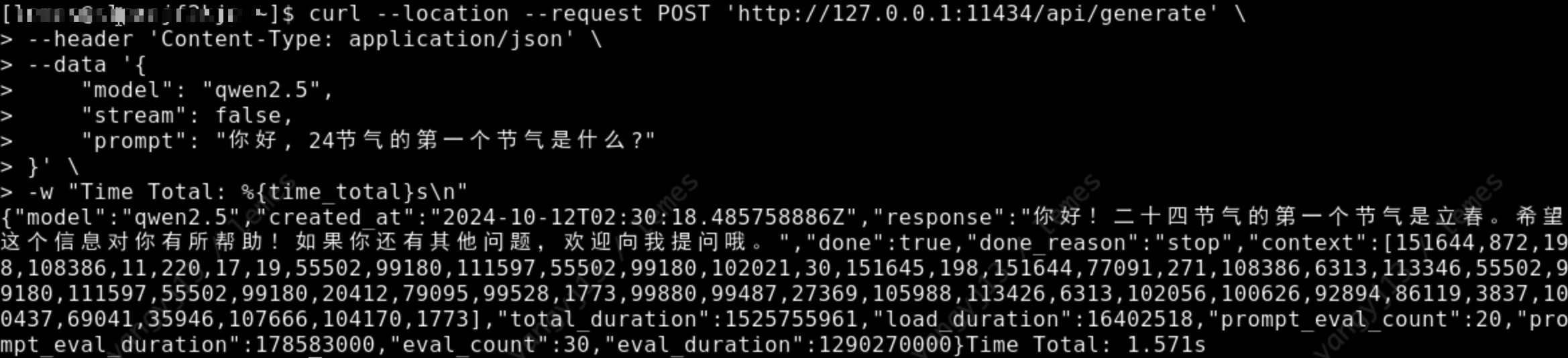
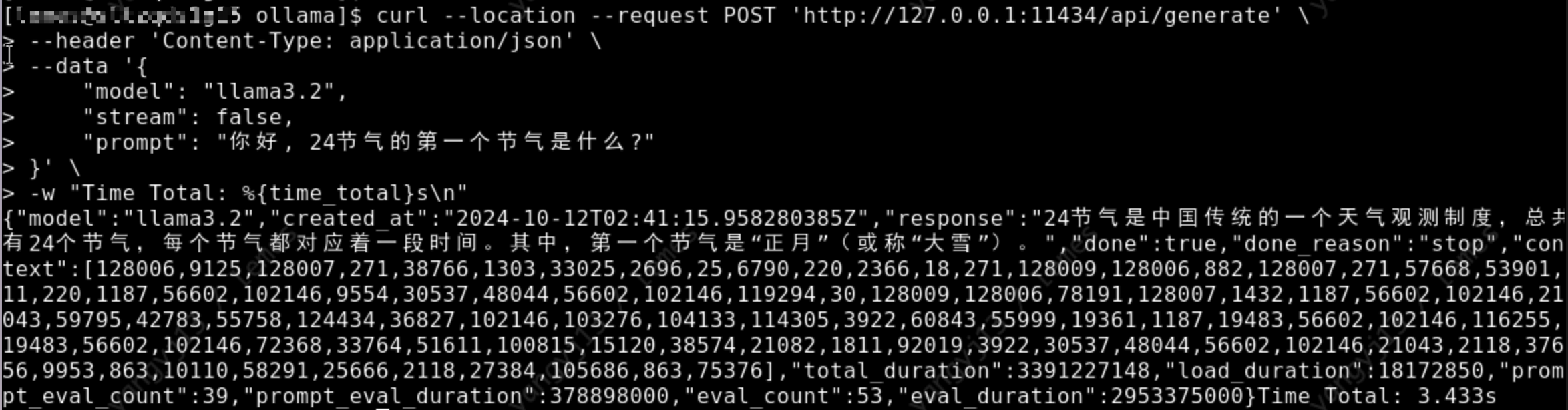


    <summary type="html">&lt;h1 id=&quot;Preface&quot;&gt;&lt;a href=&quot;#Preface&quot; class=&quot;headerlink&quot; title=&quot;Preface&quot;&gt;&lt;/a&gt;Preface&lt;/h1&gt;&lt;p&gt;I’ve been playing &lt;code&gt;ollama&lt;/code&gt; locally for </summary>


    <category term="工具" scheme="http://yelog.org/categories/%E5%B7%A5%E5%85%B7/"/>
    
    
    <category term="Ollama" scheme="http://yelog.org/tags/Ollama/"/>
    
    <category term="Offline" scheme="http://yelog.org/tags/Offline/"/>
    
    <category term="Tutorial" scheme="http://yelog.org/tags/Tutorial/"/>
    
    <category term="Installation Guide" scheme="http://yelog.org/tags/Installation-Guide/"/>
    
  </entry>
  
  <entry>
    <title>离线安装 Ollama及加载离线模型</title>
    <link href="http://yelog.org/2024/10/10/install-ollama-offline/"/>
    <id>http://yelog.org/2024/10/10/install-ollama-offline/</id>
    <published>2024-10-10T08:31:27.000Z</published>
    <updated>2026-05-29T08:37:10.695Z</updated>
    
    <content type="html"><![CDATA[<h1 id="前言"><a href="#前言" class="headerlink" title="前言"></a>前言</h1><p>本地已经玩了 <code>ollama</code> 很长时间了, 今天打算把 <code>ollama</code> 安装到服务器上, 但是服务器没有外网, 所以只能离线安装了, 找了一下离线装教程还是比较少了, 所以自己写一篇, 以便以后查阅.</p><h1 id="离线安装-Ollama"><a href="#离线安装-Ollama" class="headerlink" title="离线安装 Ollama"></a>离线安装 Ollama</h1><h2 id="下载安装包"><a href="#下载安装包" class="headerlink" title="下载安装包"></a>下载安装包</h2><p>在官方 <a href="https://github.com/ollama/ollama/releases">Release</a> 中进行下载, 根据服务器的 cpu 类型下载对应的安装包, 下载完成后上传到服务器上.</p><p><img src="https://cdn.jsdelivr.net/gh/yelog/assets/images/202410101649580.png" alt="Ollama Relase"></p><h2 id="安装"><a href="#安装" class="headerlink" title="安装"></a>安装</h2><p>解压安装包 <code>ollama linux amd64.tgz</code>, 进入到解压后的目录, 执行 <code>install.sh</code> 脚本进行安装.</p><pre><code class="bash"># 解压安装包tar -zxvf Ollama\ Linux\ AMD64.tgz# 将 ollama 执行命令移动到 /usr/bin 目录下sudo mv bin/ollama /usr/bin/ollama</code></pre><h2 id="启动并添加开机启动"><a href="#启动并添加开机启动" class="headerlink" title="启动并添加开机启动"></a>启动并添加开机启动</h2><p>1.创建执行用户, 这一步可以忽略, 可以直接设置 <code>root</code> 或其他有 <code>ollama</code> 执行权限的用户都可以</p><pre><code class="bash">sudo useradd -r -s /bin/false -U -m -d /usr/share/ollama ollamasudo usermod -a -G ollama $(whoami)</code></pre><p>2.创建配置文件</p><p>创建文件 <code>/etc/systemd/system/ollama.service</code>, 并填充如下内容, 其中的 <code>User</code> 和 <code>Group</code> 根据上一步的选择填写</p><pre><code class="bash">[Unit]Description=Ollama ServiceAfter=network-online.target[Service]ExecStart=/usr/bin/ollama serveUser=ollamaGroup=ollamaRestart=alwaysRestartSec=3Environment=&quot;PATH=$PATH&quot;[Install]WantedBy=default.target</code></pre><p>然后执行如下命令</p><pre><code class="bash"># 加载配置sudo systemctl daemon-reload# 设置开机启动sudo systemctl enable ollama# 启动 ollama 服务sudo systemctl start ollama</code></pre><h1 id="离线安装模型"><a href="#离线安装模型" class="headerlink" title="离线安装模型"></a>离线安装模型</h1><p>如下使用 <code>gguf</code> 模型安装方式, 模型安装的方式都差不多, 可以参考如下方式</p><h2 id="Qwen2-5-3b"><a href="#Qwen2-5-3b" class="headerlink" title="Qwen2.5-3b"></a>Qwen2.5-3b</h2><p>1.下载模型, 可以到 <a href="https://huggingface.co/Qwen/Qwen1.5-0.5B-Chat-GGUF/tree/main">huggingface</a> 上搜索对应模型的 gguf 版本, 如搜索 <em>qwen2.5-3b-gguf</em></p><p><img src="https://cdn.jsdelivr.net/gh/yelog/assets/images/202410120953995.png" alt="search huggingface model"></p><p>具体选那个微调版本都可以, 我们这里参考 <code>ollama</code> 上选择的模型版本, 如下图</p><p><img src="https://cdn.jsdelivr.net/gh/yelog/assets/images/202410121437723.png" alt="ollama qwen2.5-3b model"></p><p>我们直接在刚才找到的模型中, 点击 <code>Files and versions</code>, 找到在 ollama 中找到的版本, 点击下载</p><p><img src="https://cdn.jsdelivr.net/gh/yelog/assets/images/202410121440090.png" alt="download qwen2.5-3b"></p><p>2.将下载后的文件上传到服务器的目录 <code>/data/ollama</code>, 并重命名为 qwen2.5-3b.gguf, (重命名为了方便后面引用)<br>3.在 <code>/data/ollama</code> 目录下创建文件 <code>Modelfile</code>, 添加如下内容</p><pre><code class="dockerfile"># 上一步的模型名FROM ./qwen2.5-3b.gguf# 可以到 ollama 网站上的模型库去寻找, 如 qwen2.5-3b 的模板地址: https://ollama.com/library/qwen2.5:3b/blobs/eb4402837c78# 直接复制 ollama 上的 Template 到如下三个双引号中间TEMPLATE &quot;&quot;&quot;&#123;&#123;- if .Messages &#125;&#125;&#123;&#123;- if or .System .Tools &#125;&#125;&lt;|im_start|&gt;system&#123;&#123;- if .System &#125;&#125;&#123;&#123; .System &#125;&#125;&#123;&#123;- end &#125;&#125;&#123;&#123;- if .Tools &#125;&#125;# ToolsYou may call one or more functions to assist with the user query.You are provided with function signatures within &lt;tools&gt;&lt;/tools&gt; XML tags:&lt;tools&gt;&#123;&#123;- range .Tools &#125;&#125;&#123;&quot;type&quot;: &quot;function&quot;, &quot;function&quot;: &#123;&#123; .Function &#125;&#125;&#125;&#123;&#123;- end &#125;&#125;&lt;/tools&gt;For each function call, return a json object with function name and arguments within &lt;tool_call&gt;&lt;/tool_call&gt; XML tags:&lt;tool_call&gt;&#123;&quot;name&quot;: &lt;function-name&gt;, &quot;arguments&quot;: &lt;args-json-object&gt;&#125;&lt;/tool_call&gt;&#123;&#123;- end &#125;&#125;&lt;|im_end|&gt;&#123;&#123; end &#125;&#125;&#123;&#123;- range $i, $_ := .Messages &#125;&#125;&#123;&#123;- $last := eq (len (slice $.Messages $i)) 1 -&#125;&#125;&#123;&#123;- if eq .Role "user" &#125;&#125;&lt;|im_start|&gt;user&#123;&#123; .Content &#125;&#125;&lt;|im_end|&gt;&#123;&#123; else if eq .Role "assistant" &#125;&#125;&lt;|im_start|&gt;assistant&#123;&#123; if .Content &#125;&#125;&#123;&#123; .Content &#125;&#125;&#123;&#123;- else if .ToolCalls &#125;&#125;&lt;tool_call&gt;&#123;&#123; range .ToolCalls &#125;&#125;&#123;&quot;name&quot;: &quot;&#123;&#123; .Function.Name &#125;&#125;&quot;, &quot;arguments&quot;: &#123;&#123; .Function.Arguments &#125;&#125;&#125;&#123;&#123; end &#125;&#125;&lt;/tool_call&gt;&#123;&#123;- end &#125;&#125;&#123;&#123; if not $last &#125;&#125;&lt;|im_end|&gt;&#123;&#123; end &#125;&#125;&#123;&#123;- else if eq .Role "tool" &#125;&#125;&lt;|im_start|&gt;user&lt;tool_response&gt;&#123;&#123; .Content &#125;&#125;&lt;/tool_response&gt;&lt;|im_end|&gt;&#123;&#123; end &#125;&#125;&#123;&#123;- if and (ne .Role "assistant") $last &#125;&#125;&lt;|im_start|&gt;assistant&#123;&#123; end &#125;&#125;&#123;&#123;- end &#125;&#125;&#123;&#123;- else &#125;&#125;&#123;&#123;- if .System &#125;&#125;&lt;|im_start|&gt;system&#123;&#123; .System &#125;&#125;&lt;|im_end|&gt;&#123;&#123; end &#125;&#125;&#123;&#123; if .Prompt &#125;&#125;&lt;|im_start|&gt;user&#123;&#123; .Prompt &#125;&#125;&lt;|im_end|&gt;&#123;&#123; end &#125;&#125;&lt;|im_start|&gt;assistant&#123;&#123; end &#125;&#125;&#123;&#123; .Response &#125;&#125;&#123;&#123; if .Response &#125;&#125;&lt;|im_end|&gt;&#123;&#123; end &#125;&#125;&quot;&quot;&quot;# 这一步参考 ollama 上的 parameters, 但是 ollama 上的 qwen2.5-3b 是没有参数的, 按照下面的格式添加即可PARAMETER stop &quot;&lt;|im_start|&gt;&quot;PARAMETER stop &quot;&lt;|im_end|&gt;&quot;</code></pre><p>4.执行如下命令, 加载并运行离线模型</p><pre><code class="bash"># 通过模型描述文件, 创建并运行 qwen2.5 模型ollama create qwen2.5 -f Modelfile# 查看模型运行列表, 是否正在运行ollama ls# 通过 api 调用模型, 检测模型是否运行正常curl --location --request POST &#39;http://127.0.0.1:11434/api/generate&#39; \--header &#39;Content-Type: application/json&#39; \--data &#39;&#123;    &quot;model&quot;: &quot;qwen2.5&quot;,    &quot;stream&quot;: false,    &quot;prompt&quot;: &quot;你好, 24节气的第一个节气是什么?&quot;&#125;&#39; \-w &quot;Time Total: %&#123;time_total&#125;s\n&quot;</code></pre><p>如下图, 正常返回回答内容, 表示模型成功安装<br><img src="https://cdn.jsdelivr.net/gh/yelog/assets/images/202410121030889.png" alt="api/generate"></p><h2 id="Llama3-2-3b"><a href="#Llama3-2-3b" class="headerlink" title="Llama3.2-3b"></a>Llama3.2-3b</h2><p>1.下载模型, 可以到 <a href="https://huggingface.co/QuantFactory/Llama-3.2-3B-GGUF">huggingface</a> 上搜索对应模型的 gguf 版本, 如搜索 <code>llama3.2-3b-gguf</code></p><p><img src="https://cdn.jsdelivr.net/gh/yelog/assets/images/202410121034782.png" alt="search huggingface model"></p><p>具体选那个微调版本都可以, 我们这里参考 ollama 上选择的模型版本, 如下图</p><p><img src="https://cdn.jsdelivr.net/gh/yelog/assets/images/202410121445150.png" alt="ollama llama3.2-3b model"></p><p>我们直接在刚才找到的模型中, 点击 <code>Files and versions</code>, 找到在 ollama 中找到的版本, 点击下载</p><p><img src="https://cdn.jsdelivr.net/gh/yelog/assets/images/202410121448569.png" alt="download llama3.2-3b"></p><p>2.将下载后的文件上传到服务器的目录 <code>/data/ollama</code>, 并重命名为 <code>llama3.2-3b.gguf</code>, (重命名为了方便后面引用)<br>3.在 <code>/data/ollama</code> 目录下创建文件 <code>Modelfile</code>, 添加如下内容</p><pre><code class="dockerfile"># 上一步的模型名FROM ./llama3.2-3b.gguf# 可以到 ollama 网站上的模型库去寻找, 如 llama3.2-3b 的模板地址: https://ollama.com/library/llama3.2/blobs/966de95ca8a6# 直接复制 ollama 上的 Template 到如下三个双引号中间TEMPLATE &quot;&quot;&quot;&lt;|start_header_id|&gt;system&lt;|end_header_id|&gt;Cutting Knowledge Date: December 2023&#123;&#123; if .System &#125;&#125;&#123;&#123; .System &#125;&#125;&#123;&#123;- end &#125;&#125;&#123;&#123;- if .Tools &#125;&#125;When you receive a tool call response, use the output to format an answer to the orginal user question.You are a helpful assistant with tool calling capabilities.&#123;&#123;- end &#125;&#125;&lt;|eot_id|&gt;&#123;&#123;- range $i, $_ := .Messages &#125;&#125;&#123;&#123;- $last := eq (len (slice $.Messages $i)) 1 &#125;&#125;&#123;&#123;- if eq .Role "user" &#125;&#125;&lt;|start_header_id|&gt;user&lt;|end_header_id|&gt;&#123;&#123;- if and $.Tools $last &#125;&#125;Given the following functions, please respond with a JSON for a function call with its proper arguments that best answers the given prompt.Respond in the format &#123;&quot;name&quot;: function name, &quot;parameters&quot;: dictionary of argument name and its value&#125;. Do not use variables.&#123;&#123; range $.Tools &#125;&#125;&#123;&#123;- . &#125;&#125;&#123;&#123; end &#125;&#125;&#123;&#123; .Content &#125;&#125;&lt;|eot_id|&gt;&#123;&#123;- else &#125;&#125;&#123;&#123; .Content &#125;&#125;&lt;|eot_id|&gt;&#123;&#123;- end &#125;&#125;&#123;&#123; if $last &#125;&#125;&lt;|start_header_id|&gt;assistant&lt;|end_header_id|&gt;&#123;&#123; end &#125;&#125;&#123;&#123;- else if eq .Role "assistant" &#125;&#125;&lt;|start_header_id|&gt;assistant&lt;|end_header_id|&gt;&#123;&#123;- if .ToolCalls &#125;&#125;&#123;&#123; range .ToolCalls &#125;&#125;&#123;&quot;name&quot;: &quot;&#123;&#123; .Function.Name &#125;&#125;&quot;, &quot;parameters&quot;: &#123;&#123; .Function.Arguments &#125;&#125;&#125;&#123;&#123; end &#125;&#125;&#123;&#123;- else &#125;&#125;&#123;&#123; .Content &#125;&#125;&#123;&#123;- end &#125;&#125;&#123;&#123; if not $last &#125;&#125;&lt;|eot_id|&gt;&#123;&#123; end &#125;&#125;&#123;&#123;- else if eq .Role "tool" &#125;&#125;&lt;|start_header_id|&gt;ipython&lt;|end_header_id|&gt;&#123;&#123; .Content &#125;&#125;&lt;|eot_id|&gt;&#123;&#123; if $last &#125;&#125;&lt;|start_header_id|&gt;assistant&lt;|end_header_id|&gt;&#123;&#123; end &#125;&#125;&#123;&#123;- end &#125;&#125;&#123;&#123;- end &#125;&#125;&quot;&quot;&quot;# 这一步参考 ollama 上的 parameters, llama3.2-3b 的 params: https://ollama.com/library/llama3.2/blobs/56bb8bd477a5PARAMETER stop &quot;&lt;|start_header_id|&gt;&quot;PARAMETER stop &quot;&lt;|end_header_id|&gt;&quot;PARAMETER stop &quot;&lt;|eot_id|&gt;&quot;</code></pre><p>4.执行如下命令, 加载并运行离线模型</p><pre><code class="bash"># 通过模型描述文件, 创建并运行 qwen2.5 模型ollama create llama3.2 -f Modelfile# 查看模型运行列表, 是否正在运行ollama ls# 通过 api 调用模型, 检测模型是否运行正常curl --location --request POST &#39;http://127.0.0.1:11434/api/generate&#39; \--header &#39;Content-Type: application/json&#39; \--data &#39;&#123;    &quot;model&quot;: &quot;llama3.2&quot;,    &quot;stream&quot;: false,    &quot;prompt&quot;: &quot;你好, 24节气的第一个节气是什么?&quot;&#125;&#39; \-w &quot;Time Total: %&#123;time_total&#125;s\n&quot;</code></pre><p>如下图, 正常返回回答内容, 表示模型成功安装<br><img src="https://cdn.jsdelivr.net/gh/yelog/assets/images/202410121041193.png" alt="api/generate"></p><h1 id="最后"><a href="#最后" class="headerlink" title="最后"></a>最后</h1><p><code>Ollama</code> 是非常好用的模型安装工具, 希望大家玩的开心! 如果安装有问题或者有什么使用技巧都可以在评论区交流~~~</p>]]></content>


    <summary type="html">&lt;h1 id=&quot;前言&quot;&gt;&lt;a href=&quot;#前言&quot; class=&quot;headerlink&quot; title=&quot;前言&quot;&gt;&lt;/a&gt;前言&lt;/h1&gt;&lt;p&gt;本地已经玩了 &lt;code&gt;ollama&lt;/code&gt; 很长时间了, 今天打算把 &lt;code&gt;ollama&lt;/code&gt; 安装到服务器上, 但</summary>


    <category term="工具" scheme="http://yelog.org/categories/%E5%B7%A5%E5%85%B7/"/>
    
    
    <category term="Ollama" scheme="http://yelog.org/tags/Ollama/"/>
    
    <category term="Offline" scheme="http://yelog.org/tags/Offline/"/>
    
    <category term="Tutorial" scheme="http://yelog.org/tags/Tutorial/"/>
    
    <category term="Installation Guide" scheme="http://yelog.org/tags/Installation-Guide/"/>
    
  </entry>
  
  <entry>
    <title>Find cause of memory leak on Java</title>
    <link href="http://yelog.org/2024/10/09/find-cause-of-memory-leak-on-java/"/>
    <id>http://yelog.org/2024/10/09/find-cause-of-memory-leak-on-java/</id>
    <published>2024-10-09T03:42:33.000Z</published>
    <updated>2026-05-29T08:37:10.419Z</updated>
    
    <content type="html"><![CDATA[<h1 id="一、背景"><a href="#一、背景" class="headerlink" title="一、背景"></a>一、背景</h1><p>最近一年多, <code>job</code> 经常有如下<strong>告警</strong>, 告警内容如下</p><p>尊敬的用户，您关注的监控已触发警报，内容如下，请您关注！</p><blockquote><p>Dear user, the following monitoring alert you are concerned about is triggered, please pay attention!</p><p>Summary: [MonitoringID: MOC0000000606595] [Tingyun Alert] [LEMES-PCG-Prod_MajorGc]lemes-job-outbound-executor-idg-lssc-prodJVM每分钟Major GC时间 alert triggered</p><p>Notes: [Details:违反规则告警，APM应用实例&#x2F;lemes-job-outbound-executor-54858fdf5b-dsxrq:0(10.188.138.17)，告警级别:严重,JVM每分钟Major GC时间大于阈值(JVM每分钟Major GC时间:2,490ms&gt;阈值:900ms)] [EventID:85882166655658][TriggerTime: 2024-09-30 15:52:00]</p><p>由于 job 停一下也没问题, 外加精力在其他任务上, 所以每次都是通过重启来解决问题</p></blockquote><h1 id="二、原因分析"><a href="#二、原因分析" class="headerlink" title="二、原因分析"></a>二、原因分析</h1><p>国庆前又发了告警邮件, 觉得这个问题优先级可以提到前面了…</p><p>首先根据问题出现的频率分析, 大概是每个 <code>job</code> 运行几个月以上就开始报上面的告警, 根据不同 <code>job</code> 微服务的强度不同, 尤其是 <code>outbound</code>, 大概两个月就开始告警了…</p><p>所以基本定位问题为内存泄漏, 比如有框架或者开发的代码存在内存没释放的问题, 如IO流、数据库连接等没关闭的问题</p><p>这种问题可以直接对当前的微服务内存进行分析(导出内存快照)</p><p>1.我们的微服务是运行在 <code>k8s</code> 上的, 所以首先通过 <code>Rancher</code> 进入出问题的微服务的命令行, 通过如下命令对内存快照进行导出, 因为我们的 &#x2F;data&#x2F;logs  目录已经映射到宿主机了, 所以我们可以导出到这个目录</p><pre><code class="bash"># 找到当前微服务的进程 idjps# 假如是9, 我们将其放到最后jmap -dump:live,format=b,file=/data/logs/lemes-job-outbound-executor/lemes-job-outbound-executor.hprof 9</code></pre><p>2.然后我们将导出的 <code>lemes-job-outbound-executor.hprof</code> 文件从宿主机上下载到本地电脑上</p><p>3.通过 <code>IDEA</code> 的 <code>Profiler</code> 进行内存分析, 可以在 IDEA→ View → Tool Windows → Profiler</p><p>4.然后点击 <strong>Open Snapshot</strong>  , 选择我们刚才下载的文件</p><p><img src="https://cdn.jsdelivr.net/gh/yelog/assets/images/202410091148848.png" alt="Open Snapshot"></p><p>5.然后点击右边的 <code>Biggest Objects → Calculate retained size and biggest objects</code> 来进行大对象分析</p><p>6.发现在 <code>ThreadLocal</code> 中的 <code>ArrayDeque</code> 的占用非常大, 根据 <code>referent</code> 分析, 来自于 <code>DynamicDataSourceContextHolder</code> 中的, 并且查看 <code>elements</code> 中都是数据源的名字</p><p><img src="https://cdn.jsdelivr.net/gh/yelog/assets/images/202410091149828.png" alt="Find biggest objects"></p><p><img src="https://cdn.jsdelivr.net/gh/yelog/assets/images/202410091153140.png" alt="DynamicDataSourceContextHolder"></p><p>7.分析出是关于多数据源框架的问题, 还是要分析出来是使用问题, 还是框架中问题. 我们直接来到上面找到的类 DynamicDataSourceContextHolder, 找到了内存泄漏的变量是存储用于切换数据源的栈, 并且在这个文件中还找到了一句话, <strong>防止内存泄漏，如手动调用了push可调用此方法确保清除</strong></p><p><img src="https://cdn.jsdelivr.net/gh/yelog/assets/images/202410091153383.png" alt="biggest objects"></p><p><img src="https://cdn.jsdelivr.net/gh/yelog/assets/images/202410091154971.png" alt="message"></p><p>8.也就是通过 <code>DynamicDataSourceContextHolder.push(xxx);</code> 切换数据源后, 是需要手动调用 <code>poll()</code> 方法进行移除, 或者在任务执行结束后调用 <code>clear()</code>, 进行清空.</p><p>9.查看代码后, 发现 <code>job</code> 中有 <code>DynamicDataSourceContextHolder.push(xxx)</code> 的操作, 却没有移除的方法, 所以定位到了问题.</p><h1 id="三、解决问题"><a href="#三、解决问题" class="headerlink" title="三、解决问题"></a>三、解决问题</h1><p>根据上一步我们知道了问题出在了没有进行移除操作, 移除操作有两种, 我们去每个执行 push 的地方进行 <code>poll()</code> 移除是比较麻烦的, 也不能避免再有同学漏掉 <code>poll()</code>, 从而导致问题复现.</p><p>所以我打算在 <code>job</code> 执行结束后, 统一调用 <code>DynamicDataSourceContextHolder.clear()</code> 来进行清空操作, 问了同事当前 <code>job</code> 框架是没有统一的开始和结束的地方, 但是所以 <code>job</code> 都是实现 <code>SimpleJob</code> 的 <code>execute</code> 方法来执行的, 所以可以使用切面来统一处理. 代码如下:</p><pre><code class="java">package com.lenovo.lemes.job.core.executor.interceptor; import com.baomidou.dynamic.datasource.toolkit.DynamicDataSourceContextHolder;import org.aspectj.lang.JoinPoint;import org.aspectj.lang.annotation.After;import org.aspectj.lang.annotation.Aspect;import org.aspectj.lang.annotation.Pointcut;import org.springframework.context.annotation.EnableAspectJAutoProxy;import org.springframework.stereotype.Component; /** * 任务拦截器 * 用于在任务执行前后做一些操作 * * @author Yujie Yang * @date 2024/10/8 10:55 */@Aspect@Component@EnableAspectJAutoProxypublic class JobInterceptor &#123;     // 定义切入点，匹配实现了 SimpleJob 接口的类的 execute 方法    // 正则解释: Pointcut 由两部分组成, 第一 execution 指明了切入的方法的全路径规则, 第二部分 target 限制了切入的类必须实现 SimpleJob 接口    @Pointcut(&quot;execution(void com.lenovo.lemes.job..jobhandler..*.execute(org.apache.shardingsphere.elasticjob.api.ShardingContext)) &amp;&amp; target(org.apache.shardingsphere.elasticjob.simple.job.SimpleJob)&quot;)    public void executeMethodPointcut() &#123;    &#125;     @After(&quot;executeMethodPointcut()&quot;)    public void afterJob(JoinPoint joinPoint) &#123;        // 在 execute 方法执行完成后清理数据源上下文        DynamicDataSourceContextHolder.clear();    &#125; &#125;</code></pre>]]></content>


    <summary type="html">&lt;h1 id=&quot;一、背景&quot;&gt;&lt;a href=&quot;#一、背景&quot; class=&quot;headerlink&quot; title=&quot;一、背景&quot;&gt;&lt;/a&gt;一、背景&lt;/h1&gt;&lt;p&gt;最近一年多, &lt;code&gt;job&lt;/code&gt; 经常有如下&lt;strong&gt;告警&lt;/strong&gt;, 告警内容如下&lt;/p&gt;
&lt;</summary>


    <category term="开发" scheme="http://yelog.org/categories/%E5%BC%80%E5%8F%91/"/>
    
    <category term="java" scheme="http://yelog.org/categories/%E5%BC%80%E5%8F%91/java/"/>
    
    
    <category term="java" scheme="http://yelog.org/tags/java/"/>
    
    <category term="memory-leak" scheme="http://yelog.org/tags/memory-leak/"/>
    
    <category term="jvm" scheme="http://yelog.org/tags/jvm/"/>
    
    <category term="heap-dump" scheme="http://yelog.org/tags/heap-dump/"/>
    
    <category term="jprofiler" scheme="http://yelog.org/tags/jprofiler/"/>
    
  </entry>
  
  <entry>
    <title>字符串规范化(NFC/NFD)问题</title>
    <link href="http://yelog.org/2024/09/30/string-normalize-nfc-nfd/"/>
    <id>http://yelog.org/2024/09/30/string-normalize-nfc-nfd/</id>
    <published>2024-09-30T03:08:31.000Z</published>
    <updated>2026-05-29T08:37:09.840Z</updated>
    
    <content type="html"><![CDATA[<h1 id="前言"><a href="#前言" class="headerlink" title="前言"></a>前言</h1><p>最近同事在接入西班牙语的数据时, 发现了一个问题, 涉及到西班牙语中包含重音符号的数据比对出了问题, 同事已经找出可能是字符串规范化(<code>Normalize</code>)的问题, 但是现象很奇怪, 今天就做了一些测试, 将测试结果记录下来. 以供大家参考.</p><p>常用规范化:</p><ul><li>NFC: 规范化组合型, 如 <code>é</code> 是一个字符</li><li>NFD: 规范化分解型, 如 <code>é</code> 是两个字符 <code>e</code> 和 <code>´</code></li><li>NFKC: 兼容性规范化组合型</li><li>NFKD: 兼容性规范化分解型</li></ul><h1 id="先说结论"><a href="#先说结论" class="headerlink" title="先说结论"></a>先说结论</h1><p>在 HTML&#x2F;JavasCript&#x2F;Java&#x2F;PostGreSQL 中, 不会自动对字符串的规范话进行转换, 也就是说, 从前端(html&#x2F;js)传递到后端(java), 再传递到数据库(PostGreSQL)的过程中, 字符串的规范化是不变的, 所以只是文字传递, 不会出现问题.</p><p>出问题的地方是文件系统:</p><ul><li>Windows 文件系统（如 NTFS）通常使用 <code>NFC</code> 形式存储文件名。</li><li>macOS 文件系统（如 HFS+ 或 APFS）通常使用 <code>NFD</code> 形式存储文件名。</li><li>Linux 文件系统（如 ext4）通常使用 <code>NFC</code>，但这也可能因环境和设置而异。</li></ul><p>导致上传文件时, 文件名的规范化不一致, 会导致文件名比对是不一致的.</p><h1 id="问题现象"><a href="#问题现象" class="headerlink" title="问题现象"></a>问题现象</h1><p>同名的文件名上传时, 会进入数据库比对一下文件名是否存在, 但是由于文件名的规范化不一致, 会导致文件名比对不一致. 从而重复上传文件.</p><p>比如我们做一个简单的测试, 如下代码, 页面上有两个元素, 一个文本输入框, 一个文件上传框, 当文件上传框选择文件后, 会比对文件名和文本输入框的值是否一致, 如果不一致, 则提示文件名不一致.</p><p>我们在本地新建一个文件, 文件名为 <code>é.txt</code>, 这个文件名的文本是 <code>NFC</code> 的形式, 当 <code>MacOS</code> 去页面上传文件, 会提示文件名不一致, windows 则提示文件名一致.</p><p>这是因为 <code>MacOS</code> 文件系统使用 <code>NFD</code> 形式存储文件名, 和文本输入框的值(<code>NFC</code>)不一致, 导致比对不一致.</p><pre><code class="html">&lt;!DOCTYPE html&gt;&lt;html lang=&quot;en&quot;&gt;&lt;head&gt;    &lt;meta charset=&quot;UTF-8&quot;&gt;    &lt;meta name=&quot;viewport&quot; content=&quot;width=device-width, initial-scale=1&quot;&gt;    &lt;title&gt;&lt;/title&gt;&lt;/head&gt;&lt;body&gt;&lt;input type=&quot;text&quot; name=&quot;filename&quot; value=&quot;é.txt&quot; id=&#39;filename&#39;&gt;&lt;input type=&quot;file&quot; multiple accept=&quot;*/*&quot; onchange=&quot;previewFiles()&quot; id=&quot;fileInput&quot;&gt;&lt;/body&gt;&lt;script&gt;    // 监听事件,    const previewFiles = (e) =&gt; &#123;        const files = document.querySelector(&#39;#fileInput&#39;).files;        const filename = document.querySelector(&#39;#filename&#39;).value;        console.log(&#39;filename normalize:&#39;, detectNormalizationForm(filename));        console.log(&#39;file.name normalize:&#39;, detectNormalizationForm(files[0].name));        // 比对 id 为 filename 的值 和 上传的文件名是否一致        if (files.length === 0 || files[0].name !== filename) &#123;            alert(&#39;文件名不一致&#39;);            return;        &#125; else &#123;            alert(&#39;文件名一致&#39;);        &#125;    &#125;    function detectNormalizationForm(str) &#123;        if (str === str.normalize(&#39;NFC&#39;)) &#123;            return &#39;NFC&#39;;        &#125; else if (str === str.normalize(&#39;NFD&#39;)) &#123;            return &#39;NFD&#39;;        &#125; else if (str === str.normalize(&#39;NFKC&#39;)) &#123;            return &#39;NFKC&#39;;        &#125; else if (str === str.normalize(&#39;NFKD&#39;)) &#123;            return &#39;NFKD&#39;;        &#125; else &#123;            return &#39;Unknown&#39;;  // 如果没有匹配的规范化形式        &#125;    &#125;&lt;/script&gt;&lt;/html&gt;</code></pre><h1 id="问题解决"><a href="#问题解决" class="headerlink" title="问题解决"></a>问题解决</h1><h2 id="前端"><a href="#前端" class="headerlink" title="前端"></a>前端</h2><p>前端可以在 <code>axios</code>&#x2F;<code>ajax</code> 等统一请求的地方, 对请求的参数进行规范化, 保证传递的参数是 <code>NFC</code> 形式.</p><p>在前端处理是有局限性的, 比如上传文件时, 无法对文件内容进行处理</p><h2 id="后端"><a href="#后端" class="headerlink" title="后端"></a>后端</h2><p>后端也有几个地方需要处理</p><ol><li>拦截 <code>Controller</code>, <code>HandlerInterceptor</code> 等请求处理的地方, 对请求参数进行规范化</li><li><code>Excel</code> 工具类, 解析成对象的地方, 对 <code>Excel</code> 中的字符串进行规范化(要求所有上传的 <code>Excel</code> 都使用这个方法进行解析)</li></ol><h2 id="数据库"><a href="#数据库" class="headerlink" title="数据库"></a>数据库</h2><p>可以在 Mybatis 拦截器中, 对所有的 <code>SQL</code> 进行规范化, 保证数据库中的数据都是 <code>NFC</code> 形式.</p><h1 id="最后"><a href="#最后" class="headerlink" title="最后"></a>最后</h1><blockquote><p>如无必要, 勿增实体.</p></blockquote><p>字符串作为系统中最常用的类型, 全部添加规范化会对系统的性能产生一定的影响. 系统如果涉及到重音符号的地方不多, 可以只在必要的地方进行规范化.</p>]]></content>


    <summary type="html">&lt;h1 id=&quot;前言&quot;&gt;&lt;a href=&quot;#前言&quot; class=&quot;headerlink&quot; title=&quot;前言&quot;&gt;&lt;/a&gt;前言&lt;/h1&gt;&lt;p&gt;最近同事在接入西班牙语的数据时, 发现了一个问题, 涉及到西班牙语中包含重音符号的数据比对出了问题, 同事已经找出可能是字符串规范化(&lt;co</summary>


    <category term="大前端" scheme="http://yelog.org/categories/%E5%A4%A7%E5%89%8D%E7%AB%AF/"/>
    
    
    <category term="java" scheme="http://yelog.org/tags/java/"/>
    
    <category term="javascript" scheme="http://yelog.org/tags/javascript/"/>
    
    <category term="encoding" scheme="http://yelog.org/tags/encoding/"/>
    
  </entry>
  
  <entry>
    <title>最强跳转插件 flash.nvim 在 ideavim 上使用是中什么体验</title>
    <link href="http://yelog.org/2024/09/05/ideavim-flash/"/>
    <id>http://yelog.org/2024/09/05/ideavim-flash/</id>
    <published>2024-09-05T14:47:36.000Z</published>
    <updated>2026-05-29T08:37:09.532Z</updated>
    
    <content type="html"><![CDATA[<h1 id="前言"><a href="#前言" class="headerlink" title="前言"></a>前言</h1><p>最近两三年都从 <code>Vim</code> 迁移到 <code>NeoVim</code> 之后, 使用到了非常多好用的插件, 尤其是跳转插件 <a href="https://github.com/folke/flash.nvim">folke&#x2F;flash.nvim</a> , 非常方便, 日常文档及一些软件开发(Web, rust, lua, python) 等已经在 <code>NeoVim</code> 下完成了</p><p>但是 <code>Java</code> 一直没有配置到像 <code>IntelijIdea</code> 那么方便, 所以 <code>Java</code> 的开发还是在 <code>IntelijIdea</code> 中完成, 好在有 <code>IdeaVim</code> 这个非常棒的插件, 大部分的 <code>Vim</code> 功能完成度非常高.</p><p>最大的缺点就是没有 <code>Vim</code>, <code>NeoVim</code> 的丰富的插件生态, 尤其是日常使用频率非常高的 <code>flash.nvim</code>, 所以就自己开发了一个在 <code>IdeaVim</code> 上的插件 <a href="https://github.com/yelog/vim-flash">vim-flash</a></p><blockquote><p>题外话: 本来叫 <code>ideavim-flash</code> 的, 在上传插件的时候, 因为存在关键字 <code>idea</code> 被驳回, 所以改名为 <code>vim-flash</code>.</p></blockquote><h1 id="安装"><a href="#安装" class="headerlink" title="安装"></a>安装</h1><h2 id="在线安装"><a href="#在线安装" class="headerlink" title="在线安装"></a>在线安装</h2><p>插件市场安装: Setting -&gt; Plugins -&gt; Marketplace -&gt; 搜索 <code>vim-flash</code>, 作者为 <code>yelog</code>, 然后点击安装.</p><p><img src="https://cdn.jsdelivr.net/gh/yelog/assets/images/202409052305048.png" alt="插件市场安装"></p><h2 id="离线安装"><a href="#离线安装" class="headerlink" title="离线安装"></a>离线安装</h2><ol><li>到官方仓库的 <code>Release</code> 中下载 <code>vim-flash-xxx.zip</code> 包, 地址 <a href="https://github.com/yelog/vim-flash/releases">vim-flash-release</a></li><li>Idea -&gt; Setting -&gt; Plugins -&gt; Install 旁边的齿轮 -&gt; Install Plugin from disk -&gt; 选择刚刚下载的 <code>vim-flash-xxx.zip</code> 包即可</li></ol><p><img src="https://cdn.jsdelivr.net/gh/yelog/assets/images/202409052310873.png" alt="离线安装"></p><h1 id="配置"><a href="#配置" class="headerlink" title="配置"></a>配置</h1><p>安装完成之后, 点击右下角的 <code>IdeaVim</code> 图标, 点击 <code>Open ~/.ideavimrc</code></p><p><img src="https://cdn.jsdelivr.net/gh/yelog/assets/images/202409052311037.png" alt="编辑 ideavimrc"></p><p>添加 <code>map s &lt;Action&gt;(flash.search)</code> 到最后一行, 然后点击右上角的刷新图标</p><p><img src="https://cdn.jsdelivr.net/gh/yelog/assets/images/202409052313446.png" alt="添加配置"></p><h1 id="使用和效果"><a href="#使用和效果" class="headerlink" title="使用和效果"></a>使用和效果</h1><h2 id="Normal-Mode"><a href="#Normal-Mode" class="headerlink" title="Normal Mode"></a>Normal Mode</h2><p>打开一个文件, 按 <code>Esc</code> 进入 <code>IdeaVim</code> 的 <code>Normal</code> 模式下, 比如我们要定位到 <code>MarksCanvas</code> 这个单词, 我们可以依次按键盘的字母: <code>smarks</code></p><ol><li>现在所有以包含 <code>marks</code> 的文字都高亮了, 并且后面跟着一个字母, 当我们按下某一个字母后, 就会发现光标到达了这个高亮处, 这就是这个插件的跳转功能.</li><li>有一个高丽是橙色底的, 那是距离我们光标最近的位置, 当我们按下 <strong>回车</strong> 后, 光标会跳转到这个高亮处.</li></ol><p><img src="https://cdn.jsdelivr.net/gh/yelog/assets/images/202409052324760.gif" alt="vim-flash-normal-usage"></p><h2 id="Visual-Mode"><a href="#Visual-Mode" class="headerlink" title="Visual Mode"></a>Visual Mode</h2><p>打开一个文件, 按 <code>v</code> 进入 <code>IdeaVim</code> 的 <code>Visual</code> 模式下, 我们可以通过类似于上面的跳转方式, 进行跳转选中</p><p><img src="https://cdn.jsdelivr.net/gh/yelog/assets/images/202409052328220.gif" alt="vim-flash-vistual-usage"></p><h1 id="结语"><a href="#结语" class="headerlink" title="结语"></a>结语</h1><p>我是一个热爱技术, 崇尚效率和善于利用工具的人, 我会持续分享所得, 如果有收获, 请帮忙点赞, 评论,  点 <code>start</code>, 谢谢!!!</p>]]></content>


    <summary type="html">&lt;h1 id=&quot;前言&quot;&gt;&lt;a href=&quot;#前言&quot; class=&quot;headerlink&quot; title=&quot;前言&quot;&gt;&lt;/a&gt;前言&lt;/h1&gt;&lt;p&gt;最近两三年都从 &lt;code&gt;Vim&lt;/code&gt; 迁移到 &lt;code&gt;NeoVim&lt;/code&gt; 之后, 使用到了非常多好用的插件, 尤其是</summary>


    <category term="工具" scheme="http://yelog.org/categories/%E5%B7%A5%E5%85%B7/"/>
    
    <category term="vim" scheme="http://yelog.org/categories/%E5%B7%A5%E5%85%B7/vim/"/>
    
    
    <category term="vim" scheme="http://yelog.org/tags/vim/"/>
    
    <category term="neovim" scheme="http://yelog.org/tags/neovim/"/>
    
    <category term="ideavim" scheme="http://yelog.org/tags/ideavim/"/>
    
    <category term="idea" scheme="http://yelog.org/tags/idea/"/>
    
    <category term="jetbrain" scheme="http://yelog.org/tags/jetbrain/"/>
    
    <category term="editor" scheme="http://yelog.org/tags/editor/"/>
    
  </entry>
  
  <entry>
    <title>适合个人开发者的免费软件</title>
    <link href="http://yelog.org/2024/08/30/free-tools/"/>
    <id>http://yelog.org/2024/08/30/free-tools/</id>
    <published>2024-08-30T03:25:56.000Z</published>
    <updated>2026-05-29T08:37:11.386Z</updated>
    
    <content type="html"><![CDATA[<h2 id="前言"><a href="#前言" class="headerlink" title="前言"></a>前言</h2><p>本篇文章是听《硬地骇客》的EP19 “白嫖” SaaS 工具，零成本起步开发一款产品</p><p><a href="https://hardhacker.com/tools">https://hardhacker.com/tools</a></p><h2 id="涉及工具"><a href="#涉及工具" class="headerlink" title="涉及工具"></a>涉及工具</h2><h3 id="开发"><a href="#开发" class="headerlink" title="开发"></a>开发</h3><ol><li>Vercel 快速部署和扩展前端应用<br> a. <a href="https://vercel.com/">https://vercel.com</a><br> b. 100G&#x2F;月<br> c. 免费独立域名</li><li>netlify 托管和部署静态页面 CDN加速<br> a. <a href="https://netlify.com/">https://netlify.com</a><br> b. 100G&#x2F;月<br> c. 免费绑定域名</li></ol><h3 id="数据库"><a href="#数据库" class="headerlink" title="数据库"></a>数据库</h3><ol><li>PlanetScale 数据库服务 vitess， 能够处理大规模数据的存储和查询需求<br> a. 5G存储<br> b. 1B行读取<br> c. 10M行写入<br> d. <a href="https://planetscale.com/">https://planetscale.com</a></li></ol><h3 id="CND"><a href="#CND" class="headerlink" title="CND"></a>CND</h3><ol><li>Cloudfare 网页应用， 提供 CDN加速、DDos攻击防护、SSL加密、防火墙、缓存优化等<br> a. 3个 CDN 页面规则<br> b. SSL证书<br> c. DDos防御<br> d. <a href="https://cloudflare.com/">https://cloudflare.com</a></li></ol><h3 id="权限校验"><a href="#权限校验" class="headerlink" title="权限校验"></a>权限校验</h3><ol><li>Supabase 提供 pgsql 的开发平台，能够快速搭建和扩展应用程序后端， 提供数据库、实施推送、身份验证、文件存储等<br> a. 50000月活用户<br> b. 200并发连接<br> c. <a href="https://supabase.com/">https://supabase.com</a></li><li>clerk 用户验证管理， 集成角色&#x2F;权限管理等<br> a. 5000月活用户<br> b. <a href="https://clerk.com/">https://clerk.com</a></li></ol><h3 id="email"><a href="#email" class="headerlink" title="email"></a>email</h3><ol><li>Amazon SES: 通过简单的 api 调用或 smtp 接口来发送和接收邮件<br> a. 62000封&#x2F;月<br> b. <a href="https://aws.amazon.com/ses/">https://aws.amazon.com/ses/</a></li><li>Resend 简单优雅， 致力于做最好的邮件API<br> a. 3000封&#x2F;月<br> b. <a href="https://resend.com/">https://resend.com</a></li></ol><h3 id="Document"><a href="#Document" class="headerlink" title="Document"></a>Document</h3><ol><li>Notions<br> a. 提供了灵活的工作区， 让用户可以创建和组织各种类型的内容，如文本、表格、任务列表、日历等， 强大的协作功能<br> b. 无限页面<br> c. 10个合作者<br> d. notion.site 域名<br> e. <a href="https://notion.so/">https://notion.so/</a></li></ol><h3 id="Payment"><a href="#Payment" class="headerlink" title="Payment"></a>Payment</h3><ol><li>Stripe 全面的支付服务，支持信用卡、借记卡和其他支付方式<br> a. 费率 2.9% + 30<br> b. <a href="https://stripe.com/">https://stripe.com/</a></li><li>Paypal 广泛使用、电子商务、个人转账和在线付款<br> a. 4.4% + 30<br> b. <a href="https://paypal.com/">https://paypal.com</a></li><li>Lemon Squeezy 简单易用的支付服务商，特点：便捷、灵活、安全。帮用户轻松实现跨境支付<br> a. 5% + 50<br> b. <a href="https://lemonsqueezy.com/">https://lemonsqueezy.com</a></li><li>Paddle 综合解决方案：支付处理、订阅管理、许可证控制和全球化销售<br> a. 5% + 50<br> b. <a href="https://paddle.com/">https://paddle.com/</a></li></ol>]]></content>


    <summary type="html">&lt;h2 id=&quot;前言&quot;&gt;&lt;a href=&quot;#前言&quot; class=&quot;headerlink&quot; title=&quot;前言&quot;&gt;&lt;/a&gt;前言&lt;/h2&gt;&lt;p&gt;本篇文章是听《硬地骇客》的EP19 “白嫖” SaaS 工具，零成本起步开发一款产品&lt;/p&gt;
&lt;p&gt;&lt;a href=&quot;https://har</summary>


    <category term="工具" scheme="http://yelog.org/categories/%E5%B7%A5%E5%85%B7/"/>
    
    <category term="软件记录" scheme="http://yelog.org/categories/%E5%B7%A5%E5%85%B7/%E8%BD%AF%E4%BB%B6%E8%AE%B0%E5%BD%95/"/>
    
    
    <category term="free" scheme="http://yelog.org/tags/free/"/>
    
    <category term="tools" scheme="http://yelog.org/tags/tools/"/>
    
  </entry>
  
  <entry>
    <title>ranger(终端文件管理器)-快捷键</title>
    <link href="http://yelog.org/2024/08/30/ranger-shortcut/"/>
    <id>http://yelog.org/2024/08/30/ranger-shortcut/</id>
    <published>2024-08-30T03:20:40.000Z</published>
    <updated>2026-05-29T08:37:09.687Z</updated>
    
    <content type="html"><![CDATA[<h2 id="ranger"><a href="#ranger" class="headerlink" title="ranger"></a>ranger</h2><table><thead><tr><th align="left">快捷键</th><th align="left">描述</th></tr></thead><tbody><tr><td align="left">ra</td><td align="left">启动应用</td></tr><tr><td align="left">q</td><td align="left">退出应用</td></tr><tr><td align="left">zh</td><td align="left">显示&#x2F;隐藏 隐藏文件</td></tr><tr><td align="left">zp</td><td align="left">打开&#x2F;关闭文件预览</td></tr><tr><td align="left">zP</td><td align="left">打开目录预览功能</td></tr><tr><td align="left">w</td><td align="left">打开&#x2F;关闭任务管理器 - 可以通过 dd 取消一个任务（比如正在移动一个大文件，取消之后就相当于没有操作</td></tr></tbody></table><h3 id="修改"><a href="#修改" class="headerlink" title="修改"></a>修改</h3><table><thead><tr><th align="left">快捷键</th><th align="left">描述</th></tr></thead><tbody><tr><td align="left">yy</td><td align="left">复制</td></tr><tr><td align="left">yp</td><td align="left">复制全路径</td></tr><tr><td align="left">pp</td><td align="left">粘贴</td></tr><tr><td align="left">po</td><td align="left">粘贴并替换</td></tr><tr><td align="left">dd</td><td align="left">剪切</td></tr><tr><td align="left">dD</td><td align="left">删除</td></tr><tr><td align="left">cw</td><td align="left">重命名&#x2F;如果选中文件则bulkrename</td></tr><tr><td align="left">o</td><td align="left">排序</td></tr><tr><td align="left">A</td><td align="left">重命名, 在当前文件名基础上，光标在当前文件名后</td></tr><tr><td align="left">I</td><td align="left">重命名，在当前文件看基础上，光标在当前文件名前</td></tr><tr><td align="left">v</td><td align="left">全选&lt;当前目录 切换 如果选中则取消选中；如果没有选中, 则选中&gt;</td></tr><tr><td align="left">uv</td><td align="left">取消所有选中</td></tr><tr><td align="left">space</td><td align="left">选中或取消当前光标所在文件&#x2F;目录</td></tr><tr><td align="left">:bulkrename</td><td align="left">编辑选中的文件名</td></tr><tr><td align="left">C</td><td align="left">压缩文件，file.zip</td></tr><tr><td align="left">X</td><td align="left">解压文件 需要先复制文件在执行</td></tr></tbody></table><table><thead><tr><th align="left">快捷键</th><th align="left">描述</th></tr></thead><tbody><tr><td align="left">E</td><td align="left">使用vim编辑光标所在的文件</td></tr><tr><td align="left">V</td><td align="left">使用vim编辑输入的文件（可创建</td></tr><tr><td align="left">r</td><td align="left">选择编辑或运行的命令</td></tr></tbody></table><h3 id="移动跳转"><a href="#移动跳转" class="headerlink" title="移动跳转"></a>移动跳转</h3><table><thead><tr><th align="left">快捷键</th><th align="left">描述</th></tr></thead><tbody><tr><td align="left">hjkl</td><td align="left">左(上一层)下上右(下一层)</td></tr><tr><td align="left">[&#x2F;]</td><td align="left">上层目录的上&#x2F;xx</td></tr><tr><td align="left">gg&#x2F;G</td><td align="left">顶部&#x2F;底部</td></tr><tr><td align="left">H&#x2F;L</td><td align="left">回到上次浏览文件夹&#x2F;撤销回退</td></tr><tr><td align="left">f</td><td align="left">模糊搜索当前及递归文件 fzf</td></tr><tr><td align="left">zf</td><td align="left">过滤，只显示搜索匹配的文件</td></tr><tr><td align="left">&#x2F;</td><td align="left">当前目录搜索关键字 输入关键字后可直接 tab 进行查找</td></tr><tr><td align="left">gf</td><td align="left">跳到 f 绑定的目录，这里配置的是 ranger 的配置文件，其他字母可自己配置</td></tr><tr><td align="left">S</td><td align="left">跳到当前文件夹所在的命令行</td></tr></tbody></table><h3 id="标签-tab"><a href="#标签-tab" class="headerlink" title="标签 tab"></a>标签 tab</h3><table><thead><tr><th align="left">快捷键</th><th align="left">描述</th></tr></thead><tbody><tr><td align="left">gn</td><td align="left">新建标签</td></tr><tr><td align="left">gc</td><td align="left">删除标签</td></tr><tr><td align="left">tab</td><td align="left">切换标签</td></tr><tr><td align="left">gt</td><td align="left">切换标签 1</td></tr><tr><td align="left">gT</td><td align="left">切换标签 -1</td></tr></tbody></table><h3 id="书签"><a href="#书签" class="headerlink" title="书签"></a>书签</h3><table><thead><tr><th align="left">快捷键</th><th align="left">描述</th></tr></thead><tbody><tr><td align="left">&#96;</td><td align="left">显示书签列表&#x2F;打开书签</td></tr><tr><td align="left">m</td><td align="left">新建书签</td></tr><tr><td align="left">um</td><td align="left">删除书签</td></tr><tr><td align="left">V</td><td align="left">vim 文件，可以通过这个快捷键新建文件</td></tr></tbody></table><h2 id="最后"><a href="#最后" class="headerlink" title="最后"></a>最后</h2><p>2024-08-30 现在已经转战到了 <a href="https://github.com/sxyazi/yazi">yazi</a> 了</p>]]></content>


    <summary type="html">&lt;h2 id=&quot;ranger&quot;&gt;&lt;a href=&quot;#ranger&quot; class=&quot;headerlink&quot; title=&quot;ranger&quot;&gt;&lt;/a&gt;ranger&lt;/h2&gt;&lt;table&gt;
&lt;thead&gt;
&lt;tr&gt;
&lt;th align=&quot;left&quot;&gt;快捷键&lt;/th&gt;
&lt;th align=</summary>


    <category term="工具" scheme="http://yelog.org/categories/%E5%B7%A5%E5%85%B7/"/>
    
    <category term="软件记录" scheme="http://yelog.org/categories/%E5%B7%A5%E5%85%B7/%E8%BD%AF%E4%BB%B6%E8%AE%B0%E5%BD%95/"/>
    
    
    <category term="vim" scheme="http://yelog.org/tags/vim/"/>
    
    <category term="terminal" scheme="http://yelog.org/tags/terminal/"/>
    
    <category term="file-manager" scheme="http://yelog.org/tags/file-manager/"/>
    
  </entry>
  
  <entry>
    <title>Rancher 常用操作</title>
    <link href="http://yelog.org/2024/08/30/rancher-operations/"/>
    <id>http://yelog.org/2024/08/30/rancher-operations/</id>
    <published>2024-08-30T03:17:23.000Z</published>
    <updated>2026-05-29T08:37:09.936Z</updated>
    
    <content type="html"><![CDATA[<h3 id="创建-Rancher-Server-数据副本"><a href="#创建-Rancher-Server-数据副本" class="headerlink" title="创建 Rancher Server 数据副本"></a>创建 Rancher Server 数据副本</h3><pre><code class="bash">docker stop lemes-rancher-2.5docker create --volumes-from lemes-rancher-2.5 --name rancher-data-2023-02-21 rancher/rancher:v2.5.12</code></pre><h3 id="创建备份压缩包"><a href="#创建备份压缩包" class="headerlink" title="创建备份压缩包"></a>创建备份压缩包</h3><pre><code class="bash">docker run --volumes-from rancher-data-2023-02-21 -v $PWD:/backup busybox tar zcvf /backup/rancher-data-backup-2023-02-21.tar.gz /var/lib/rancher</code></pre><h3 id="拉去最新镜像"><a href="#拉去最新镜像" class="headerlink" title="拉去最新镜像"></a>拉去最新镜像</h3><pre><code class="bash">docker pull rancher/rancher:v2.5.12docker run -d --restart=unless-stopped \  --volumes-from rancher-data-backup-2023-02-20 \  -p 80:80 -p 443:443 \  --privileged \  --name=lemes-rancher-2.6 \  rancher/rancher:v2.5.12docker run -d --restart=unless-stopped \  -p 9080:80 -p 8443:443 \  --privileged \  --name=rancher \  rancher/rancher:v2.11.0</code></pre><h3 id="查看k8s环境缺少什么镜像"><a href="#查看k8s环境缺少什么镜像" class="headerlink" title="查看k8s环境缺少什么镜像"></a>查看k8s环境缺少什么镜像</h3><pre><code class="bash">docker logs -f kubelet 2&gt;&amp;1 | grep &quot;44:5000&quot;</code></pre><h3 id="Rancher-平台证书更新"><a href="#Rancher-平台证书更新" class="headerlink" title="Rancher 平台证书更新"></a>Rancher 平台证书更新</h3><p>根据如下命令查询证书有效时间</p><pre><code class="bash">rancherName=lemes-rancher-2.5-proddocker exec -it $&#123;rancherName&#125; bashfor i in $(ls /var/lib/rancher/k3s/server/tls/*.crt);do openssl x509 -enddate -noout -in $i; done</code></pre><p>如果证书快过期了，可以使用下面的命令更新证书</p><pre><code class="bash">docker exec -it $&#123;rancherName&#125; /bin/shkubectl --insecure-skip-tls-verify -n kube-system delete secrets k3s-servingkubectl --insecure-skip-tls-verify delete secret serving-cert -n cattle-systemrm -f /var/lib/rancher/k3s/server/tls/dynamic-cert.json</code></pre><p>退出后重启 rancher</p><pre><code class="bash">docker restart $&#123;rancherName&#125;curl --insecure -sfL https://localhost/v3docker restart $&#123;rancherName&#125;</code></pre><h2 id="API"><a href="#API" class="headerlink" title="API"></a>API</h2><h3 id="升级镜像"><a href="#升级镜像" class="headerlink" title="升级镜像"></a>升级镜像</h3><pre><code class="bash">curl -k -X GET -H &#39;Accept: application/json&#39; -H &#39;Accept: application/json&#39; -H &#39;Content-Type: application/json&#39; -H &#39;Authorization: Bearer token-fpcvv:6k4s8klp5hg9bmdp25x99hgd5hs7s94rlfsxz7pvn2hfp9sp2xdz6m&#39; &#39;https://10.176.66.20/v3/project/c-b62fg:p-rqhfd/workloads/deployment:default:lemes-auth&#39;curl -k -X PUT -H &#39;Accept: application/json&#39; -H &#39;Accept: application/json&#39; -H &#39;Content-Type: application/json&#39; -H &#39;Authorization: Bearer token-fpcvv:6k4s8klp5hg9bmdp25x99hgd5hs7s94rlfsxz7pvn2hfp9sp2xdz6m&#39; -d &#39;&#123;&quot;actions&quot;:&#123;&quot;pause&quot;:&quot;https://10.176.66.20/v3/project/c-b62fg:p-rqhfd/workloads/deployment:default:lemes-gateway?action=pause&quot;,&quot;redeploy&quot;:&quot;https://10.176.66.20/v3/project/c-b62fg:p-rqhfd/workloads/deployment:default:lemes-gateway?action=redeploy&quot;,&quot;resume&quot;:&quot;https://10.176.66.20/v3/project/c-b62fg:p-rqhfd/workloads/deployment:default:lemes-gateway?action=resume&quot;,&quot;rollback&quot;:&quot;https://10.176.66.20/v3/project/c-b62fg:p-rqhfd/workloads/deployment:default:lemes-gateway?action=rollback&quot;&#125;,&quot;annotations&quot;:&#123;&quot;cattle.io/timestamp&quot;:&quot;2022-04-24T14:29:549+0800&quot;&#125;,&quot;baseType&quot;:&quot;workload&quot;,&quot;containers&quot;:[&#123;&quot;environmentFrom&quot;:[&#123;&quot;optional&quot;:false,&quot;source&quot;:&quot;field&quot;,&quot;sourceName&quot;:&quot;metadata.name&quot;,&quot;targetKey&quot;:&quot;POD_NAME&quot;&#125;,&#123;&quot;optional&quot;:false,&quot;source&quot;:&quot;field&quot;,&quot;sourceName&quot;:&quot;metadata.namespace&quot;,&quot;targetKey&quot;:&quot;POD_NAMESPACE&quot;&#125;,&#123;&quot;optional&quot;:false,&quot;source&quot;:&quot;configMap&quot;,&quot;sourceKey&quot;:&quot;nacos.addr&quot;,&quot;sourceName&quot;:&quot;lemes-cm&quot;,&quot;targetKey&quot;:&quot;NACOS_ADDR&quot;&#125;,&#123;&quot;optional&quot;:false,&quot;source&quot;:&quot;configMap&quot;,&quot;sourceKey&quot;:&quot;nacos.group&quot;,&quot;sourceName&quot;:&quot;lemes-cm&quot;,&quot;targetKey&quot;:&quot;NACOS_GROUP&quot;&#125;,&#123;&quot;optional&quot;:false,&quot;source&quot;:&quot;configMap&quot;,&quot;sourceKey&quot;:&quot;nacos.namespace&quot;,&quot;sourceName&quot;:&quot;lemes-cm&quot;,&quot;targetKey&quot;:&quot;NACOS_NAMESPACE&quot;&#125;,&#123;&quot;optional&quot;:false,&quot;source&quot;:&quot;configMap&quot;,&quot;sourceKey&quot;:&quot;tz&quot;,&quot;sourceName&quot;:&quot;lemes-cm&quot;,&quot;targetKey&quot;:&quot;TZ&quot;&#125;,&#123;&quot;optional&quot;:false,&quot;source&quot;:&quot;configMap&quot;,&quot;sourceKey&quot;:&quot;java.opts&quot;,&quot;sourceName&quot;:&quot;lemes-cm&quot;,&quot;targetKey&quot;:&quot;JAVA_OPTS&quot;&#125;,&#123;&quot;optional&quot;:false,&quot;source&quot;:&quot;configMap&quot;,&quot;sourceKey&quot;:&quot;java.skywalking&quot;,&quot;sourceName&quot;:&quot;lemes-cm&quot;,&quot;targetKey&quot;:&quot;SKYWALKING&quot;&#125;],&quot;image&quot;:&quot;10.176.66.20:5000/lemes-cloud/lemes-gateway:develop-202204241429&quot;,&quot;imagePullPolicy&quot;:&quot;Always&quot;,&quot;initContainer&quot;:false,&quot;livenessProbe&quot;:&#123;&quot;failureThreshold&quot;:10,&quot;initialDelaySeconds&quot;:5,&quot;path&quot;:&quot;/actuator/health/liveness&quot;,&quot;periodSeconds&quot;:5,&quot;port&quot;:80,&quot;scheme&quot;:&quot;HTTP&quot;,&quot;successThreshold&quot;:1,&quot;tcp&quot;:false,&quot;timeoutSeconds&quot;:10,&quot;type&quot;:&quot;/v3/project/schemas/probe&quot;&#125;,&quot;name&quot;:&quot;lemes-gateway&quot;,&quot;ports&quot;:[&#123;&quot;containerPort&quot;:80,&quot;dnsName&quot;:&quot;lemes-gateway&quot;,&quot;hostPort&quot;:0,&quot;kind&quot;:&quot;ClusterIP&quot;,&quot;name&quot;:&quot;80tcp02&quot;,&quot;protocol&quot;:&quot;TCP&quot;,&quot;sourcePort&quot;:0,&quot;type&quot;:&quot;/v3/project/schemas/containerPort&quot;&#125;],&quot;readinessProbe&quot;:&#123;&quot;failureThreshold&quot;:3,&quot;initialDelaySeconds&quot;:5,&quot;path&quot;:&quot;/actuator/health/readiness&quot;,&quot;periodSeconds&quot;:5,&quot;port&quot;:80,&quot;scheme&quot;:&quot;HTTP&quot;,&quot;successThreshold&quot;:1,&quot;tcp&quot;:false,&quot;timeoutSeconds&quot;:10,&quot;type&quot;:&quot;/v3/project/schemas/probe&quot;&#125;,&quot;resources&quot;:&#123;&quot;type&quot;:&quot;/v3/project/schemas/resourceRequirements&quot;&#125;,&quot;restartCount&quot;:0,&quot;stdin&quot;:false,&quot;stdinOnce&quot;:false,&quot;terminationMessagePath&quot;:&quot;/dev/termination-log&quot;,&quot;terminationMessagePolicy&quot;:&quot;File&quot;,&quot;tty&quot;:false,&quot;type&quot;:&quot;/v3/project/schemas/container&quot;,&quot;volumeMounts&quot;:[&#123;&quot;mountPath&quot;:&quot;/sidecar&quot;,&quot;name&quot;:&quot;sidecar&quot;,&quot;readOnly&quot;:false,&quot;type&quot;:&quot;/v3/project/schemas/volumeMount&quot;&#125;]&#125;,&#123;&quot;entrypoint&quot;:[&quot;cp&quot;,&quot;-r&quot;,&quot;/opt/tingyun&quot;,&quot;/sidecar&quot;],&quot;image&quot;:&quot;10.176.66.20:5000/library/tingyun:3.6.1.4&quot;,&quot;imagePullPolicy&quot;:&quot;Always&quot;,&quot;initContainer&quot;:true,&quot;name&quot;:&quot;tingyun&quot;,&quot;ports&quot;:[],&quot;resources&quot;:&#123;&quot;type&quot;:&quot;/v3/project/schemas/resourceRequirements&quot;&#125;,&quot;restartCount&quot;:0,&quot;stdin&quot;:false,&quot;stdinOnce&quot;:false,&quot;terminationMessagePath&quot;:&quot;/dev/termination-log&quot;,&quot;terminationMessagePolicy&quot;:&quot;File&quot;,&quot;tty&quot;:false,&quot;type&quot;:&quot;/v3/project/schemas/container&quot;,&quot;volumeMounts&quot;:[&#123;&quot;mountPath&quot;:&quot;/sidecar&quot;,&quot;name&quot;:&quot;sidecar&quot;,&quot;readOnly&quot;:false,&quot;type&quot;:&quot;/v3/project/schemas/volumeMount&quot;&#125;]&#125;],&quot;created&quot;:&quot;2022-04-12T04:39:45Z&quot;,&quot;createdTS&quot;:1649738385000,&quot;creatorId&quot;:null,&quot;deploymentConfig&quot;:&#123;&quot;maxSurge&quot;:&quot;25%&quot;,&quot;maxUnavailable&quot;:&quot;25%&quot;,&quot;minReadySeconds&quot;:0,&quot;progressDeadlineSeconds&quot;:600,&quot;revisionHistoryLimit&quot;:10,&quot;strategy&quot;:&quot;RollingUpdate&quot;&#125;,&quot;deploymentStatus&quot;:&#123;&quot;availableReplicas&quot;:2,&quot;conditions&quot;:[&#123;&quot;lastTransitionTime&quot;:&quot;2022-04-12T04:41:16Z&quot;,&quot;lastTransitionTimeTS&quot;:1649738476000,&quot;lastUpdateTime&quot;:&quot;2022-04-12T04:41:16Z&quot;,&quot;lastUpdateTimeTS&quot;:1649738476000,&quot;message&quot;:&quot;Deployment has minimum availability.&quot;,&quot;reason&quot;:&quot;MinimumReplicasAvailable&quot;,&quot;status&quot;:&quot;True&quot;,&quot;type&quot;:&quot;Available&quot;&#125;,&#123;&quot;lastTransitionTime&quot;:&quot;2022-04-12T04:39:45Z&quot;,&quot;lastTransitionTimeTS&quot;:1649738385000,&quot;lastUpdateTime&quot;:&quot;2022-04-22T06:34:17Z&quot;,&quot;lastUpdateTimeTS&quot;:1650609257000,&quot;message&quot;:&quot;ReplicaSet \&quot;lemes-gateway-78f8577b78\&quot; has successfully progressed.&quot;,&quot;reason&quot;:&quot;NewReplicaSetAvailable&quot;,&quot;status&quot;:&quot;True&quot;,&quot;type&quot;:&quot;Progressing&quot;&#125;],&quot;observedGeneration&quot;:5,&quot;readyReplicas&quot;:2,&quot;replicas&quot;:2,&quot;type&quot;:&quot;/v3/project/schemas/deploymentStatus&quot;,&quot;unavailableReplicas&quot;:0,&quot;updatedReplicas&quot;:2&#125;,&quot;dnsPolicy&quot;:&quot;ClusterFirst&quot;,&quot;hostIPC&quot;:false,&quot;hostNetwork&quot;:false,&quot;hostPID&quot;:false,&quot;id&quot;:&quot;deployment:default:lemes-gateway&quot;,&quot;labels&quot;:&#123;&quot;app&quot;:&quot;lemes-gateway&quot;&#125;,&quot;links&quot;:&#123;&quot;remove&quot;:&quot;https://10.176.66.20/v3/project/c-b62fg:p-rqhfd/workloads/deployment:default:lemes-gateway&quot;,&quot;revisions&quot;:&quot;https://10.176.66.20/v3/project/c-b62fg:p-rqhfd/workloads/deployment:default:lemes-gateway/revisions&quot;,&quot;self&quot;:&quot;https://10.176.66.20/v3/project/c-b62fg:p-rqhfd/workloads/deployment:default:lemes-gateway&quot;,&quot;update&quot;:&quot;https://10.176.66.20/v3/project/c-b62fg:p-rqhfd/workloads/deployment:default:lemes-gateway&quot;,&quot;yaml&quot;:&quot;https://10.176.66.20/v3/project/c-b62fg:p-rqhfd/workloads/deployment:default:lemes-gateway/yaml&quot;&#125;,&quot;name&quot;:&quot;lemes-gateway&quot;,&quot;namespaceId&quot;:&quot;default&quot;,&quot;paused&quot;:false,&quot;projectId&quot;:&quot;c-b62fg:p-rqhfd&quot;,&quot;publicEndpoints&quot;:[&#123;&quot;addresses&quot;:[&quot;10.122.73.49&quot;],&quot;allNodes&quot;:true,&quot;ingressId&quot;:&quot;default:lemes-gateway-ig&quot;,&quot;nodeId&quot;:null,&quot;path&quot;:&quot;/lemes-api(/|$)(.*)&quot;,&quot;podId&quot;:null,&quot;port&quot;:80,&quot;protocol&quot;:&quot;HTTP&quot;,&quot;serviceId&quot;:&quot;default:lemes-gateway-svc&quot;&#125;,&#123;&quot;addresses&quot;:[&quot;10.122.73.49&quot;],&quot;allNodes&quot;:true,&quot;ingressId&quot;:&quot;default:lemes-gateway-ig&quot;,&quot;nodeId&quot;:null,&quot;path&quot;:&quot;/lemes-api(/|$)(.*)&quot;,&quot;podId&quot;:null,&quot;port&quot;:443,&quot;protocol&quot;:&quot;HTTPS&quot;,&quot;serviceId&quot;:&quot;default:lemes-gateway-svc&quot;&#125;],&quot;restartPolicy&quot;:&quot;Always&quot;,&quot;scale&quot;:2,&quot;scheduling&quot;:&#123;&quot;scheduler&quot;:&quot;default-scheduler&quot;&#125;,&quot;selector&quot;:&#123;&quot;matchLabels&quot;:&#123;&quot;app&quot;:&quot;lemes-gateway&quot;&#125;,&quot;type&quot;:&quot;/v3/project/schemas/labelSelector&quot;&#125;,&quot;state&quot;:&quot;active&quot;,&quot;terminationGracePeriodSeconds&quot;:30,&quot;transitioning&quot;:&quot;no&quot;,&quot;transitioningMessage&quot;:&quot;&quot;,&quot;type&quot;:&quot;deployment&quot;,&quot;uuid&quot;:&quot;3afee259-1c17-48c0-8044-19ef85238736&quot;,&quot;volumes&quot;:[&#123;&quot;emptyDir&quot;:&#123;&quot;type&quot;:&quot;/v3/project/schemas/emptyDirVolumeSource&quot;&#125;,&quot;name&quot;:&quot;sidecar&quot;,&quot;type&quot;:&quot;/v3/project/schemas/volume&quot;&#125;],&quot;workloadAnnotations&quot;:&#123;&quot;deployment.kubernetes.io/revision&quot;:&quot;4&quot;,&quot;kubectl.kubernetes.io/last-applied-configuration&quot;:&quot;&#123;\&quot;apiVersion\&quot;:\&quot;apps/v1\&quot;,\&quot;kind\&quot;:\&quot;Deployment\&quot;,\&quot;metadata\&quot;:&#123;\&quot;annotations\&quot;:&#123;&#125;,\&quot;labels\&quot;:&#123;\&quot;app\&quot;:\&quot;lemes-gateway\&quot;&#125;,\&quot;name\&quot;:\&quot;lemes-gateway\&quot;,\&quot;namespace\&quot;:\&quot;default\&quot;&#125;,\&quot;spec\&quot;:&#123;\&quot;replicas\&quot;:2,\&quot;selector\&quot;:&#123;\&quot;matchLabels\&quot;:&#123;\&quot;app\&quot;:\&quot;lemes-gateway\&quot;&#125;&#125;,\&quot;template\&quot;:&#123;\&quot;metadata\&quot;:&#123;\&quot;labels\&quot;:&#123;\&quot;app\&quot;:\&quot;lemes-gateway\&quot;&#125;&#125;,\&quot;spec\&quot;:&#123;\&quot;containers\&quot;:[&#123;\&quot;env\&quot;:[&#123;\&quot;name\&quot;:\&quot;POD_NAME\&quot;,\&quot;valueFrom\&quot;:&#123;\&quot;fieldRef\&quot;:&#123;\&quot;apiVersion\&quot;:\&quot;v1\&quot;,\&quot;fieldPath\&quot;:\&quot;metadata.name\&quot;&#125;&#125;&#125;,&#123;\&quot;name\&quot;:\&quot;POD_NAMESPACE\&quot;,\&quot;valueFrom\&quot;:&#123;\&quot;fieldRef\&quot;:&#123;\&quot;apiVersion\&quot;:\&quot;v1\&quot;,\&quot;fieldPath\&quot;:\&quot;metadata.namespace\&quot;&#125;&#125;&#125;,&#123;\&quot;name\&quot;:\&quot;NACOS_ADDR\&quot;,\&quot;valueFrom\&quot;:&#123;\&quot;configMapKeyRef\&quot;:&#123;\&quot;key\&quot;:\&quot;nacos.addr\&quot;,\&quot;name\&quot;:\&quot;lemes-cm\&quot;&#125;&#125;&#125;,&#123;\&quot;name\&quot;:\&quot;NACOS_GROUP\&quot;,\&quot;valueFrom\&quot;:&#123;\&quot;configMapKeyRef\&quot;:&#123;\&quot;key\&quot;:\&quot;nacos.group\&quot;,\&quot;name\&quot;:\&quot;lemes-cm\&quot;&#125;&#125;&#125;,&#123;\&quot;name\&quot;:\&quot;NACOS_NAMESPACE\&quot;,\&quot;valueFrom\&quot;:&#123;\&quot;configMapKeyRef\&quot;:&#123;\&quot;key\&quot;:\&quot;nacos.namespace\&quot;,\&quot;name\&quot;:\&quot;lemes-cm\&quot;&#125;&#125;&#125;,&#123;\&quot;name\&quot;:\&quot;TZ\&quot;,\&quot;valueFrom\&quot;:&#123;\&quot;configMapKeyRef\&quot;:&#123;\&quot;key\&quot;:\&quot;tz\&quot;,\&quot;name\&quot;:\&quot;lemes-cm\&quot;&#125;&#125;&#125;,&#123;\&quot;name\&quot;:\&quot;JAVA_OPTS\&quot;,\&quot;valueFrom\&quot;:&#123;\&quot;configMapKeyRef\&quot;:&#123;\&quot;key\&quot;:\&quot;java.opts\&quot;,\&quot;name\&quot;:\&quot;lemes-cm\&quot;&#125;&#125;&#125;,&#123;\&quot;name\&quot;:\&quot;SKYWALKING\&quot;,\&quot;valueFrom\&quot;:&#123;\&quot;configMapKeyRef\&quot;:&#123;\&quot;key\&quot;:\&quot;java.skywalking\&quot;,\&quot;name\&quot;:\&quot;lemes-cm\&quot;&#125;&#125;&#125;],\&quot;image\&quot;:\&quot;10.176.66.20:5000/lemes-cloud/lemes-gateway:develop-202204111455\&quot;,\&quot;imagePullPolicy\&quot;:\&quot;Always\&quot;,\&quot;livenessProbe\&quot;:&#123;\&quot;failureThreshold\&quot;:10,\&quot;httpGet\&quot;:&#123;\&quot;path\&quot;:\&quot;/actuator/health/liveness\&quot;,\&quot;port\&quot;:80&#125;,\&quot;initialDelaySeconds\&quot;:5,\&quot;periodSeconds\&quot;:5,\&quot;timeoutSeconds\&quot;:10&#125;,\&quot;name\&quot;:\&quot;lemes-gateway\&quot;,\&quot;ports\&quot;:[&#123;\&quot;containerPort\&quot;:80&#125;],\&quot;readinessProbe\&quot;:&#123;\&quot;httpGet\&quot;:&#123;\&quot;path\&quot;:\&quot;/actuator/health/readiness\&quot;,\&quot;port\&quot;:80&#125;,\&quot;initialDelaySeconds\&quot;:5,\&quot;periodSeconds\&quot;:5,\&quot;timeoutSeconds\&quot;:10&#125;,\&quot;volumeMounts\&quot;:[&#123;\&quot;mountPath\&quot;:\&quot;/sidecar\&quot;,\&quot;name\&quot;:\&quot;sidecar\&quot;&#125;]&#125;],\&quot;initContainers\&quot;:[&#123;\&quot;command\&quot;:[\&quot;cp\&quot;,\&quot;-r\&quot;,\&quot;/opt/tingyun\&quot;,\&quot;/sidecar\&quot;],\&quot;image\&quot;:\&quot;10.176.66.20:5000/library/tingyun:3.6.1.4\&quot;,\&quot;imagePullPolicy\&quot;:\&quot;Always\&quot;,\&quot;name\&quot;:\&quot;tingyun\&quot;,\&quot;volumeMounts\&quot;:[&#123;\&quot;mountPath\&quot;:\&quot;/sidecar\&quot;,\&quot;name\&quot;:\&quot;sidecar\&quot;&#125;]&#125;],\&quot;volumes\&quot;:[&#123;\&quot;emptyDir\&quot;:&#123;&#125;,\&quot;name\&quot;:\&quot;sidecar\&quot;&#125;]&#125;&#125;&#125;&#125;&quot;&#125;,&quot;workloadLabels&quot;:&#123;&quot;app&quot;:&quot;lemes-gateway&quot;&#125;&#125;&#39; &#39;https://10.176.66.20/v3/project/c-b62fg:p-rqhfd/workloads/deployment:default:lemes-auth&#39;</code></pre><h3 id="rancher-agent-x509-certificate-has-expired"><a href="#rancher-agent-x509-certificate-has-expired" class="headerlink" title="rancher-agent x509: certificate has expired"></a>rancher-agent x509: certificate has expired</h3><p>K8s 集群的 docker 重启后， rancher-agent 一致重启，报错 x509: certificate has expired</p><p>原因: k8s 集群的服务器时间和 rancher 服务器时间不一致，同步一下时间</p>]]></content>


    <summary type="html">&lt;h3 id=&quot;创建-Rancher-Server-数据副本&quot;&gt;&lt;a href=&quot;#创建-Rancher-Server-数据副本&quot; class=&quot;headerlink&quot; title=&quot;创建 Rancher Server 数据副本&quot;&gt;&lt;/a&gt;创建 Rancher Server 数据</summary>


    <category term="运维" scheme="http://yelog.org/categories/%E8%BF%90%E7%BB%B4/"/>
    
    
    <category term="docker" scheme="http://yelog.org/tags/docker/"/>
    
    <category term="rancher" scheme="http://yelog.org/tags/rancher/"/>
    
  </entry>
  
  <entry>
    <title>k8s 集群搭建和使用及常见问题处理</title>
    <link href="http://yelog.org/2024/08/30/k8s-cluster-and-common-problems/"/>
    <id>http://yelog.org/2024/08/30/k8s-cluster-and-common-problems/</id>
    <published>2024-08-30T03:16:06.000Z</published>
    <updated>2026-05-29T08:37:09.928Z</updated>
    
    <content type="html"><![CDATA[<h2 id="简介"><a href="#简介" class="headerlink" title="简介"></a>简介</h2><p>kubernetes: k8s 是谷歌在2014年开源的容器化集群管理系统</p><ul><li><p><strong>Pod</strong> Pod 是可以在 Kubernetes 中创建和管理的、最小的可部署的计算单元</p></li><li><p>网络控制器</p></li><li><p>ApiServer: Uniform interface for access by all services</p></li><li><p>ControllerManager: Maintaining Copy Expectations</p></li><li><p><code>kubeadm</code>: the command to bootstrap the cluster.</p></li><li><p><code>kubelet</code>: the component that runs on all of the machines in your cluster and does things like starting pods and containers.</p></li><li><p><code>kubectl</code>: the command line util to talk to your cluster.</p></li></ul><h2 id="搭建方式"><a href="#搭建方式" class="headerlink" title="搭建方式"></a>搭建方式</h2><h3 id="kubeadmin"><a href="#kubeadmin" class="headerlink" title="kubeadmin"></a>kubeadmin</h3><p><a href="https://kubernetes.io/docs/reference/setup-tools/kubeadm/">kubeadm</a></p><h4 id="环境安装"><a href="#环境安装" class="headerlink" title="环境安装"></a>环境安装</h4><p>master和nodes 均需要执行一下步骤进行安装</p><pre><code class="bash">cat &lt;&lt;EOF | sudo tee /etc/yum.repos.d/kubernetes.repo[kubernetes]name=Kubernetesbaseurl=https://mirrors.aliyun.com/kubernetes/yum/repos/kubernetes-el7-x86_64enabled=1gpgcheck=1repo_gpgcheck=1gpgkey=https://mirrors.aliyun.com/kubernetes/yum/doc/yum-key.gpg https://mirrors.aliyun.com/kubernetes/yum/doc/rpm-package-key.gpgexclude=kubelet kubeadm kubectlEOF# Set SELinux in permissive mode (effectively disabling it)sudo setenforce 0sudo sed -i &#39;s/^SELINUX=enforcing$/SELINUX=permissive/&#39; /etc/selinux/config# turn off swapswapoff -a # 临时vim /etc/fstab # 永久sudo yum install -y kubelet-1.20.5 kubeadm-1.20.5 kubectl-1.20.5 --disableexcludes=kubernetessudo systemctl enable --now kubelet</code></pre><blockquote><p>uninstall command <code>sudo yum remove -y kubelet kubeadm kubectl</code></p></blockquote><h4 id="集群部署"><a href="#集群部署" class="headerlink" title="集群部署"></a>集群部署</h4><p>假设 master 所在机器为 10.176.66.58</p><pre><code class="bash"># 提前拉去镜像kubeadm config images pull --image-repository registry.aliyuncs.com/google_containerskubeadm config images pull --image-repository 10.176.66.20/google_containers# ping 不通 service 和 pod 的dnssudo kubeadm init \--apiserver-advertise-address=10.114.130.3 \--image-repository registry.aliyuncs.com/google_containers \--kubernetes-version v1.20.5 \--service-cidr=10.96.0.0/12 \--pod-network-cidr=10.244.0.0/16# 使用私服sudo kubeadm init \--apiserver-advertise-address=10.114.130.3 \--image-repository 10.176.66.20/google_containers \--kubernetes-version v1.20.5 \--service-cidr=10.96.0.0/12 \--pod-network-cidr=10.244.0.0/16# 在 nodes 上直接上面生成的命令，加入集群，如下kubeadm join 10.176.66.58:6443 --token 7opg66.gcmdavb2vxiliytp \    --discovery-token-ca-cert-hash sha256:ecb8d4930ac8489c1196560612afa1736dddf7be25244a50e64c82dca9bb2644# 使用 kubectl 工具mkdir -p $HOME/.kubesudo cp -i /etc/kubernetes/admin.conf $HOME/.kube/configsudo chown $(id -u):$(id -g) $HOME/.kube/config# 查看 node 节点加入情况kubectl get nodes# 查看 pod 情况kubectl get pods -o wide# 安装 pod 网络插件 CNIkubectl apply -f  https://raw.githubusercontent.com/coreos/flannel/master/Documentation/kube-flannel.yml</code></pre><blockquote><p>master 重新生成加入命令: <code>kubeadm token create --print-join-command</code> <code>kubeadm token list</code></p><p>master&#x2F;node 退出集群 <code>kubeadm reset</code></p></blockquote><h3 id="二进制安装"><a href="#二进制安装" class="headerlink" title="二进制安装"></a>二进制安装</h3><p>待更新</p><h2 id="YAML-支持的数据结构"><a href="#YAML-支持的数据结构" class="headerlink" title="YAML 支持的数据结构"></a>YAML 支持的数据结构</h2><pre><code class="bash"># 查看所有 pod 和 servicekubectl get pod,svc# 开启检测, 有变化打印kubectl get pod -w# 查看 所有组件kubectl get pods --all-namespaces -o widekubectl get componentstatuses# 查看某个服务情况kubectl describe pods -n kube-system coredns-7f89b7bc75-hsjdl# 查看某个 pod 信息kubectl describe pod &lt;pod-name&gt;# 查看 pod 下，某个容器日志kubectl logs &lt;pod-name&gt; -c &lt;container-name&gt;# 删除某个 podkubectl delete pod &lt;pod-name&gt;# 删除所有 deploymentkubectl delete deployment --all# 删除所有 podkubectl delete pod --all# 根据配置文件创建对象kubectl create -f nginx.yaml# 根据配置文件删除对象 (猜测是根据 meta 标识的唯一对象进行删除)kubectl delete -f nginx.yaml# 更新对象配置kubectl replace -f nginx.yaml# 进入容器kubectl exec -it nacos-2 -- /bin/bash</code></pre><h2 id="常用命令"><a href="#常用命令" class="headerlink" title="常用命令"></a>常用命令</h2><pre><code class="bash"># 更新kubectl set image deployment/nginx-deployment nginx=nginx:1.16.1 --record# 查看回滚历史kubectl rollout history deployment.v1.apps/nginx-deployment# 回滚到上个版本kubectl rollout undo deployment.v1.apps/nginx-deployment# 回滚到指定版本kubectl rollout undo deployment.v1.apps/nginx-deployment --to-revision=2# 缩放kubectl scale deployment.v1.apps/nginx-deployment --replicas=10# 自动伸缩kubectl autoscale deployment.v1.apps/nginx-deployment --min=10 --max=15 --cpu-percent=80# 查看各 pod/container cpu和memory 的占用量kubectl top podkubectl top pod test-huishi-server-6f875487d7-9rzpdkubectl top pod | grep lemes-service-common# 查看节点的内存和cpu占用情况kubectl top nodessudo systemctl restart docker</code></pre><h2 id="使用Rancher"><a href="#使用Rancher" class="headerlink" title="使用Rancher"></a>使用Rancher</h2><h3 id="deploy-nfs"><a href="#deploy-nfs" class="headerlink" title="deploy nfs"></a>deploy nfs</h3><pre><code class="bash">sudo yum install -y nfs-utils rpcbindsudo mkdir -p /data/nfssudo sh -c &quot;sudo echo &#39;/data/nfs *(rw,sync,no_root_squash)&#39; &gt;&gt; /etc/exports&quot;sudo systemctl enable --now nfssudo systemctl enable --now rpcbind</code></pre><h3 id="部署-ceph-未验证"><a href="#部署-ceph-未验证" class="headerlink" title="部署 ceph (未验证)"></a>部署 ceph (未验证)</h3><pre><code class="bash">sudo cat &gt; /etc/yum.repos.d/ceph.repo &lt;&lt; EOF[ceph-norch]name=ceph-norchbaseurl=https://mirrors.aliyun.com/ceph/rpm-nautilus/el7/noarch/enabled=1gpgcheck=0[ceph-x86_64]name=ceph-x86_64baseurl=https://mirrors.aliyun.com/ceph/rpm-nautilus/el7/x86_64/enabled=1gpgcheck=0EOFsudo yum install ceph-common</code></pre><h3 id="强制删除-Node"><a href="#强制删除-Node" class="headerlink" title="强制删除 Node"></a>强制删除 Node</h3><pre><code class="bash"># 查看所有节点&gt; kubectl get nodesNAME          STATUS                        ROLES                      AGE    VERSIONslphog5dnnf   NotReady,SchedulingDisabled   &lt;none&gt;                     328d   v1.20.15slpjl2qmkrt   Ready                         controlplane,etcd,worker   430d   v1.20.15slpombfxgah   Ready                         controlplane,etcd,worker   430d   v1.20.15# 根据节点名，强制删除节点kubectl delete node slphog5dnnf --force --grace-period=0</code></pre><h3 id="部署-redis"><a href="#部署-redis" class="headerlink" title="部署 redis"></a>部署 redis</h3><pre><code class="bash">kubectl exec -it redis-cluster-0 -- redis-cli --cluster create --cluster-replicas 1 $(kubectl get pods -l app=redis-cluster -o jsonpath=&#39;&#123;range.items[*]&#125;&#123;.status.podIP&#125;:6379 &#123;end&#125;&#39;)kubectl exec -it redis-cluster-0 -- redis-cli cluster nodes</code></pre><h3 id="修改-ingress-端口"><a href="#修改-ingress-端口" class="headerlink" title="修改 ingress 端口"></a>修改 ingress 端口</h3><pre><code class="yaml">- --http-port=81- --https-port=8443</code></pre><h3 id="集成-ceph"><a href="#集成-ceph" class="headerlink" title="集成 ceph"></a>集成 ceph</h3><h4 id="安装-ceph"><a href="#安装-ceph" class="headerlink" title="安装 ceph"></a>安装 ceph</h4><pre><code class="bash"># 安装 cephsudo yum -y install ceph-common# 创建poolceph osd pool create kubernetes 16 16# 初始化poolrbd pool init kubernetes# 创建块文件rbd create -p kubernetes --image-feature layering rbd.img --size 10Gmkdir -p /data/ceph/sdbmkdir -p /data/ceph/sdc# 查看 lv pathsudo vgscansudo vgdisplay -v datavgceph-deploy osd create --data /dev/datavg/lv_data whulpdpms01ceph-deploy osd create --data /dev/datavg/lv_data whulpdpms02ceph-deploy osd create --data /dev/datavg/lv_data whulpdpms03</code></pre><h3 id="ingress"><a href="#ingress" class="headerlink" title="ingress"></a>ingress</h3><h4 id="80重定向443"><a href="#80重定向443" class="headerlink" title="80重定向443"></a>80重定向443</h4><p><code>system</code> -&gt; 配置映射 -&gt; ingress-nginx-controller -&gt; 增加如下内容</p><pre><code class="properties">force-ssl-redirect: truessl-redirect: true</code></pre><h4 id="禁止iframe访问"><a href="#禁止iframe访问" class="headerlink" title="禁止iframe访问"></a>禁止iframe访问</h4><p><code>system</code> -&gt; 配置映射 -&gt; ingress-nginx-controller -&gt; 增加如下内容，支持 snippet</p><pre><code class="properties">allow-snippet-annotations: true</code></pre><p><code>default</code> -&gt; 负载均衡 -&gt; lemes-gateway-ig&#x2F;lemes-web-ig -&gt; 升级 -&gt; 标签&#x2F;注释</p><pre><code class="properties">nginx.ingress.kubernetes.io/configuration-snippet: |      add_header X-Xss-Protection &quot;1; mode=block&quot; always;      add_header Content-Security-Policy &quot;default-src https: wss: data: blob: &#39;unsafe-inline&#39; &#39;unsafe-eval&#39;; frame-ancestors &#39;self&#39;&quot; always;      add_header Strict-Transport-Security &quot;max-age=31536000; includeSubDomains&quot; always;      add_header X-Content-Type-Options &quot;nosniff&quot; always;</code></pre><h2 id="Problem-问题记录"><a href="#Problem-问题记录" class="headerlink" title="Problem 问题记录"></a>Problem 问题记录</h2><h3 id="Snippet-directives-are-disabled-by-the-Ingress-administrator"><a href="#Snippet-directives-are-disabled-by-the-Ingress-administrator" class="headerlink" title="Snippet directives are disabled by the Ingress administrator"></a>Snippet directives are disabled by the Ingress administrator</h3><h2 id="当应用如下配置时报错题目问题-yaml-暴露服务"><a href="#当应用如下配置时报错题目问题-yaml-暴露服务" class="headerlink" title="当应用如下配置时报错题目问题&#96;&#96;&#96;yaml# 暴露服务"></a>当应用如下配置时报错题目问题<br>&#96;&#96;&#96;yaml<br># 暴露服务</h2><p>apiVersion: networking.k8s.io&#x2F;v1<br>kind: Ingress<br>metadata:<br>  name: lemes-gateway-ig<br>  namespace: default<br>  annotations:<br>    nginx.ingress.kubernetes.io&#x2F;rewrite-target: &#x2F;$2<br>    nginx.ingress.kubernetes.io&#x2F;proxy-connect-timeout: “600”<br>    nginx.ingress.kubernetes.io&#x2F;proxy-send-timeout: “600”<br>    nginx.ingress.kubernetes.io&#x2F;proxy-read-timeout: “600”<br>    nginx.ingress.kubernetes.io&#x2F;proxy-body-size: “600m”<br>    nginx.ingress.kubernetes.io&#x2F;configuration-snippet: |<br>      more_set_headers “Host $host”;<br>      more_set_headers “X-Forwarded-Proto $scheme”;<br>      more_set_headers “X-Forwarded-For $proxy_add_x_forwarded_for”;<br>      more_set_headers “X-Real-IP $remote_addr”;<br>spec:<br>  rules:<br>    - http:<br>        paths:<br>          - path: &#x2F;lemes-api(&#x2F;|$)(.*)<br>            pathType: Prefix<br>            backend:<br>              service:<br>                name: lemes-gateway-svc<br>                port:<br>                  number: 80</p><pre><code>原因与解决方案: https://github.com/kubernetes/ingress-nginx/issues/78371. 编辑 ingress-nginx```bashkubectl edit configmap -n ingress-nginx ingress-nginx-controller</code></pre><ol start="2"><li>如果有如下内容, 删除或修改 false 为 true</li></ol><pre><code class="yaml">data:  allow-snippet-annotations: &quot;false&quot;</code></pre><h3 id="ingress-前多层反向代理穿透，-获取-real-ip"><a href="#ingress-前多层反向代理穿透，-获取-real-ip" class="headerlink" title="ingress 前多层反向代理穿透， 获取 real ip"></a>ingress 前多层反向代理穿透， 获取 real ip</h3><p>升级 集群名-&gt; System -&gt; 资源 -&gt; 配置映射 中的 <code>ingress-nginx-controller</code><br>添加如下键值对</p><pre><code class="yaml">compute-full-forwarded-for: trueforwarded-for-header: X-Forwarded-Foruse-forwarded-headers:true</code></pre><p>实时生效</p><h3 id="容器删不掉"><a href="#容器删不掉" class="headerlink" title="容器删不掉"></a>容器删不掉</h3><p><code>docker stop/kill/rm -f</code> 都不好使</p><pre><code class="bash"># 找到进程$ ps axo stat,ppid,pid,comm | grep -w defunctZl   19653 19679 java &lt;defunct&gt;# 找到父进程$ ps -f 19679UID        PID  PPID  C STIME TTY      STAT   TIME CMDroot     19653 19635  0 11:02 ?        Ss     0:00 [docker-startup.]$ sudo kill -9 19635$ sudo systemctl restart docker</code></pre><h3 id="强制删除所有-terminating-的-pod"><a href="#强制删除所有-terminating-的-pod" class="headerlink" title="强制删除所有 terminating 的 pod"></a>强制删除所有 terminating 的 pod</h3><pre><code class="bash">kubectl get pods | grep Terminating | awk &#39;&#123;print $1&#125;&#39; | xargs -I &#123;&#125; kubectl delete pod &#123;&#125; --force --grace-period=0kubectl delete pod nginx-ingress-controller-lbftg --force --grace-period=0</code></pre><h3 id="too-many-open-files"><a href="#too-many-open-files" class="headerlink" title="too many open files"></a>too many open files</h3><pre><code class="bash">sudo vi /etc/sysctl.conf# 添加fs.file-max=9000000fs.inotify.max_user_instances = 1000000fs.inotify.max_user_watches = 1000000sudo sysctl -psudo systemctl restart docker</code></pre><h3 id="删除挂载卷"><a href="#删除挂载卷" class="headerlink" title="删除挂载卷"></a>删除挂载卷</h3><pre><code class="bash"># 查看挂载卷cat /proc/mounts |grep &quot;docker&quot;# 显示/dev/mapper/centos-root /var/lib/docker/overlay xfs rw,seclabel,relatime,attr2,inode64,noquota 0 0 overlay /var/lib/docker/overlay/xxxxxxxxxx# 取消挂载umount /var/lib/docker/overlay/xxxxxxxxxxx# 批量取消挂载sudo umount `cat /proc/mounts |grep &quot;docker&quot;|awk &#39;&#123;print $2&#125;&#39;`</code></pre><h3 id="docker-假死"><a href="#docker-假死" class="headerlink" title="docker 假死"></a>docker 假死</h3><pre><code class="bash">[lemes@slt6dhqgxev ~]$ docker psCannot connect to the Docker daemon at unix:///var/run/docker.sock. Is the docker daemon running?# journalctl -u docker.serviceaccept4: too many open files</code></pre><p><strong>问题解析</strong><br>文件数创建上限</p><p><strong>问题解决</strong></p><pre><code class="bash">sudo vi /etc/sysctl.conf# 添加fs.file-max = 9000000fs.inotify.max_user_instances = 1000000fs.inotify.max_user_watches = 1000000# 生效sudo sysctl -p# 重启 docker 服务sudo systemctl restart docker# 启动所有关闭的容器docker start $(docker ps -a | awk &#39;&#123; print $1&#125;&#39; | tail -n +2)</code></pre><h3 id="rancher-应用-HOST-PATH-时-使用-subPath-subPathExpr-日志没有写入宿主机"><a href="#rancher-应用-HOST-PATH-时-使用-subPath-subPathExpr-日志没有写入宿主机" class="headerlink" title="rancher 应用 HOST-PATH 时 使用 subPath &#x2F; subPathExpr 日志没有写入宿主机"></a>rancher 应用 HOST-PATH 时 使用 subPath &#x2F; subPathExpr 日志没有写入宿主机</h3><p>问题讨论：<a href="https://github.com/rancher/rancher/issues/14836">volume hostpath with subpath</a></p><p>问题原因：<br>映射到了 kubectl 容器内<br><code>docker exec -it $(docker ps -aq --filter &quot;name=kubelet&quot;) /bin/sh</code></p><h3 id="k8s-集群内-dns-生效-rancher"><a href="#k8s-集群内-dns-生效-rancher" class="headerlink" title="k8s 集群内 dns 生效(rancher)"></a>k8s 集群内 dns 生效(rancher)</h3><p>修改了宿主机的 dns 后，需要重启 docker 才能全体生效</p><pre><code class="bash">sudo systemctl restart docker</code></pre><h3 id="报错-x509-certificate-is-not-valid-for-any-names-but-wanted-to-match-ingress-nginx-controller-admission-ingress-nginx-svc"><a href="#报错-x509-certificate-is-not-valid-for-any-names-but-wanted-to-match-ingress-nginx-controller-admission-ingress-nginx-svc" class="headerlink" title="报错 x509: certificate is not valid for any names, but wanted to match ingress-nginx-controller-admission.ingress-nginx.svc"></a>报错 x509: certificate is not valid for any names, but wanted to match ingress-nginx-controller-admission.ingress-nginx.svc</h3><pre><code class="bash">kubectl delete -A ValidatingWebhookConfiguration foobar-ingress-nginx-admission</code></pre><h3 id="network-plugin-is-not-ready-cni-config-uninitialized"><a href="#network-plugin-is-not-ready-cni-config-uninitialized" class="headerlink" title="network plugin is not ready: cni config uninitialized"></a>network plugin is not ready: cni config uninitialized</h3><p>网络框架一直安装不上, 根据 <code>docker logs -f kubelet</code> 日志查看, 网络插件安装时报 <code>diskpress</code> 被放逐<br>问题: &#x2F;data 磁盘空间不足<br>解决方案: 释放磁盘空间解决</p><h3 id="Pod-ephemeral-local-storage-usage-exceeds-the-total-limit-of-containers-4Gi"><a href="#Pod-ephemeral-local-storage-usage-exceeds-the-total-limit-of-containers-4Gi" class="headerlink" title="Pod ephemeral local storage usage exceeds the total limit of containers 4Gi."></a>Pod ephemeral local storage usage exceeds the total limit of containers 4Gi.</h3><p>现象: pod被驱逐, 报错如题<br>问题: 使用的临时容量超过了节点限制(在此节点上)</p><p>2023-08-11 21:22 再次出现这个问题</p><p>经<a href="https://access.redhat.com/solutions/4367311">查询资料</a>， 可能是由于没有限制容器日志造成的</p><p>南方厂工厂的 <code>sudo vi /etc/docker/daemon.json</code> 配置确实如下</p><pre><code class="json">&#123;  &quot;registry-mirrors&quot;: [],  &quot;insecure-registries&quot;: [    &quot;10.176.66.20:5000&quot;,    &quot;10.188.132.44:5000&quot;,    &quot;10.188.132.123:5000&quot;,    &quot;10.176.2.207:5000&quot;  ],  &quot;data-root&quot;:&quot;/data/docker/system&quot;,  &quot;debug&quot;: true,  &quot;experimental&quot;: false,&#125;</code></pre><p>改为如下, 限制每个容器只能保留10m的日志</p><pre><code class="json">&#123;  &quot;registry-mirrors&quot;: [],  &quot;insecure-registries&quot;: [    &quot;10.188.132.44:5000&quot;,    &quot;10.188.132.123:5000&quot;,    &quot;10.176.2.207:5000&quot;  ],  &quot;data-root&quot;:&quot;/data/docker/system&quot;,  &quot;debug&quot;: true,  &quot;experimental&quot;: false,  &quot;log-driver&quot;: &quot;json-file&quot;,  &quot;log-opts&quot;: &#123;    &quot;max-size&quot;: &quot;10m&quot;,    &quot;max-file&quot;: &quot;1&quot;,    &quot;labels&quot;: &quot;production_status&quot;,    &quot;env&quot;: &quot;os,customer&quot;  &#125;&#125;</code></pre><p>2023-08-25 16:41 再次出现问题<br>发现 tingyun 使用的 <code>emptyDir</code> 中， 一直在写入日志，导致占用临时空间</p><pre><code class="bash"># 查询log日志总数sudo find /data/docker/system/containers/ -name &quot;*-json.log&quot; | xargs sudo ls -l | awk &#39;&#123;print $5&#125;&#39; | awk &#39;&#123;sum+=$1&#125;END&#123;print sum&#125;&#39;# 删除sudo sh -c &quot;truncate -s 0 /data/docker/system/containers/*/*-json.log&quot;# sudo find /data/docker/system/containers/ -name &quot;*-json.log&quot; | xargs sudo rm -rf</code></pre><p>2023-08-31 smt-wh 和 smt-tjsc 都出现了这个问题 <code>The node was low on resource: ephemeral-storage. Container lemes-service-wh-report was using 1936Ki, which exceeds its request of 0.</code></p><p>超出了0，就不是有限制， 而是当前磁盘已经达到了 85%，造成了 pod 驱逐</p><h3 id="导入-lemes-web-出现问题"><a href="#导入-lemes-web-出现问题" class="headerlink" title="导入 lemes-web 出现问题"></a>导入 lemes-web 出现问题</h3><p>Error from server (InternalError): error when creating “management-state&#x2F;tmp&#x2F;yaml-397511040”: Internal error occurred: failed calling webhook “validate.nginx.ingress.kubernetes.io”: Post “<a href="https://ingress-nginx-controller-admission.ingress-nginx.svc/networking/v1/ingresses?timeout=10s">https://ingress-nginx-controller-admission.ingress-nginx.svc:443/networking/v1/ingresses?timeout=10s</a>“: x509: certificate is not valid for any names, but wanted to match ingress-nginx-controller-admission.ingress-nginx.svc</p><p>2024-10-28 导入 moss-web 时, 再次遇到:<br>Internal error occurred: failed calling webhook &quot;validate.nginx.ingress.kubernetes.io&quot;: Post &quot;<a href="https://ingress-nginx-controller-admission.ingress-nginx.svc/networking/v1beta1/ingresses?timeout=10s%5C">https://ingress-nginx-controller-admission.ingress-nginx.svc:443/networking/v1beta1/ingresses?timeout=10s\</a>“: x509: certificate is valid for localhost, rancher.cattle-system, not ingress-nginx-controller-admission.ingress-nginx.svc</p><p>解决方案: <a href="https://github.com/kubernetes/ingress-nginx/issues/5968#issuecomment-782092413">https://github.com/kubernetes/ingress-nginx/issues/5968#issuecomment-782092413</a></p><pre><code class="bash"># Find name of the ingress-nginx-admission resourcekubectl get -A ValidatingWebhookConfiguration# Delete itkubectl delete -A ValidatingWebhookConfiguration &lt;name&gt;# Example:kubectl delete -A ValidatingWebhookConfiguration foobar-ingress-nginx-admission</code></pre><h3 id="node-节点报错-PLEG-is-not-healthy-pleg-was-last-seen-active-7m20-510472824s-ago-threshold-is-3m0s"><a href="#node-节点报错-PLEG-is-not-healthy-pleg-was-last-seen-active-7m20-510472824s-ago-threshold-is-3m0s" class="headerlink" title="node 节点报错 PLEG is not healthy: pleg was last seen active 7m20.510472824s ago; threshold is 3m0s"></a>node 节点报错 PLEG is not healthy: pleg was last seen active 7m20.510472824s ago; threshold is 3m0s</h3><p>有个 <code>issue</code> 问题很像 <a href="https://github.com/rancher/rancher/issues/31793#issuecomment-911143593">PLEG is not healthy K8 1.20.4&#x2F;Ubuntu 20.04</a></p><p>根据 <code>minchieh-fay</code> 老哥的回答,是 <code>runc</code> 的 <code>runc-1.0.0-rc93</code> 这个版本有问题</p><p>可以通过 <code>docker version</code> 来查看 <code>runc</code> 的版本, 确实是 <code>runc-1.0.0-rc93</code>, 按照如下方式进行离线升级</p><ol><li>到 <code>runc</code> 的 <a href="https://github.com/opencontainers/runc/releases/">github release</a> 找到升级的版本, 我选的是 <code>1.1.4</code>, 选择 <code>runc.amd64</code> 进行下载</li><li>上传到服务器, 执行 <code>mv runc.amd64 runc &amp;&amp; chmod +x runc</code> 进行重命名和赋予执行权限</li><li>备份原来的 <code>runc</code> 文件, <code>mv /usr/bin/runc /usr/bin/runc.bak</code></li><li>停止 <code>docker</code> 服务, <code>systemctl stop docker</code></li><li>移动新的 <code>runc</code> 文件到 <code>/usr/bin/</code> 目录下, <code>mv runc /usr/bin/runc</code></li><li>启动 <code>docker</code> 服务, <code>systemctl start docker</code></li><li>执行 <code>docker version</code> 查看 <code>runc</code> 版本, 确认升级成功</li></ol>]]></content>


    <summary type="html">&lt;h2 id=&quot;简介&quot;&gt;&lt;a href=&quot;#简介&quot; class=&quot;headerlink&quot; title=&quot;简介&quot;&gt;&lt;/a&gt;简介&lt;/h2&gt;&lt;p&gt;kubernetes: k8s 是谷歌在2014年开源的容器化集群管理系统&lt;/p&gt;
&lt;ul&gt;
&lt;li&gt;&lt;p&gt;&lt;strong&gt;Pod&lt;/str</summary>


    <category term="运维" scheme="http://yelog.org/categories/%E8%BF%90%E7%BB%B4/"/>
    
    
    <category term="docker" scheme="http://yelog.org/tags/docker/"/>
    
    <category term="k8s" scheme="http://yelog.org/tags/k8s/"/>
    
    <category term="container" scheme="http://yelog.org/tags/container/"/>
    
  </entry>
  
  <entry>
    <title>JDK 垃圾回收介绍</title>
    <link href="http://yelog.org/2024/08/30/jdk-gc/"/>
    <id>http://yelog.org/2024/08/30/jdk-gc/</id>
    <published>2024-08-30T03:12:15.000Z</published>
    <updated>2026-05-29T08:37:10.435Z</updated>
    
    <content type="html"><![CDATA[<h2 id="推荐配置"><a href="#推荐配置" class="headerlink" title="推荐配置"></a>推荐配置</h2><h3 id="容器内"><a href="#容器内" class="headerlink" title="容器内"></a>容器内</h3><pre><code class="bash">-XX:+UseContainerSupport -XX:InitialRAMPercentage=75.0 -XX:MaxRAMPercentage=75.0 -XX:+HeapDumpOnOutOfMemoryError -XX:HeapDumpPath=/home/admin/nas/dump-$&#123;POD_IP&#125;-$(date &#39;+%s&#39;).hprof</code></pre><h2 id="G1"><a href="#G1" class="headerlink" title="G1"></a>G1</h2><p><a href="https://juejin.cn/post/6856222574155104270">https://juejin.cn/post/6856222574155104270</a><br><a href="https://juejin.cn/post/7007343142328352804">https://juejin.cn/post/7007343142328352804</a><br><a href="https://blog.csdn.net/jiguansheng/article/details/105406343">https://blog.csdn.net/jiguansheng/article/details/105406343</a><br><a href="https://tech.meituan.com/2016/09/23/g1.html">https://tech.meituan.com/2016/09/23/g1.html</a></p><h3 id="概念"><a href="#概念" class="headerlink" title="概念"></a>概念</h3><h4 id="新生代"><a href="#新生代" class="headerlink" title="新生代"></a>新生代</h4><p>新生代又叫年轻代，大多数对象在新生代中被创建，很多对象的生命周期很短。每次新生代的垃圾回收（又称Young GC、Minor GC、YGC）后只有少量对象存活，所以使用复制算法，只需少量的复制操作成本就可以完成回收。</p><p>新生代内又分三个区：一个Eden区，两个Survivor区(S0、S1，又称From Survivor、To Survivor)，大部分对象在Eden区中生成。当Eden区满时，还存活的对象将被复制到两个Survivor区（中的一个）。当这个Survivor区满时，此区的存活且不满足晋升到老年代条件的对象将被复制到另外一个Survivor区。对象每经历一次复制，年龄加1，达到晋升年龄阈值后，转移到老年代</p><h4 id="老年代"><a href="#老年代" class="headerlink" title="老年代"></a>老年代</h4><p>在新生代中经历了N次垃圾回收后仍然存活的对象，就会被放到老年代，该区域中对象存活率高。老年代的垃圾回收通常使用“标记-整理”算法</p><h3 id="YGC"><a href="#YGC" class="headerlink" title="YGC"></a>YGC</h3><p>触发条件: 新生代占据整个堆大小的 60%</p><p>新生代: Eden Space + Survivor Space</p><p>新生代晋升老年代条件</p><ul><li>对象超过 age 阈值 15</li><li>附质量过程超过 50, age 最大的放到老年代</li></ul><p>-XX:MaxGCPauseMils 默认为200ms<br>在优先时间内尽量回收垃圾多的区域, 让时间效率最大化</p><p>Young GC 每次都会引起全线停顿(Stop-The-World)，暂停所有的应用线程，停顿时间相对老年代GC的造成的停顿，几乎可以忽略不计</p><h3 id="Mixed-GC"><a href="#Mixed-GC" class="headerlink" title="Mixed GC"></a>Mixed GC</h3><p>新生代和老年代进行收集和整理<br>触发条件: 老年代超过堆 45%</p><h3 id="压缩算法回收-STW-Stop-The-World"><a href="#压缩算法回收-STW-Stop-The-World" class="headerlink" title="压缩算法回收 STW(Stop-The-World)"></a>压缩算法回收 STW(Stop-The-World)</h3><p>G1 开辟一块最多 5% 堆空间的内存用于标记压缩的数据交换, 过程产生 STW, STW 200ms内最多回收 10% 垃圾最多的区域, 回收后检查老年代是否低于 45%, 未达标继续再来一次, 最多 8 次, 8次未达标 Serial Old GC(Full GC)</p><h3 id="Other"><a href="#Other" class="headerlink" title="Other"></a>Other</h3><p>used &#x3D; resident + swapped pages</p><h2 id="jstat"><a href="#jstat" class="headerlink" title="jstat"></a>jstat</h2><p><a href="https://docs.oracle.com/en/java/javase/14/docs/specs/man/jstat.html">doc</a></p><h3 id="gc"><a href="#gc" class="headerlink" title="-gc"></a>-gc</h3><table><thead><tr><th>head</th><th>description</th></tr></thead><tbody><tr><td>S0C</td><td>Current survivor space 0 capacity (KB).</td></tr><tr><td>S1C</td><td>Current survivor space 1 capacity (KB).</td></tr><tr><td>S0U</td><td>Survivor space 0 utilization (KB).</td></tr><tr><td>S1U</td><td>Survivor space 1 utilization (KB).</td></tr><tr><td>EC</td><td>Current eden space capacity (KB).</td></tr><tr><td>EU</td><td>Eden space utilization (KB).</td></tr><tr><td>OC</td><td>Current old space capacity (KB).</td></tr><tr><td>OU</td><td>Old space utilization (KB).</td></tr><tr><td>MC</td><td>Metaspace Committed Size (KB).</td></tr><tr><td>MU</td><td>Metaspace utilization (KB).</td></tr><tr><td>CCSC</td><td>Compressed class committed size (KB).</td></tr><tr><td>CCSU</td><td>Compressed class space used (KB).</td></tr><tr><td>YGC</td><td>Number of young generation garbage collection (GC) events.</td></tr><tr><td>YGCT</td><td>Young generation garbage collection time.</td></tr><tr><td>FGC</td><td>Number of full GC events.</td></tr><tr><td>FGCT</td><td>Full garbage collection time.</td></tr><tr><td>GCT</td><td>Total garbage collection time.</td></tr></tbody></table><h3 id="jstat-gcutil-10"><a href="#jstat-gcutil-10" class="headerlink" title="jstat -gcutil 10"></a>jstat -gcutil 10</h3><p>S0: Survivor 0区的空间使用率 Survivor space 0 utilization as a percentage of the space’s current capacity.</p><p>S1: Survivor 1区的空间使用率 Survivor space 1 utilization as a percentage of the space’s current capacity.</p><p>E: Eden区的空间使用率 Eden space utilization as a percentage of the space’s current capacity.</p><p>O: 老年代的空间使用率 Old space utilization as a percentage of the space’s current capacity.</p><p>M: 元数据的空间使用率 Metaspace utilization as a percentage of the space’s current capacity.</p><p>CCS: 类指针压缩空间使用率 Compressed class space utilization as a percentage.</p><p>YGC: 新生代GC次数 Number of young generation GC events.</p><p>YGCT: 新生代GC总时长（从应用程序启动到采样时年轻代中gc所用时间 单位：s）<br>      Young generation garbage collection time.</p><p>FGC: Full GC次数 Number of full GC events.</p><p>FGCT: Full GC总时长（从应用程序启动到采样时old代(全gc)gc所用时间 单位：s）<br>      Full garbage collection time.</p><p>GCT: 总共的GC时长 （从应用程序启动到采样时gc用的总时间 单位：s）Total garbage collection time.</p><h2 id="查询当前使用的是什么垃圾回收器"><a href="#查询当前使用的是什么垃圾回收器" class="headerlink" title="查询当前使用的是什么垃圾回收器"></a>查询当前使用的是什么垃圾回收器</h2><h3 id="查看是否通过-JVM-参数指定了虚拟机类型"><a href="#查看是否通过-JVM-参数指定了虚拟机类型" class="headerlink" title="查看是否通过 JVM 参数指定了虚拟机类型"></a>查看是否通过 JVM 参数指定了虚拟机类型</h3><pre><code class="bash">ps -ef | grep webservice</code></pre><h3 id="查询-JDK-默认虚拟机类型"><a href="#查询-JDK-默认虚拟机类型" class="headerlink" title="查询 JDK 默认虚拟机类型"></a>查询 JDK 默认虚拟机类型</h3><pre><code class="bash">java -XX:+PrintCommandLineFlags -version</code></pre><h2 id="others"><a href="#others" class="headerlink" title="others"></a>others</h2><pre><code class="bash"># 查看堆空间占用类， 前20条jmap -histo PID | head -n20</code></pre><h2 id="bash-4-2-jmap-histo-9-head-n20-num-instances-bytes-class-name-module"><a href="#bash-4-2-jmap-histo-9-head-n20-num-instances-bytes-class-name-module" class="headerlink" title="bash-4.2# jmap -histo 9 | head -n20 num     #instances         #bytes  class name (module)"></a>bash-4.2# jmap -histo 9 | head -n20<br> num     #instances         #bytes  class name (module)</h2><p>   1:        544456     3280814896  [C (<a href="mailto:&#106;&#x61;&#118;&#97;&#x2e;&#x62;&#x61;&#x73;&#x65;&#64;&#49;&#x31;&#x2e;&#48;&#46;&#x31;&#x38;">&#106;&#x61;&#118;&#97;&#x2e;&#x62;&#x61;&#x73;&#x65;&#64;&#49;&#x31;&#x2e;&#48;&#46;&#x31;&#x38;</a>)<br>   2:       3076195     1819165352  [B (<a href="mailto:&#x6a;&#x61;&#x76;&#x61;&#46;&#98;&#x61;&#115;&#x65;&#x40;&#49;&#x31;&#46;&#x30;&#x2e;&#x31;&#56;">&#x6a;&#x61;&#x76;&#x61;&#46;&#98;&#x61;&#115;&#x65;&#x40;&#49;&#x31;&#46;&#x30;&#x2e;&#x31;&#56;</a>)<br>   3:       1029042      626773184  [I (<a href="mailto:&#x6a;&#97;&#118;&#x61;&#46;&#98;&#x61;&#115;&#x65;&#x40;&#x31;&#x31;&#x2e;&#x30;&#x2e;&#x31;&#56;">&#x6a;&#97;&#118;&#x61;&#46;&#98;&#x61;&#115;&#x65;&#x40;&#x31;&#x31;&#x2e;&#x30;&#x2e;&#x31;&#56;</a>)<br>   4:       6287573      201202336  java.lang.ClassValue$Entry (<a href="mailto:&#106;&#97;&#x76;&#97;&#46;&#x62;&#x61;&#115;&#101;&#x40;&#49;&#x31;&#46;&#48;&#x2e;&#49;&#x38;">&#106;&#97;&#x76;&#97;&#46;&#x62;&#x61;&#115;&#101;&#x40;&#49;&#x31;&#46;&#48;&#x2e;&#49;&#x38;</a>)<br>   5:       4575213      183008520  java.util.WeakHashMap$Entry (<a href="mailto:&#x6a;&#x61;&#118;&#x61;&#46;&#98;&#x61;&#115;&#x65;&#x40;&#49;&#x31;&#x2e;&#48;&#x2e;&#x31;&#56;">&#x6a;&#x61;&#118;&#x61;&#46;&#98;&#x61;&#115;&#x65;&#x40;&#49;&#x31;&#x2e;&#48;&#x2e;&#x31;&#56;</a>)<br>   6:       2214270      141713280  java.util.concurrent.ConcurrentHashMap (<a href="mailto:&#106;&#x61;&#x76;&#x61;&#x2e;&#98;&#97;&#x73;&#x65;&#x40;&#x31;&#x31;&#x2e;&#48;&#x2e;&#49;&#x38;">&#106;&#x61;&#x76;&#x61;&#x2e;&#98;&#97;&#x73;&#x65;&#x40;&#x31;&#x31;&#x2e;&#48;&#x2e;&#49;&#x38;</a>)<br>   7:       1085202      130240080  [Ljava.lang.Object; (<a href="mailto:&#106;&#97;&#118;&#97;&#x2e;&#98;&#97;&#x73;&#101;&#64;&#x31;&#x31;&#x2e;&#x30;&#46;&#x31;&#56;">&#106;&#97;&#118;&#97;&#x2e;&#98;&#97;&#x73;&#101;&#64;&#x31;&#x31;&#x2e;&#x30;&#46;&#x31;&#56;</a>)<br>   8:       1492883      130059632  [Ljava.util.WeakHashMap$Entry; (<a href="mailto:&#106;&#97;&#118;&#97;&#46;&#x62;&#x61;&#x73;&#x65;&#x40;&#49;&#49;&#x2e;&#x30;&#46;&#x31;&#x38;">&#106;&#97;&#118;&#97;&#46;&#x62;&#x61;&#x73;&#x65;&#x40;&#49;&#49;&#x2e;&#x30;&#46;&#x31;&#x38;</a>)<br>   9:       3101147      124045880  java.lang.ref.SoftReference (<a href="mailto:&#x6a;&#97;&#118;&#x61;&#46;&#x62;&#97;&#115;&#101;&#x40;&#x31;&#x31;&#x2e;&#48;&#46;&#49;&#56;">&#x6a;&#97;&#118;&#x61;&#46;&#x62;&#97;&#115;&#101;&#x40;&#x31;&#x31;&#x2e;&#48;&#46;&#49;&#56;</a>)<br>  10:       3068059      122722360  java.lang.invoke.BoundMethodHandle$Species_LL (<a href="mailto:&#x6a;&#97;&#x76;&#x61;&#x2e;&#98;&#97;&#x73;&#101;&#x40;&#x31;&#49;&#46;&#x30;&#46;&#49;&#56;">&#x6a;&#97;&#x76;&#x61;&#x2e;&#98;&#97;&#x73;&#101;&#x40;&#x31;&#49;&#46;&#x30;&#46;&#49;&#56;</a>)<br>  11:       4341767      104202408  java.lang.ClassValue$Version (<a href="mailto:&#x6a;&#97;&#118;&#97;&#46;&#x62;&#97;&#x73;&#101;&#x40;&#x31;&#49;&#x2e;&#48;&#x2e;&#49;&#x38;">&#x6a;&#97;&#118;&#97;&#46;&#x62;&#97;&#x73;&#101;&#x40;&#x31;&#49;&#x2e;&#48;&#x2e;&#49;&#x38;</a>)<br>  12:       1506502       84364112  jdk.nashorn.internal.runtime.ScriptFunction (<a href="mailto:&#x6a;&#100;&#x6b;&#46;&#x73;&#99;&#x72;&#105;&#x70;&#x74;&#105;&#x6e;&#x67;&#x2e;&#x6e;&#x61;&#x73;&#x68;&#x6f;&#114;&#x6e;&#x40;&#x31;&#x31;&#46;&#48;&#x2e;&#x31;&#56;">&#x6a;&#100;&#x6b;&#46;&#x73;&#99;&#x72;&#105;&#x70;&#x74;&#105;&#x6e;&#x67;&#x2e;&#x6e;&#x61;&#x73;&#x68;&#x6f;&#114;&#x6e;&#x40;&#x31;&#x31;&#46;&#48;&#x2e;&#x31;&#56;</a>)<br>  13:       2004817       80192680  java.util.TreeMap$Entry (<a href="mailto:&#106;&#97;&#x76;&#x61;&#46;&#x62;&#97;&#115;&#101;&#x40;&#x31;&#49;&#x2e;&#x30;&#46;&#x31;&#56;">&#106;&#97;&#x76;&#x61;&#46;&#x62;&#97;&#115;&#101;&#x40;&#x31;&#49;&#x2e;&#x30;&#46;&#x31;&#56;</a>)<br>  14:       2316002       74112064  java.util.HashMap$Node (<a href="mailto:&#106;&#x61;&#x76;&#97;&#x2e;&#98;&#x61;&#115;&#101;&#x40;&#x31;&#x31;&#x2e;&#48;&#x2e;&#49;&#56;">&#106;&#x61;&#x76;&#97;&#x2e;&#98;&#x61;&#115;&#101;&#x40;&#x31;&#x31;&#x2e;&#48;&#x2e;&#49;&#56;</a>)<br>  15:       2282867       73051744  jdk.nashorn.internal.runtime.PropertyHashMap$Element (<a href="mailto:&#106;&#100;&#107;&#x2e;&#115;&#99;&#114;&#x69;&#112;&#x74;&#105;&#x6e;&#x67;&#x2e;&#110;&#97;&#115;&#x68;&#x6f;&#x72;&#x6e;&#64;&#x31;&#x31;&#x2e;&#48;&#x2e;&#x31;&#x38;">&#106;&#100;&#107;&#x2e;&#115;&#99;&#114;&#x69;&#112;&#x74;&#105;&#x6e;&#x67;&#x2e;&#110;&#97;&#115;&#x68;&#x6f;&#x72;&#x6e;&#64;&#x31;&#x31;&#x2e;&#48;&#x2e;&#x31;&#x38;</a>)<br>  16:       4341767       69468272  java.lang.ClassValue$Identity (<a href="mailto:&#106;&#x61;&#x76;&#97;&#46;&#x62;&#x61;&#115;&#x65;&#x40;&#x31;&#49;&#46;&#x30;&#x2e;&#x31;&#x38;">&#106;&#x61;&#x76;&#97;&#46;&#x62;&#x61;&#115;&#x65;&#x40;&#x31;&#49;&#46;&#x30;&#x2e;&#x31;&#x38;</a>)<br>  17:       1435938       68925024  java.util.WeakHashMap (<a href="mailto:&#106;&#x61;&#x76;&#97;&#x2e;&#98;&#x61;&#x73;&#x65;&#64;&#x31;&#49;&#x2e;&#x30;&#x2e;&#x31;&#56;">&#106;&#x61;&#x76;&#97;&#x2e;&#98;&#x61;&#x73;&#x65;&#64;&#x31;&#49;&#x2e;&#x30;&#x2e;&#x31;&#56;</a>)<br>  18:       1657484       66299360  jdk.nashorn.internal.runtime.CompiledFunction (<a href="mailto:&#106;&#x64;&#x6b;&#46;&#115;&#x63;&#114;&#x69;&#x70;&#x74;&#x69;&#110;&#x67;&#x2e;&#x6e;&#x61;&#x73;&#104;&#x6f;&#x72;&#110;&#x40;&#x31;&#49;&#46;&#48;&#x2e;&#49;&#56;">&#106;&#x64;&#x6b;&#46;&#115;&#x63;&#114;&#x69;&#x70;&#x74;&#x69;&#110;&#x67;&#x2e;&#x6e;&#x61;&#x73;&#104;&#x6f;&#x72;&#110;&#x40;&#x31;&#49;&#46;&#48;&#x2e;&#49;&#56;</a>)</p><p>[C is a char[]<br>[B is a byte[]<br>[I is a int[]<br>[S is a short[]<br>[[I is a int[][]</p><pre><code class="bash"># 查看堆空间存活, 注意, 会触发 full gcjmap -histo:live PID | head -n20</code></pre>]]></content>


    <summary type="html">&lt;h2 id=&quot;推荐配置&quot;&gt;&lt;a href=&quot;#推荐配置&quot; class=&quot;headerlink&quot; title=&quot;推荐配置&quot;&gt;&lt;/a&gt;推荐配置&lt;/h2&gt;&lt;h3 id=&quot;容器内&quot;&gt;&lt;a href=&quot;#容器内&quot; class=&quot;headerlink&quot; title=&quot;容器内&quot;&gt;&lt;/a&gt;容器</summary>


    <category term="后端" scheme="http://yelog.org/categories/%E5%90%8E%E7%AB%AF/"/>
    
    
    <category term="java" scheme="http://yelog.org/tags/java/"/>
    
    <category term="gc" scheme="http://yelog.org/tags/gc/"/>
    
    <category term="jdk" scheme="http://yelog.org/tags/jdk/"/>
    
  </entry>
  
  <entry>
    <title>Centos7 常用命令</title>
    <link href="http://yelog.org/2024/08/30/centos7-commands/"/>
    <id>http://yelog.org/2024/08/30/centos7-commands/</id>
    <published>2024-08-30T02:46:15.000Z</published>
    <updated>2026-05-29T08:37:11.225Z</updated>
    
    <content type="html"><![CDATA[<h1 id="Software-installation"><a href="#Software-installation" class="headerlink" title="Software installation"></a>Software installation</h1><h2 id="yum"><a href="#yum" class="headerlink" title="yum"></a>yum</h2><pre><code class="bash"># 就是把服务器的包信息下载到本地电脑缓存起来，makecache建立一个缓存，以后用install时就在缓存中搜索，提高了速度。yum makecache# 不用上网检索就能查找软件信息yum -C search git# 清理缓存yum clean all# 添加 Extra Packages for Enterprise Linux 源，安装后就可以在 /etc/yum.repos.d/ 看到 epel 源信息yum install -y epel-release# 接下来以 ansible 这个软件为例yum install ansible     # 安装yum reinstall ansible   # 重新安装yum upgrade ansible     # 升级yum info ansible        # 查看软件信息yum remove ansible      # 删除yum update              # 升级所有包同时也升级软件和系统内核(慎用yum upgrade             # 升级所有包，但不升级软件和系统内核yum list ansible        # 查看是否安装yum list all            # 列出所有软件yum list installed      # 列出所有安装的软件yum list available      # 列出所有可以安装的软件yum search ansible      # 搜索软件信息yum whatprovides rm     # yum源中查找包含rm的软件包yum check-update        # 查看可更新的软件列表rpm -ql ansible | more  # 查看 ansible 的安装位置# 换源## 备份mv /etc/yum.repos.d/CentOS-Base.repo /etc/yum.repos.d/CentOS-Base.repo.backup## 下载新的配置文件### CentOS 6wget -O /etc/yum.repos.d/CentOS-Base.repo https://mirrors.aliyun.com/repo/Centos-6.repo### CentOS 7wget -O /etc/yum.repos.d/CentOS-Base.repo https://mirrors.aliyun.com/repo/Centos-7.repo### CentOS 8wget -O /etc/yum.repos.d/CentOS-Base.repo https://mirrors.aliyun.com/repo/Centos-8.repo## 生成缓存yum makecache</code></pre><h2 id="ansible"><a href="#ansible" class="headerlink" title="ansible"></a>ansible</h2><pre><code class="bash"># 修改要管理的机器vim /etc/ansible/hosts[webservers]192.168.1.100192.168.1.101</code></pre><h2 id="man"><a href="#man" class="headerlink" title="man"></a>man</h2><pre><code class="bash"># 在 .bashrc 中放入，可以高亮man手册function man()&#123;    env \    LESS_TERMCAP_mb=$(printf &quot;\e[1;31m&quot;) \    LESS_TERMCAP_md=$(printf &quot;\e[1;31m&quot;) \    LESS_TERMCAP_me=$(printf &quot;\e[0m&quot;) \    LESS_TERMCAP_se=$(printf &quot;\e[0m&quot;) \    LESS_TERMCAP_so=$(printf &quot;\e[1;44;33m&quot;) \    LESS_TERMCAP_ue=$(printf &quot;\e[0m&quot;) \    LESS_TERMCAP_us=$(printf &quot;\e[1;32m&quot;) \    man &quot;$@&quot;&#125;</code></pre><h2 id="zsh-on-my-zsh"><a href="#zsh-on-my-zsh" class="headerlink" title="zsh&#x2F;on-my-zsh"></a>zsh&#x2F;on-my-zsh</h2><pre><code class="bash"># 安装 zsh gityum install -y zsh git# 设置默认shell为 zshchsh -s /bin/zsh# 安装 on-my-zshsh -c &quot;$(curl -fsSL https://raw.githubusercontent.com/robbyrussell/oh-my-zsh/master/tools/install.sh)&quot;# 复制配置cp ~/.oh-my-zsh/templates/zshrc.zsh-template ~/.zshrc# 手动安装 zsh http://zsh.sourceforge.net/Arc/source.htmlyum -y install gcc perl-ExtUtils-MakeMaker ncurses-devel# 编译安装tar xvf zsh-5.8.tar.xzcd zsh-5.8./configuremake &amp;&amp; make install# 将zsh加入/etc/shellsvim /etc/shells # 添加：/usr/local/bin/zsh</code></pre><h2 id="git"><a href="#git" class="headerlink" title="git"></a>git</h2><pre><code class="bash">sudo yum install -y https://packages.endpointdev.com/rhel/7/os/x86_64/endpoint-repo.x86_64.rpmsudo yum install -y git</code></pre><h2 id="neovim"><a href="#neovim" class="headerlink" title="neovim"></a>neovim</h2><pre><code class="bash"># Download source codegit clone https://github.com/neovim/neovim.git# install cmake and dependencysudo yum install -y cmake gcc-c++ libtool unzip# compile with cmakemake CMAKE_BUILD_TYPE=Release# installsudo make install# fix error: Failed to load python3 hostpip3 install --upgrade --force-reinstall neovim</code></pre><h2 id="neofetch"><a href="#neofetch" class="headerlink" title="neofetch"></a>neofetch</h2><pre><code class="bash">dnf copr enable -y konimex/neofetchdnf install -y neofetch</code></pre><h2 id="rainbarf"><a href="#rainbarf" class="headerlink" title="rainbarf"></a>rainbarf</h2><pre><code class="bash"># Download source codegit clone https://github.com/creaktive/rainbarf.git# install dependencyyum install -y perl-Module-Build perl-Test-Simple# installperl Build.PL./Build test./Build install</code></pre><h2 id="node"><a href="#node" class="headerlink" title="node"></a>node</h2><p>Mange node using <a href="https://github.com/nvm-sh/nvm">nvm</a></p><pre><code class="bash"># installationcurl -o- https://raw.githubusercontent.com/nvm-sh/nvm/v0.37.2/install.sh | bash# set path，put following content into ~/.bashrcexport NVM_DIR=&quot;$([ -z &quot;$&#123;XDG_CONFIG_HOME-&#125;&quot; ] &amp;&amp; printf %s &quot;$&#123;HOME&#125;/.nvm&quot; || printf %s &quot;$&#123;XDG_CONFIG_HOME&#125;/nvm&quot;)&quot;[ -s &quot;$NVM_DIR/nvm.sh&quot; ] &amp;&amp; \. &quot;$NVM_DIR/nvm.sh&quot; # This loads nvm# install latest nodenvm install node</code></pre><h2 id="docker"><a href="#docker" class="headerlink" title="docker"></a>docker</h2><h2 id="docker-install"><a href="#docker-install" class="headerlink" title="docker install"></a>docker install</h2><pre><code class="bash"># 安装依赖sudo yum install -y yum-utils device-mapper-persistent-data lvm2# 设置 yum 源sudo yum-config-manager --add-repo https://download.docker.com/linux/centos/docker-ce.repo# 查看 docker 版本sudo yum list docker-ce --showduplicates | sort -r# 选取一个版本进行安装sudo yum install -y docker-ce-28.2.2# 启动 docker 并设置开机启动sudo systemctl enable --now docker</code></pre><h2 id="docker-install-offline"><a href="#docker-install-offline" class="headerlink" title="docker install offline"></a>docker install offline</h2><p>去 <a href="https://download.docker.com/linux/static/stable/x86_64/">docker 官网</a> 下载对应的 docker 离线包, 并上传到服务器上</p><pre><code class="bash"># 解压 docker 离线包tar -xzvf Docker\ 20.10.24.tgz# 将解压后的文件移动到 /usr/bin 目录下sudo cp docker/* /usr/bin/</code></pre><p>通过 <code>sudo vim /usr/lib/systemd/system/containerd.service</code> 创建 <code>containerd.service</code> 文件, 内容如下</p><pre><code class="bash"># Copyright The containerd Authors.## Licensed under the Apache License, Version 2.0 (the &quot;License&quot;);# you may not use this file except in compliance with the License.# You may obtain a copy of the License at##     http://www.apache.org/licenses/LICENSE-2.0## Unless required by applicable law or agreed to in writing, software# distributed under the License is distributed on an &quot;AS IS&quot; BASIS,# WITHOUT WARRANTIES OR CONDITIONS OF ANY KIND, either express or implied.# See the License for the specific language governing permissions and# limitations under the License.[Unit]Description=containerd container runtimeDocumentation=https://containerd.ioAfter=network.target dbus.service[Service]ExecStartPre=-/sbin/modprobe overlayExecStart=/usr/bin/containerdType=notifyDelegate=yesKillMode=processRestart=alwaysRestartSec=5# Having non-zero Limit*s causes performance problems due to accounting overhead# in the kernel. We recommend using cgroups to do container-local accounting.LimitNPROC=infinityLimitCORE=infinity# Comment TasksMax if your systemd version does not supports it.# Only systemd 226 and above support this version.TasksMax=infinityOOMScoreAdjust=-999[Install]WantedBy=multi-user.target</code></pre><pre><code class="bash"># 启动并设置开机启动sudo systemctl enable --now containerd# 查看状态sudo systemctl status containerd</code></pre><p>通过 <code>sudo vim /usr/lib/systemd/system/docker.service</code> 创建 <code>docker.service</code> 文件, 内容如下</p><pre><code class="yaml">[Unit]Description=Docker Application Container EngineDocumentation=http://docs.docker.comAfter=network.target docker.socket[Service]Type=notifyEnvironmentFile=-/run/flannel/dockerWorkingDirectory=/usr/local/binExecStart=/usr/bin/dockerd \                -H tcp://0.0.0.0:4243 \                -H unix:///var/run/docker.sock \                --selinux-enabled=falseExecReload=/bin/kill -s HUP $MAINPIDLimitNOFILE=infinityLimitNPROC=infinityLimitCORE=infinityTimeoutStartSec=0Delegate=yesKillMode=processRestart=on-failure[Install]WantedBy=multi-user.target</code></pre><pre><code class="bash"># 启动并设置开机启动sudo systemctl enable --now docker# 检查状态sudo systemctl status docker</code></pre><h2 id="docker-uninstall"><a href="#docker-uninstall" class="headerlink" title="docker uninstall"></a>docker uninstall</h2><pre><code class="bash"># 卸载sudo yum remove -y docker docker-ce docker-common docker-selinux docker-engine</code></pre><h2 id="docker-compose"><a href="#docker-compose" class="headerlink" title="docker-compose"></a>docker-compose</h2><p>[[docker#docker-compose]]</p><h2 id="rancher"><a href="#rancher" class="headerlink" title="rancher"></a>rancher</h2><pre><code class="bash">sudo docker run -d --restart=unless-stopped \  -p 80:80 -p 443:443 \  --privileged \  --name=rancher-2.5 \  10.188.132.123:5000/rancher/rancher:v2.5.12docker run -d --restart=unless-stopped \  -p 80:80 -p 443:443 \  --privileged \  --name=rancher \  rancher/rancher:v2.5.17docker restart lemes-rancher-2.5docker stop lemes-rancher-2.5docker start lemes-rancher-2.5docker run -d --restart=unless-stopped \  -p 9080:80 -p 8443:443 \  --privileged \  --name=lemes-rancher-2.5-prod \  10.188.132.123:5000/rancher/rancher:v2.5.12# 生产docker run -d --restart=unless-stopped \  -p 80:80 -p 443:443 \  --privileged \  --name=lemes-rancher-2.5-prod \  10.188.132.44:5000/rancher/rancher:v2.5.12docker run -d --restart=unless-stopped \  -p 9080:80 -p 8443:443 \  --privileged \  --name=lemes-rancher-2.5-prod \  10.188.132.44:5000/rancher/rancher:v2.5.12docker run -d --restart=unless-stopped \  -p 9080:80 -p 9443:443 \  --privileged \  --name=lemes-rancher-2.5-prod \  rancher/rancher:v2.5.12docker run -d --restart=unless-stopped \  -p 8080:80 -p 8083:443 \  --privileged \  --name=lemes-rancher-2.5-prod \  10.176.2.207:5000/rancher/rancher:v2.5.12</code></pre><h2 id="Harbor"><a href="#Harbor" class="headerlink" title="Harbor"></a>Harbor</h2><blockquote><p>前提: 需要先安装 docker &amp; docker-compose</p></blockquote><p>复制最新的包的链接: <a href="https://github.com/goharbor/harbor/releases">https://github.com/goharbor/harbor/releases</a></p><pre><code class="bash">wget https://github.com/goharbor/harbor/releases/download/v2.3.1/harbor-offline-installer-v2.3.1.tgztar -zxf harbor-offline-installer-v2.3.1.tgz -C /data/docker/harborsudo chown -R lemes:lemes /data/docker/harborcd /data/docker/harbor/harborcp harbor.yml.tmpl harbor.ymlvi harbor.ymlsudo su rootexport PATH=$PATH:/usr/local/bin./install.sh</code></pre><pre><code class="yaml"># Configuration file of Harbor# The IP address or hostname to access admin UI and registry service.# DO NOT use localhost or 127.0.0.1, because Harbor needs to be accessed by external clients.hostname: 10.176.2.207# http related confighttp:  # port for http, default is 80. If https enabled, this port will redirect to https port  port: 5000# https related config#https:#  # https port for harbor, default is 443#  port: 443#  # The path of cert and key files for nginx#  certificate: /your/certificate/path#  private_key: /your/private/key/path# # Uncomment following will enable tls communication between all harbor components# internal_tls:#   # set enabled to true means internal tls is enabled#   enabled: true#   # put your cert and key files on dir#   dir: /etc/harbor/tls/internal# Uncomment external_url if you want to enable external proxy# And when it enabled the hostname will no longer used# external_url: https://reg.mydomain.com:8433# The initial password of Harbor admin# It only works in first time to install harbor# Remember Change the admin password from UI after launching Harbor.harbor_admin_password: Lenovo2021# Harbor DB configurationdatabase:  # The password for the root user of Harbor DB. Change this before any production use.  password: root123  # The maximum number of connections in the idle connection pool. If it &lt;=0, no idle connections are retained.  max_idle_conns: 100  # The maximum number of open connections to the database. If it &lt;= 0, then there is no limit on the number of open connections.  # Note: the default number of connections is 1024 for postgres of harbor.  max_open_conns: 900# The default data volumedata_volume: /data/docker/harbor# Harbor Storage settings by default is using /data dir on local filesystem# Uncomment storage_service setting If you want to using external storage# storage_service:#   # ca_bundle is the path to the custom root ca certificate, which will be injected into the truststore#   # of registry&#39;s and chart repository&#39;s containers.  This is usually needed when the user hosts a internal storage with self signed certificate.#   ca_bundle:#   # storage backend, default is filesystem, options include filesystem, azure, gcs, s3, swift and oss#   # for more info about this configuration please refer https://docs.docker.com/registry/configuration/#   filesystem:#     maxthreads: 100#   # set disable to true when you want to disable registry redirect#   redirect:#     disabled: false# Trivy configuration## Trivy DB contains vulnerability information from NVD, Red Hat, and many other upstream vulnerability databases.# It is downloaded by Trivy from the GitHub release page https://github.com/aquasecurity/trivy-db/releases and cached# in the local file system. In addition, the database contains the update timestamp so Trivy can detect whether it# should download a newer version from the Internet or use the cached one. Currently, the database is updated every# 12 hours and published as a new release to GitHub.trivy:  # ignoreUnfixed The flag to display only fixed vulnerabilities  ignore_unfixed: false  # skipUpdate The flag to enable or disable Trivy DB downloads from GitHub  #  # You might want to enable this flag in test or CI/CD environments to avoid GitHub rate limiting issues.  # If the flag is enabled you have to download the `trivy-offline.tar.gz` archive manually, extract `trivy.db` and  # `metadata.json` files and mount them in the `/home/scanner/.cache/trivy/db` path.  skip_update: false  #  # The offline_scan option prevents Trivy from sending API requests to identify dependencies.  # Scanning JAR files and pom.xml may require Internet access for better detection, but this option tries to avoid it.  # For example, the offline mode will not try to resolve transitive dependencies in pom.xml when the dependency doesn&#39;t  # exist in the local repositories. It means a number of detected vulnerabilities might be fewer in offline mode.  # It would work if all the dependencies are in local.  # This option doesn’t affect DB download. You need to specify &quot;skip-update&quot; as well as &quot;offline-scan&quot; in an air-gapped environment.  offline_scan: false  #  # insecure The flag to skip verifying registry certificate  insecure: false  # github_token The GitHub access token to download Trivy DB  #  # Anonymous downloads from GitHub are subject to the limit of 60 requests per hour. Normally such rate limit is enough  # for production operations. If, for any reason, it&#39;s not enough, you could increase the rate limit to 5000  # requests per hour by specifying the GitHub access token. For more details on GitHub rate limiting please consult  # https://developer.github.com/v3/#rate-limiting  #  # You can create a GitHub token by following the instructions in  # https://help.github.com/en/github/authenticating-to-github/creating-a-personal-access-token-for-the-command-line  #  # github_token: xxxjobservice:  # Maximum number of job workers in job service  max_job_workers: 10notification:  # Maximum retry count for webhook job  webhook_job_max_retry: 10chart:  # Change the value of absolute_url to enabled can enable absolute url in chart  absolute_url: disabled# Log configurationslog:  # options are debug, info, warning, error, fatal  level: info  # configs for logs in local storage  local:    # Log files are rotated log_rotate_count times before being removed. If count is 0, old versions are removed rather than rotated.    rotate_count: 50    # Log files are rotated only if they grow bigger than log_rotate_size bytes. If size is followed by k, the size is assumed to be in kilobytes.    # If the M is used, the size is in megabytes, and if G is used, the size is in gigabytes. So size 100, size 100k, size 100M and size 100G    # are all valid.    rotate_size: 200M    # The directory on your host that store log    location: /data/docker/harbor/log  # Uncomment following lines to enable external syslog endpoint.  # external_endpoint:  #   # protocol used to transmit log to external endpoint, options is tcp or udp  #   protocol: tcp  #   # The host of external endpoint  #   host: localhost  #   # Port of external endpoint  #   port: 5140#This attribute is for migrator to detect the version of the .cfg file, DO NOT MODIFY!_version: 2.6.0# Uncomment external_database if using external database.# external_database:#   harbor:#     host: harbor_db_host#     port: harbor_db_port#     db_name: harbor_db_name#     username: harbor_db_username#     password: harbor_db_password#     ssl_mode: disable#     max_idle_conns: 2#     max_open_conns: 0#   notary_signer:#     host: notary_signer_db_host#     port: notary_signer_db_port#     db_name: notary_signer_db_name#     username: notary_signer_db_username#     password: notary_signer_db_password#     ssl_mode: disable#   notary_server:#     host: notary_server_db_host#     port: notary_server_db_port#     db_name: notary_server_db_name#     username: notary_server_db_username#     password: notary_server_db_password#     ssl_mode: disable# Uncomment external_redis if using external Redis server# external_redis:#   # support redis, redis+sentinel#   # host for redis: &lt;host_redis&gt;:&lt;port_redis&gt;#   # host for redis+sentinel:#   #  &lt;host_sentinel1&gt;:&lt;port_sentinel1&gt;,&lt;host_sentinel2&gt;:&lt;port_sentinel2&gt;,&lt;host_sentinel3&gt;:&lt;port_sentinel3&gt;#   host: redis:6379#   password: #   # sentinel_master_set must be set to support redis+sentinel#   #sentinel_master_set:#   # db_index 0 is for core, it&#39;s unchangeable#   registry_db_index: 1#   jobservice_db_index: 2#   chartmuseum_db_index: 3#   trivy_db_index: 5#   idle_timeout_seconds: 30# Uncomment uaa for trusting the certificate of uaa instance that is hosted via self-signed cert.# uaa:#   ca_file: /path/to/ca# Global proxy# Config http proxy for components, e.g. http://my.proxy.com:3128# Components doesn&#39;t need to connect to each others via http proxy.# Remove component from `components` array if want disable proxy# for it. If you want use proxy for replication, MUST enable proxy# for core and jobservice, and set `http_proxy` and `https_proxy`.# Add domain to the `no_proxy` field, when you want disable proxy# for some special registry.proxy:  http_proxy:  https_proxy:  no_proxy:  components:    - core    - jobservice    - trivy# metric:#   enabled: false#   port: 9090#   path: /metrics# Trace related config# only can enable one trace provider(jaeger or otel) at the same time,# and when using jaeger as provider, can only enable it with agent mode or collector mode.# if using jaeger collector mode, uncomment endpoint and uncomment username, password if needed# if using jaeger agetn mode uncomment agent_host and agent_port# trace:#   enabled: true#   # set sample_rate to 1 if you wanna sampling 100% of trace data; set 0.5 if you wanna sampling 50% of trace data, and so forth#   sample_rate: 1#   # # namespace used to differenciate different harbor services#   # namespace:#   # # attributes is a key value dict contains user defined attributes used to initialize trace provider#   # attributes:#   #   application: harbor#   # # jaeger should be 1.26 or newer.#   # jaeger:#   #   endpoint: http://hostname:14268/api/traces#   #   username:#   #   password:#   #   agent_host: hostname#   #   # export trace data by jaeger.thrift in compact mode#   #   agent_port: 6831#   # otel:#   #   endpoint: hostname:4318#   #   url_path: /v1/traces#   #   compression: false#   #   insecure: true#   #   timeout: 10s# enable purge _upload directoriesupload_purging:  enabled: true  # remove files in _upload directories which exist for a period of time, default is one week.  age: 168h  # the interval of the purge operations  interval: 24h  dryrun: false# cache layer configurations# If this feature enabled, harbor will cache the resource# `project/project_metadata/repository/artifact/manifest` in the redis# which can especially help to improve the performance of high concurrent# manifest pulling.# NOTICE# If you are deploying Harbor in HA mode, make sure that all the harbor# instances have the same behaviour, all with caching enabled or disabled,# otherwise it can lead to potential data inconsistency.cache:  # not enabled by default  enabled: false  # keep cache for one day by default  expire_hours: 24</code></pre><pre><code class="bash"># 阻止 vim 样式穿透</code></pre><h2 id="nexus"><a href="#nexus" class="headerlink" title="nexus"></a>nexus</h2><pre><code class="bash"># create dir of nexussudo mkdir /data/nexus-data &amp;&amp; sudo chown -R 200 /data/nexus-datadocker run -d -p 8081:8081 --name nexus -v /data/nexus-data:/nexus-data 10.188.132.123:5000/library/sonatype/nexus3:3.63.0</code></pre><h2 id="jenkins"><a href="#jenkins" class="headerlink" title="jenkins"></a>jenkins</h2><p>修改启动用户，默认 anonymous 在 jenkins 脚本中没有权限创建文件</p><pre><code class="bash">sudo vi /etc/sysconfig/jenkins# 找到如下内容，修改后面的用户为有权限的用户JENKINS_USER=&quot;lemes&quot;# 重启 jenkinsservice jenkins restart</code></pre><h2 id="jenkins-docker"><a href="#jenkins-docker" class="headerlink" title="jenkins-docker"></a>jenkins-docker</h2><pre><code class="bash">docker run -d --name jenkins -p 9080:8080 10.188.132.44:5000/library/jenkins/jenkins:2.426.2-lts-jdk17sudo mkdir -p /data/jenkins_homesudo chown -R 1000:1000 /data/jenkins_homedocker run -d --name jenkins -p 9080:8080 \  -v /var/run/docker.sock:/var/run/docker.sock \  -v /data/jenkins_home:/var/jenkins_home \  10.188.132.44:5000/library/jenkins/jenkins:2.426.3-lts-jdk17-dinddocker run -d --name jenkins -p 8080:8080 \  -v /var/run/docker.sock:/var/run/docker.sock \  -v /data/jenkins_home:/var/jenkins_home \  10.188.132.44:5000/library/jenkins/jenkins:2.426.3-lts-jdk17-dinddocker run -d --name jenkins -p 9080:8080 \  -v /var/run/docker.sock:/var/run/docker.sock \  10.188.132.44:5000/library/jenkins/jenkins:2.426.3-lts-jdk17-dinddocker run -d --name jenkins -p 9080:8080 \  -v /var/run/docker.sock:/var/run/docker.sock \  10.188.132.44:5000/library/jenkins/jenkins:2.426.3-lts-jdk17-dinddocker run -d --name jenkins -p 8080:8080 \  -v /var/run/docker.sock:/var/run/docker.sock \  10.188.132.44:5000/library/jenkins/jenkins:2.426.3-lts-jdk17-dind-plugindocker run -d --name jenkins -p 8080:8080 \  -v /var/run/docker.sock:/var/run/docker.sock \  -v /data/jenkins_home:/var/jenkins_home \  jenkins:2.426.3-lts-jdk17-dinddocker run \  --rm \  -u root \  -p 8080:8080 \  -v jenkins-data:/var/jenkins_home \  -v /var/run/docker.sock:/var/run/docker.sock \  -v &quot;$HOME&quot;:/home \  jenkinsci/blueocean</code></pre><ul><li>jenkins plugin</li></ul><h2 id="nginx"><a href="#nginx" class="headerlink" title="nginx"></a>nginx</h2><pre><code class="bash">sudo yum install -y epel-releasesudo yum -y install nginx # 安装 nginxsudo yum remove nginx  # 卸载 nginx</code></pre><h2 id="keepalived"><a href="#keepalived" class="headerlink" title="keepalived"></a>keepalived</h2><pre><code class="bash"># 安装 keepalivedsudo yum install -y keepalived</code></pre><h2 id="python"><a href="#python" class="headerlink" title="python"></a>python</h2><p>Download latest installation package from <a href="https://www.python.org/downloads/source/">https://www.python.org/downloads/source/</a></p><pre><code class="bash"># 安装依赖&amp;编译工具yum -y groupinstall &quot;Development tools&quot;yum -y install zlib-devel bzip2-devel openssl-devel ncurses-devel sqlite-devel readline-devel tk-devel gdbm-devel db4-devel libpcap-devel xz-develyum install -y libffi-devel zlib1g-devyum install zlib* -y# 下载安装包wget https://www.python.org/ftp/python/3.9.1/Python-3.9.1.tgz# 解压tar -xvf Python-3.9.1.tgz# 创建编译目录mkdir /usr/local/python3# 编译./configure --prefix=/usr/local/python3 --enable-optimizations --with-ssl make &amp;&amp; make install# 创建软连接ln -s /usr/local/python3/bin/python3 /usr/local/bin/python3ln -s /usr/local/python3/bin/pip3 /usr/local/bin/pip3# 验证python3 -Vpip3 -V</code></pre><h2 id="gcc8"><a href="#gcc8" class="headerlink" title="gcc8"></a>gcc8</h2><pre><code class="bash">sudo yum install centos-release-scl devtoolset-8-gcc* -y# 激活生效（临时）scl enable devtoolset-8 bashgcc -v</code></pre><h2 id="jdk"><a href="#jdk" class="headerlink" title="jdk"></a>jdk</h2><pre><code class="bash"># 创建 jdk 存放目录mkdir -p /data/software/jdkcd /data/software/jdk# 下载 jdk 包wget https://corretto.aws/downloads/latest/amazon-corretto-8-x64-linux-jdk.tar.gz# 解压tar -zxvf amazon-corretto-8-x64-linux-jdk.tar.gz# 设置 JAVA_HOME 和 PATHvi /etc/profileexport JAVA_HOME=/data/software/jdk/amazon-corretto-8.322.06.2-linux-x64export PATH=$&#123;JAVA_HOME&#125;/bin:$&#123;PATH&#125;# 生效source /etc/profile</code></pre><pre><code class="bash">sudo rpm --import https://yum.corretto.aws/corretto.key  sudo curl -L -o /etc/yum.repos.d/corretto.repo https://yum.corretto.aws/corretto.reposudo yum install -y java-11-amazon-corretto-devel</code></pre><h2 id="maven"><a href="#maven" class="headerlink" title="maven"></a>maven</h2><pre><code class="bash"># 下载 maven 包 https://dlcdn.apache.org/mkdir -p /data/software/mavencd /data/software/mavenwget https://dlcdn.apache.org/maven/maven-3/3.9.1/binaries/apache-maven-3.9.1-bin.tar.gz --no-check-certificate# 解压tar -zxvf apache-maven-3.9.1-bin.tar.gz# 设置环境变量sudo vi /etc/profileMAVEN_HOME=/data/software/maven/apache-maven-3.9.1export PATH=$&#123;MAVEN_HOME&#125;/bin:$&#123;PATH&#125;# 生效source /etc/profile</code></pre><h2 id="redis"><a href="#redis" class="headerlink" title="redis"></a>redis</h2><pre><code class="bash"># https://redis.io/download/cd /usr/local/curl -LO https://codeload.github.com/redis/redis/tar.gz/refs/tags/7.0.5tar -zxvf redis-7.0.5.tar.gzcd redis-7.0.5/</code></pre><h2 id="ntp"><a href="#ntp" class="headerlink" title="ntp"></a>ntp</h2><pre><code class="bash">yum install ntp ntpdatesystemctl start ntpdsystemctl enable ntpd</code></pre><h2 id="iptables"><a href="#iptables" class="headerlink" title="iptables"></a>iptables</h2><pre><code class="bash">sudo yum install -y iptables-servicessudo systemctl start iptablessudo yum remove -y iptables-services</code></pre><h1 id="System-setting"><a href="#System-setting" class="headerlink" title="System setting"></a>System setting</h1><h2 id="ssh-no-password"><a href="#ssh-no-password" class="headerlink" title="ssh no password"></a>ssh no password</h2><pre><code class="bash"># 客户端## 生成公私钥对ssh-keygen -t rsa -C &quot;yelog@mail.com&quot;## 复制下面下面打印出来的公钥cat ~/.ssh/id_rsa.pub# 将公钥上传到服务器ssh-copy-id -i ～/.ssh/id_rsa.pub root@xx.xx.xx.xx# 手动将密钥上传到服务器## 创建 authorized_keys（存在则忽略）touch ~/.ssh/authorized_keys## 设置权限chmod 700 -R ~/.ssh## 追加到文件内echo &quot;公钥&quot; &gt;&gt; ~/.ssh/authorized_keys</code></pre><h2 id="open-file-limit"><a href="#open-file-limit" class="headerlink" title="open file limit"></a>open file limit</h2><pre><code class="bash"># 获取当前系统设置的文件数ulimit -n# 软件限制ulimit  -Sn# 硬件限制ulimit  -Hn# 临时生效ulimit -SHn 10000# 永久生效sudo vim /etc/security/limits.conf* soft nofile 9000000* hard nofile 9000000# 查看当前进程打开了多少句柄数lsof -n|awk &#39;&#123;print $2&#125;&#39;|sort|uniq -c|sort -nr|moresudo vi /etc/sysctl.conf# 添加fs.file-max = 9000000fs.inotify.max_user_instances = 1000000fs.inotify.max_user_watches = 1000000# 生效sudo sysctl -p</code></pre><h2 id="firewalld"><a href="#firewalld" class="headerlink" title="firewalld"></a>firewalld</h2><pre><code class="bash"># 启动 firewalldsudo systemctl start firewalld# 查看 firewalld 状态sudo systemctl status firewalld# 关闭 firewalldsudo systemctl stop firewalld# 重新加载配置sudo firewall-cmd --reload# 允许端口(tcp)范围进行访问sudo firewall-cmd --zone=public --add-rich-rule=&#39;rule family=&quot;ipv4&quot; source address=&quot;0.0.0.0/0&quot; port port=&quot;1-9329&quot; protocol=&quot;tcp&quot; accept&#39; --permanent# 允许端口(udp)范围进行访问sudo firewall-cmd --zone=public --add-rich-rule=&#39;rule family=&quot;ipv4&quot; source address=&quot;0.0.0.0/0&quot; port port=&quot;1-9329&quot; protocol=&quot;udp&quot; accept&#39; --permanent# 添加访问端口 永久生效sudo firewall-cmd --zone=public --add-port=9332/tcp --permanent</code></pre><h2 id="disk"><a href="#disk" class="headerlink" title="disk"></a>disk</h2><pre><code class="bash"># 挂载磁盘 /dev/sda3 到/data目录， 重启失效# 需要提前 创建 /data 目录mount /dev/sda3 /data</code></pre><p>永久生效 <code>vi /etc/fstab</code>, 添加如下内容</p><pre><code class="bash">/dev/sda3 /data ext4 defaults 0 0</code></pre><h2 id="Cpu-Memory"><a href="#Cpu-Memory" class="headerlink" title="Cpu&amp;Memory"></a>Cpu&amp;Memory</h2><pre><code class="bash"># 查询物理个数grep &#39;physical id&#39; /proc/cpuinfo | sort -u | wc -l# 查看 CPU 物理核心数量grep &#39;core id&#39; /proc/cpuinfo | sort -u | wc -l# 查看 CPU 逻辑核心数量(一般说几C几G, 说的是逻辑核心)grep &#39;processor&#39; /proc/cpuinfo | sort -u | wc -l</code></pre><h1 id="command"><a href="#command" class="headerlink" title="command"></a>command</h1><h2 id="network"><a href="#network" class="headerlink" title="network"></a>network</h2><h3 id="DNS"><a href="#DNS" class="headerlink" title="DNS"></a>DNS</h3><p>[[CentOS修改DNS-GW-IP# 1.修改DNS]]</p><h3 id="gateway"><a href="#gateway" class="headerlink" title="gateway"></a>gateway</h3><p>[[CentOS修改DNS-GW-IP# 2.修改网关]]</p><h3 id="IP"><a href="#IP" class="headerlink" title="IP"></a>IP</h3><p>[[CentOS修改DNS-GW-IP# 3.修改IP]]</p><pre><code class="bash"># 监控 eth1 网卡的上下行网络watch -d ifstat eth1</code></pre><h2 id="files"><a href="#files" class="headerlink" title="files"></a>files</h2><h4 id="search-and-delete-file"><a href="#search-and-delete-file" class="headerlink" title="search and delete file"></a>search and delete file</h4><pre><code class="bash"># 查找并删除当前文件夹下（包括子目录） 的所有以 .bak 结尾的文件find . -name *.bak -type f -exec rm -rf &#123;&#125; \;# 查找并删除当前文件夹（包括子目录） 的所有 .settings 目录，并执行删除命令find . -name &#39;.settings&#39; -type d -exec rm -rf &#123;&#125; \;</code></pre><h2 id="ctrl-w-delete-word"><a href="#ctrl-w-delete-word" class="headerlink" title="ctrl-w delete word"></a>ctrl-w delete word</h2><p>add the following lines to my .bashrc</p><pre><code class="bash">stty werase undefbind &#39;\C-w:unix-filename-rubout&#39;</code></pre><h2 id="enable-vim-on-cli"><a href="#enable-vim-on-cli" class="headerlink" title="enable vim on cli"></a>enable vim on cli</h2><pre><code class="bash">set -o vi</code></pre>]]></content>


    <summary type="html">&lt;h1 id=&quot;Software-installation&quot;&gt;&lt;a href=&quot;#Software-installation&quot; class=&quot;headerlink&quot; title=&quot;Software installation&quot;&gt;&lt;/a&gt;Software installation&lt;/</summary>


    <category term="运维" scheme="http://yelog.org/categories/%E8%BF%90%E7%BB%B4/"/>
    
    
    <category term="linux" scheme="http://yelog.org/tags/linux/"/>
    
    <category term="centos7" scheme="http://yelog.org/tags/centos7/"/>
    
    <category term="yum" scheme="http://yelog.org/tags/yum/"/>
    
  </entry>
  
</feed>